FEATURED PRODUCT
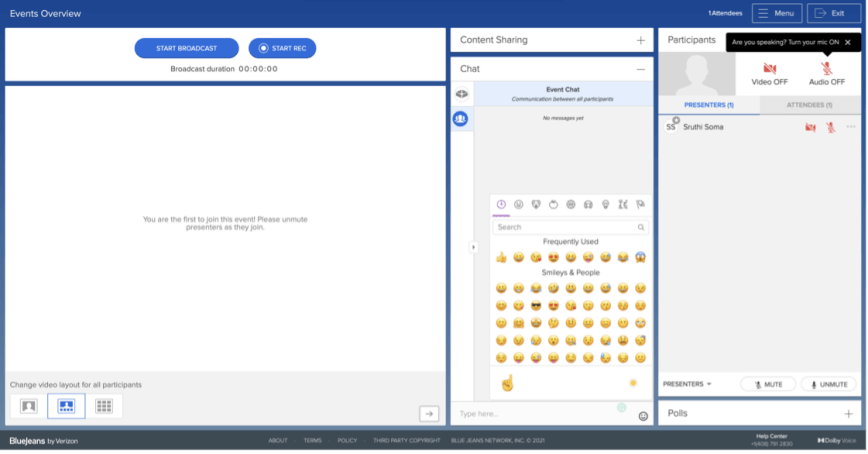
BlueJeans Studio transforms your webinars and virtual events into amazing, production-grade experiences
FEATURED RESOURCE
Download our desktop and mobile apps to experience the best that BlueJeans has to offer.
SUPPORT RESOURCES
Access knowledge base articles, review best practices, and easily get in touch with our support team.

Release Notes Archive

All
For new releases, please go to the Release Notes Home »
December 23, 2022 Release Notes

Developer Platform

APIs and SDKs

Software release version: Version 1.0

Release date: December 14, 2022

Webhooks for BlueJeans Meetings

Introducing Webhooks for BlueJeans Meetings! Webhooks push event metadata to a server in response to events that your app subscribes to and notifies third-party applications about events occurring in the service provider’s platform.

When one of your subscription events occurs, BlueJeans will send an HTTP POST request payload to your developer-configured webhook endpoints.

Additionally:

  • You can configure one or more webhooks in your enterprise application.
  • Webhooks can be enabled or disabled independently in the admin console.
  • You can configure up to 10 active webhooks for your enterprise.

For additional information, refer to the Webhooks Quick Start Guide.

For prerequisite and related details, please refer to:

BlueJeans Gateway for Microsoft Teams

BlueJeans Rooms - Relay

Software release version: BlueJeans Relay v2.35.1

Supported hardware: All SIP/H.323 endpoints

Release date: December 19, 2022


New features

BlueJeans listener service supports custom X.509 certificates

The BlueJeans listener service now supports custom X.509 certificates for incoming TLS server connections, which enables clients to securely authenticate and verify the identity of a host.

Feature enhancements

BlueJeans Relay support for Windows Management Instrumentation Command (WMIC) deprecation

The BlueJeans Relay listener service Windows installer removed the use of wmic.exe, which has been deprecated in Windows 10, version 21H1, and the 21H1 General Availability Channel release of Windows Server.

To read the WMIC tool deprecation notice, see Microsoft’s article on Deprecated features for Windows client.

Updated Relay UI

Bluejeans Relay removed out-of-date labels for the Endpoint Calendar Type dropdown.

December 9, 2022 Release Notes

BlueJeans Meetings

BlueJeans Mobile

iOS Software release version: Version 53.0

Release date: December 2, 2022

New features

Picture-in-Picture in Meetings

When the BlueJeans Meetings app is placed in the background during a meeting, the meeting displays in a floating widget.

The picture-in-picture feature can be turned off in the app’s General settings.

Translated closed captions available in Events

Attendees may view closed captions in their preferred language during an event.

The Event must have closed captions enabled and translated languages set. Users may also change their default language in the app’s settings.

Android Software release version: Version 2.5

Release date: December 2, 2022

New features

Translated closed captions available in Events

Attendees may view closed captions in their preferred language during an event.

The Event must have closed captions enabled and translated languages set. Users may also change their default language in the app’s settings.

BlueJeans Events

Studio Events

Software release version: Version 1.2

New features

Added adjustable ticker speed support

The Studio producer can customize the ticker banner display speed.


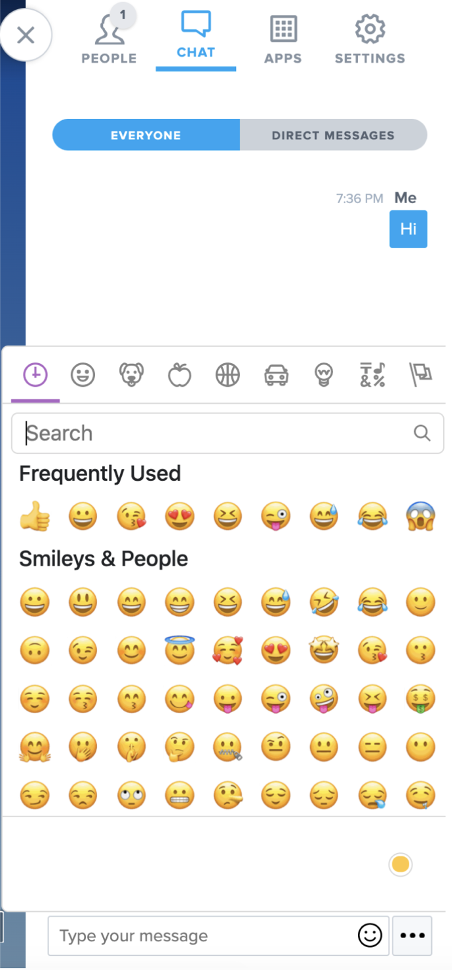
Lower thirds and tickers may now include emojis

Studio Producers can add emojis to their lower third and tickers.

November 25, 2022 Release Notes

BlueJeans Events

Studio Events

Software release version: Version 1.1

Raise hand feature promotes attendees to the Presenter role

Attendees in a Studio Event can use the raise hand feature to request promotion to the Presenter level. If the Moderator approves the request, they can speak and be seen in the Event.

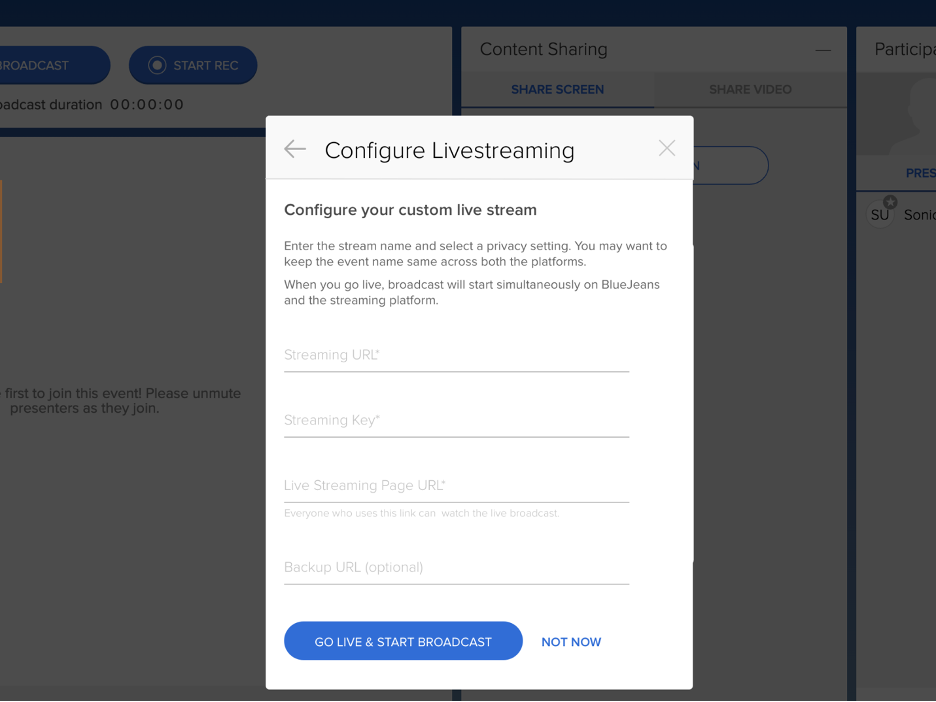
Added support for custom RTMP streaming

Moderators can now broadcast their BlueJeans Studio Event to a RTMP-capable streaming destination. This feature supports RTMP URLs that do not require username and password authentication and provides an easy way to broadcast your Event to any customized page.

Added support for streaming to IBM Watson

BlueJeans Studio Moderators can now livestream their event to the IBM Watson Media streaming platform.

Expo Events

New product offering

BlueJeans by Verizon is excited to introduce BlueJeans Expo, an immersive virtual environment for multi-session and multi-day event collaboration, education, engagement, and inspiration. BlueJeans Expo helps organizations deliver fully customizable virtual experiences by combining live and on-demand video, event management. and content hosting into one powerful yet easy-to-manage platform. Learn more at BlueJeans Expo.

BlueJeans Events

Software release version: Version 3.8

Closed captioning support added for recorded Events

For an event enabled with closed captions, the captioning service will be available to the attendees during both the live event and the recorded session. Recording viewers can now view and download English automated closed captions.

Developer Platform

Android Client SDK

Version: 1.6.0
Release date: October 31, 2022

New Features

Custom layouts and individual stream control support

BlueJeans added support for custom video layouts; developers can control the resolution property of video participants via VideoStreamService. Developers can build custom video layouts as needed with the Android Client SDK.

In the custom layouts, you may:

  • control the individual video streams
  • choose the resolution for a participant
  • prioritize by the active speaker
  • build support for pinning video tiles of particular participants in the meeting.

For additional information, review the feature's technical documentation.


Feature Enhancements

Mute API changes

Developers may modify mute settings before joining a meeting or while in the waiting room.

For prerequisite and related details, please refer to:

Web Client SDK

Software release version: Version 1.4.0

Release date: November 2, 2022

New Feature

720p video capture support

BlueJeans released support for capturing 720p resolution video from devices running the Web Client SDK. This feature supports specialized needs including telemedicine, sports fan engagements, or remote training. Devices that support 720p video capturing have 720p video reception enabled by default.

For prerequisite and related details, please refer to:

BlueJeans Gateway for Microsoft Teams

Screen Sharing Quality Enhancement

Software release version: Version 5.5.0

Release date: November 21, 2022

Customers using BlueJeans Gateway for Teams endpoints will now experience improved screen-sharing support under poor network conditions. This enhancement will help customers maintain their meeting screen share experience while on a sub-optimal network.

November 11, 2022 Release Notes

BlueJeans Meetings

BlueJeans Desktop App

Software release version: Version 2.39

Release date: November 11, 2022

Manually refresh the upcoming meeting list

Users can easily manually sync BlueJeans with their calendars, which updates the upcoming meeting list.

Customize lighting

Users may adjust the lighting of the camera feed. This feature allows users to enjoy premium video quality even in the most difficult of lighting conditions.

BlueJeans Gateway for Microsoft Teams

BlueJeans Rooms - Relay

Software release version: BlueJeans Relay v2.34

Supported hardware: SIP/H.323 endpoints

Release date: November 3, 2022

New features

Added Support for Microsoft Basic Authentication Deprecation

BlueJeans Relay customers who deprecate basic auth may use the instructions in our Updating Calendar Configuration to Support OAuth article to update their Exchange Online or O365 calendar configuration. The update will ensure one-touch join support for Relay-configured SIP/H.232 endpoints.

Added Support for Privacy and Terms of Service Statements

The BlueJeans Relay App supports the display of BlueJeans Privacy and Terms of Service statements.


Added Enhanced Security Support

The BlueJeans Relay App supports the recommended and current JRE versions for Listener Service installations (8, 11, and 17).

Feature enhancements

Enhanced SIP URI dialing support

The Relay Admin UI supports dialing into third-party video meetings with a SIP-based URI string for H.323 room systems and auto-joined meetings.


BlueJeans Events updates

Relay now supports BlueJeans events without passwords.

Additional Logging Support

The BlueJeans Relay App supports additional logging support for Listener Service transport detection and proxy configuration validation.

BlueJeans October 2022 Release Notes

BlueJeans Rooms

New devices supported

Software release version: BlueJeans Native Rooms v2.8

Firmware release versions: Poly: 2.8.0.104 - 3.14.0-210851, Yealink: 133.50.401.5 - 137.50.401.6

New devices supported: Poly X70 with TC8, Poly G7500 with TC8 and E70 camera

Release date: October 17, 2022

All supported hardware:

  • Poly X30 with TC8
  • Poly X50 with TC8
  • Poly X70 with TC8 (new)
  • Poly G7500 with TC8 and E70 camera (new)
  • Yealink A20 with CTP18
  • Yealink A30 with CTP18
Access BlueJeans settings and report an issue while in a meeting

Use the new settings options available in the touch panel to enter BlueJeans settings and report live issues faced while in a meeting.

This feature is available for all devices supported by BlueJeans Native Rooms.

View tiles of each individual within a room meeting

Use the People Framing mode in BlueJeans Camera Controls on Poly devices to view zoomed-in tiles for every individual in the room. People framing is available in default camera mode or as an in-meeting camera control option.

Devices supported:

  • Poly X70 with TC8
  • Poly G7500 with TC8 and E70 camera
Use predefined comments to report an issue

Customers can quickly select and report support issues to BlueJeans without entering full comments.

This feature is available for all devices supported by BlueJeans Native Rooms.

BlueJeans Meetings

BlueJeans Desktop App

Software release version: Version 2.39

Release date: October 28, 2022

View participant reactions

When a participant selects a reaction during a meeting, the associated emoji shows near the participant’s name for 15 seconds.

Set and view participant status

Meeting participants may change their in-meeting status with icons in the People panel; status choices are “Be right back” and “I am back”.

BlueJeans Telehealth

Download televisit data from the tile

Software release version: BlueJeans Desktop App 2.38, WMC 61, iOS 52.1, and Android 2.4
Release date: October 28, 2022

During a televisit, providers may download data from the televisit tile. Available downloadable data includes captured or uploaded images and any health concerns or symptoms added by the patient.

Write back televisit data from the tile

During a televisit, providers from organizations with an EHR integration with BlueJeans may write back data from the televisit tile. Available data includes captured or uploaded images and any health concerns or symptoms added by the patient.

BlueJeans September 2022 Release Notes

BlueJeans Events

Remove invited presenters, moderators, and attendees from an Event

Organizers may remove invited presenters, moderators, and attendees from an Event. Deleted participants will receive a cancellation email.

Anonymize Personal Identifiable Information in Event reports

Software release version: 3.7
Release date: September 17, 2022

When the anonymize feature is enabled:

  • The Name and Email fields display as "Anonymous" on the Event Details CSV report.
    • Remote IP, Device, Guide, Country, State, City, Browser, Endpoint Type, and User Agent report columns are blank.
  • The Name and Email fields display as "Anonymous" on the Event Q&A transcript.
  • The Name and Email fields display as "Anonymous" on the Event chat transcript.

Please contact BlueJeans Support at https://www.bluejeansbyverizon.com/s/contactsupport to enable this feature.

Quick Copy join information

An organizer can copy the join information for all roles directly from the Event Card.

Presenters can join an Event without camera use

Presenters may join an Event without camera access. Presenters can continue to interact with attendees via audio access, chat, and Q&A when they are unable to use their cameras.

BlueJeans Telehealth

Write back or download televisit data: Phase 1

Software release version: Blue Mac/Win 2.38, WMC 61, iOS 52.1, Android 2.4
Release date: September 16, 2022

During a televisit, providers may write back televisit data to their EHR or download this data to their local device. Available data includes captured or uploaded images and any health concerns or symptoms added by the patient.

Developer Platform

Web Client SDK

Version: 1.3.0
Release date: August 30, 2022
Web Client SDK GitHub Repo

New Feature

Waiting room

Developers may build scenarios where a user enters a waiting room instead of landing directly into a meeting. The host has exposure to moderator controls that also allow or deny participants' entry from the waiting room.

iOS Client SDK

Version: 1.6.0
Release date: September 9, 2022
iOS Client SDK GitHub Repo

New Features

Custom layouts and individual stream control support

BlueJeans added support for custom video layouts; developers can control the resolution property of video participants via VideoStreamService. Developers can build custom video layouts as needed with the iOS Client SDK.


Feature Enhancements

Mute API changes

Developers may modify mute settings before joining a meeting or while in the waiting room.

Enterprise Admin

MPLS support deprecated

BlueJeans deprecated support for the MPLS network from AT&T and Level 3.

BlueJeans July/August 2022 Release Notes

BlueJeans Meetings

BlueJeans Desktop App

Release Version - 2.37

Release Date - 3rd August 2022

Polling

Available in v2.37

Moderators can create, manage, and run multiple choice polls within their meetings, as well as via the BlueJeans Hub. Participants can answer and view poll results via the apps panel.

Image
Desktop Polling

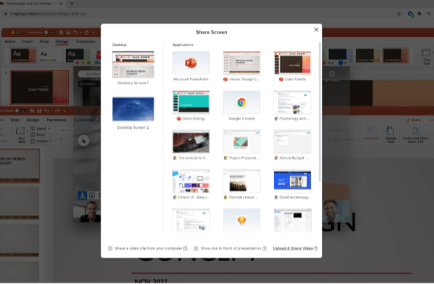
New Content Share Selection Experience (macOS only)

Available in v2.37

A new and fresh sharing experience. The screens and windows are grouped in a more intuitive way. Each window in the list is iconized instead of just listing as text.

Image
New Content Sharing

Live Interpretation - Volume Slider Improvements

Available in v2.37

Participants in a meeting where live interpretation is ongoing can now control the volume gain ratio between the original audio and the selected audio channel. This is achieved by a volume slider shown below.

Image
Interpreter Controls

Dynamic Noise Reduction

Available in v2.37

BlueJeans now supports Dynamic Noise Reduction on the desktop clients - a new AI/ML model for DNN (Deep Neural Network)-based noise reduction that removes impulse noises and echoes to improve the productivity of the meeting.

This feature removes impulse noises in conditions like airport terminals and train interiors or when sudden sounds occur like dogs barking and ambulance sirens passing by.

Image
Dynamic Noise Reduction

BlueJeans Desktop App for Linux

Polling

Available in v2.30

Moderators can create, manage, and run multiple choice polls within their meetings, as well as via the BlueJeans Hub. Participants can answer and view poll results via the apps panel.

Image
Desktop Polling

Developer Platform

iOS Client SDK

Release Version: v1.5.0

Release Date: June 2022

The BlueJeans iOS Client Software Development Kit (SDK) enables integrating BlueJeans Video and Audio into iOS native applications. With latest release, BlueJeans has enhanced SDK to include following features -

  • Observe mute state of remote streams – Developers can now subscribe to mute states of remote streams for audio, video and content.
  • Enhanced sample app – Refer to up-to-date sample app which integrates iOS client SDK and shares code snippets for easy integration.

For pre-requisite and related details, please refer to –

Web Client SDK

Release Version: v1.2.0

Release Date: July 2022

BlueJeans has released another update to its Web Client SDK, which includes support of closed captioning during a live meeting and removing hard dependency of user agent when used in a webview.

  • Support for Closed Captioning service.
  • Removed hard-coded user agent dependency on an iOS WKWebView.

For pre-requisite and related details, please refer to –

Android Client SDK

Release Version: v1.5.0

Release Date: July 2022

BlueJeans has brought forward the support of 720p resolution (send & receive) on Android Client SDK which focuses on enhancing video quality experience in video call and misc. bug fixes.

  • 720p camera capture support – Enable video with 720p resolution on supported android devices running your app to solve frontline worker use cases, remote learning use cases, telehealth use cases and more.

For pre-requisite and related details, please refer to –

Image
720p Support

    BlueJeans Gateway for Microsoft Teams

    Show Participant Name on VTC when Someone Shares Content

    Targeted for Release: Available Now

    BlueJeans Gateway for Teams customers will now be able to see participants name on VTC when content is being shared. This will help room system users identify the user who is sharing content.

    Lobby Notifications

    Targeted for Release: Early July

    Customers joining Teams meetings with BlueJeans Gateway for Teams enabled room systems will be able to see notifications of users waiting in the lobby. Customers can then allow the users waiting in the lobby into the meetings from their Teams desktop/mobile client.

    DTMF Menu Customization

    Targeted for Release: Available Now

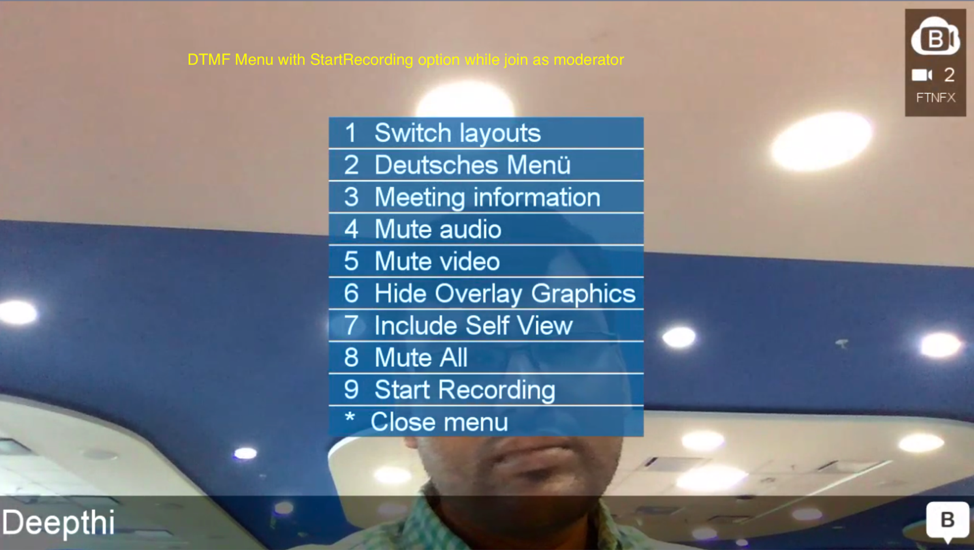
    Enterprise Admins can now have more control on the display of menu options in DTMF Menu with the support of this feature. DTMF menu options can be hidden/unhidden depending on the admin’s choice. More details can be found in the support article here.

    VTC Presentation Rights Integration for Screen Sharing

    Targeted for Release: Early July

    Based on the Meeting Roles set in Meetings Options, BlueJeans Gateway for Teams will now support preventing attendees from presenting/sharing during a Teams Meeting.

    Call Quality Score and Advanced Analytics Support

    Targeted for Release: Available Now

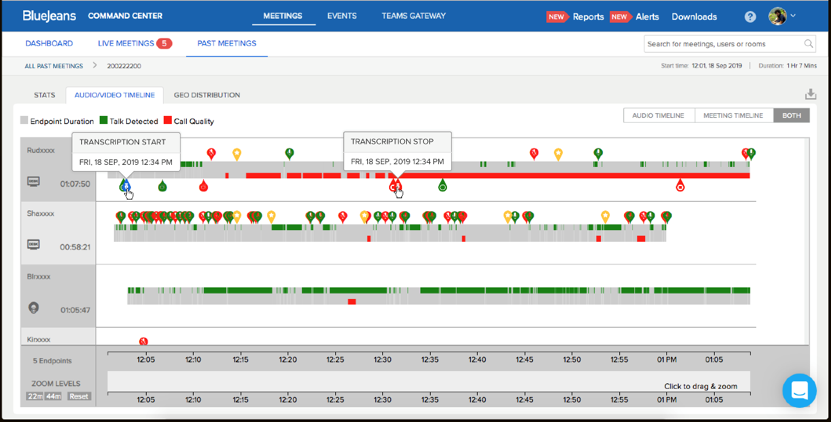
    Customer Admins will now be able to get holistic overview of the Teams Meeting experience with Teams Gateway enabled room systems with the support of VTC Call Quality Scores for Live and Past Meetings along with support to search VTC names in the Command Center Dashboard as well support for content call data in the History Tab. Call Quality Score is an indicative score generated by the BlueJeans Gateway for Teams backend after considering quality parameters of audio and video like jitter buffer, packet loss, etc.

    Note: These scores are an indication of quality experience from Gateway-enabled endpoints only and does not include Teams Meetings details. More details can be found in the support article here.

    Raised Hand Notifications

    Targeted for Release: Early July

    BlueJeans Gateway for Teams will now support display of Raised Hand Notifications. Customers joining Teams meetings with BlueJeans Gateway for Teams enabled room systems would now be able to see notification banners of users who have raised hands and as well as see the number of raised hands in the meeting in the top right corner.

    Note: Customers will not be allowed to raise hands from VTCs. More details can be found here.

    BlueJeans Rooms

    Poly Studio X70 with TC8 Support

    With BlueJeans Relay v2.33 release, push meetings will now be supported on Poly Studio X70 with TC8. More details can be shown here.

    BlueJeans Native Rooms

    Release versions: v2.6 & v2.7 (more details here).

    Supported Devices - Poly X30/X50/X70, G7500 with TC8

    Supported FW version: 3.12.0.210716- 3.12.0.366027 and above

    Targeted for Release: Available Now

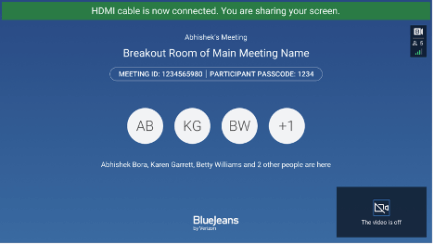
    In-Meeting HDMI Sharing

    In-meeting users can now share content on meeting room systems using HDMI share, They have to connect HDMI first and select HDMI from In-Meeting Share option.

    Image
    In-Meeting HDMI

    Screen Share Lock

    To prevent unwanted content share hijack from Room Systems, Native Rooms now support Screen Share Lock Feature as set by the meeting moderator. If a Screen Share is locked, the user would see a small notification on the touch screen when they try to unlock it.

    Image
    Screen Share Lock

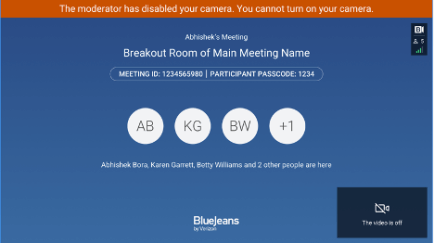
    Hard Mute Audio and Video (Attendee only)

    Moderators can now Hard Mute (Audio/Video) on Native Room Systems participants joining a meeting.

    Image
    Hard Mute

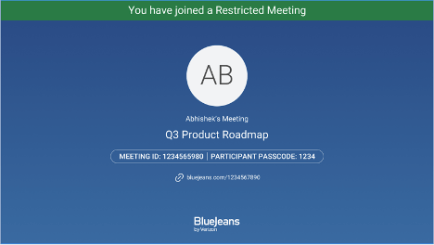
    Support for Joining Restricted Meeting

    BlueJeans Native Rooms users will now have support for joining Restricted Meetings with support of OTP/Passcode.

    Image
    Restricted Meetings

    Chat Display Support

    BlueJeans Native Rooms users can now see In-Meeting Chat Notifications on the monitor while in a meeting. These notifications can also be expanded to display chat messages along with chat emoticons. This chat display support feature can be enabled/disabled from settings depending on the meeting requirements.

    Note: Chat input/chat scroll feature support is not supported

    Image
    In Meeting Chat
    Image
    Gallery Chat

    Sequin Layout Support

    In Meeting, users can now experience an enhanced quality of meeting experience with an enhanced sequin layout options.

    Enhanced Settings Update

    Setting options are enhanced to share more details about the room and software versions.

    Accessibility Update

    To promote inclusivity and accessibility, BlueJeans Rooms has now enhanced UX updates.

    BlueJeans Telehealth

    SMS Integration (Phase 1)

    Targeted for Release Date: End of July 2022

    The SMS integration will have two parts. First, during scheduling using our web scheduler, providers can send SMS invites to patients. Second, patients and providers will have the ability to send SMS invites to someone during a televisit from within the visit or the patient landing experience (for patients).

    BlueJeans June 2022 Release Notes

    BlueJeans Gateway for Microsoft Teams

    Raised Hand Notification Support

    Targeted for Release: Early July

    BlueJeans Gateway will support display of Raised Hand Notifications. Customers joining Teams Meetings with BlueJeans Gateway for Teams enabled room systems will be able to see notification banners of users who have raised hands and as well as see the number of raised hands in that meeting on top right corner. Note: Customers will not be allowed to raise hands from VTCs. More details can be found here.

    Lobby Notification Support

    Targeted for Release: Early July

    Customers joining Teams Meetings with BlueJeans Gateway enabled room systems will be able to see notifications of users waiting in the lobby. Customers can then allow the users waiting in lobby into the meetings from their Teams desktop/mobile client.

    VTC Presentation Rights for Screen Sharing

    Targeted for Release: Early July

    Based on the Meeting Roles set in Meetings Options, BlueJeans Gateway for Teams will now support preventing certain attendees from presenting/sharing during Teams Meeting.

    Call Quality Score and Advanced Analytics Support

    Available Now

    Customer admins will now be able to get a holistic overview of the Teams Meeting experience with Teams Gateway enabled room systems with the support of VTC Call Quality Scores for Live and Past Meetings along with support for searching VTC names on the Command Center Dashboard as well support for content call data in the History tab.

    Call Quality Score is an indicative score generated by the BlueJeans Gateway backend after considering quality parameters of audio and video like jitter buffer, packet loss, etc. This score provides indicative meeting experience feedback of users joining meetings on Gateway enabled room systems.

    Note: These scores are an indication of quality from BlueJeans Gateway enabled endpoints only and do not include Teams Meetings details. More details can be found in the support article here

    Developer Platform

    iOS Client SDK

    Release Version: v1.4.0

    Release Date: May 2022

    The BlueJeans iOS Client Software Development Kit (SDK) enables integrating BlueJeans Video and Audio into iOS native applications. With latest release, BlueJeans has enhanced SDK to include following features -

    • 720p camera capture support – Enable 720p resolution on iOS/iPad devices running your app to solve frontline worker use cases, remote learning use cases and more.
    • UI customization (video backgrounds) – Customize your app’s video call experience by changing colour schemes that matches with your brand colours.
    • Expanded sample app – Sample app shared along with iOS Client SDK has been improved to add more features, to give an idea of how to integrate with BlueJeans SDK.

    For pre-requisite and related details, please refer to –

    • iOS Client SDK GitHub repo
    • Getting Started & Technical docs here
    Web Client SDK

    Release Version: v1.1.1

    Release Date: May 2022

    BlueJeans has released another update to its Web Client SDK, which include Moderation capabilities along with much awaited enhancement on joining a meeting without refreshing the web page.

    ‘ModeratorControlsService’ introduced -

    • Meetings recording
    • Mute/Un-Mute Audio/Video of other participants / all participants
    • Remove a participant from the meeting
    • End meeting for all immediately or after a certain delay
    • Spotlight a video participant

    Along with above changed, BlueJeans released “breaking” change where connection state “DISCONNECTED” has been removed from MeetingService. This was necessary for BlueJeans to release enhancement of allowing SDK developers to provide their customers that ability to join meetings without page refresh.

    • Since you can now rejoin meetings, Connection state goes to IDLE once meeting ends. Please refer to the connection state flow chart in our README.md

    For pre-requisite and related details, please refer to –

    Android Client SDK

    Release Version: v1.4.0

    Release Date: June 2022

    BlueJeans has brought forward another release of Android Client SDK which focuses on upgrading the target Android SDK to “level 30” along with misc. bug fixes.

    For pre-requisite and related details, please refer to –

    • Android Client SDK GitHub repo
    • Getting Started guide
    Web Embed SDK: Telehealth Native Support

    Release Version: v2.1.1

    Release Date: May 2022

    The BlueJeans Web Embed SDK allows web developers to embed and integrate BlueJeans Web Meetings Client experience as-is into their website/mobile-app. Various customizations are provided via the SDK to allow developers to match the video call experience with their brand. With latest release, BlueJeans has enhanced SDK to include the following -

    • Fixes done to support joining of Telehealth meeting via Web Embed SDK in iOS & Android native apps.
    • Extended documentation released for developers to easily integrate Web Embed SDK and run Telehealth PLE within their own apps. Refer to “Native support” section under Web Embed SDK.

    For pre-requisite and related details, please refer to –

    • Web Embed SDK GitHub repo
    • Getting Started & Technical docs here

    BlueJeans Events

    Virtual Background

    Feature Preview: June

    Presenters and Moderators can now turn on a virtual background and upload their own background image or choose from the BlueJeans default images to serve as their background. Enterprise Administrators will also have the ability to control the default background images available to the enterprise users.

    Image
    VB
    Recording Closed Captions

    Feature Preview: June

    Event Recording viewers can now view English automated closed captions on their recordings. For an event enabled with closed captions, the captioning service will now be available to the attendees during both the live and the recorded session.

    Image
    Event CC

    BlueJeans Meetings

    BlueJeans Desktop App

    Weatherperson Mode

    Available in v2.36

    Users can now overlay themselves on their content via the screen share menu in the desktop apps.

    Image
    Weatherperson

    Breakout Sessions: Moderator Broadcast Message

    Available in v2.36

    While breakout sessions are active, moderators can now send a message to all breakout rooms in a meeting.

    Image
    Broadcast

    Breakout Sessions: Ask for Help

    Available in v2.36

    While in a breakout, participants can now ask for help from a moderator via the roster. Moderators receive a notification and an easy one-click route to join and assist.

    Image
    Ask for Help

    Multiple Language Transcription

    Available in June

    In addition to English, transcripts and closed captions will now be available in German, French, Spanish, and Japanese meetings. By default, the meeting language will be the user's BlueJeans Profile Language. At the time of scheduling, the meeting organizer will have the option to modify the meeting language.

    Image
    Multi-Language
    BlueJeans Mobile

    Android Release Version 2.2

    Release Date: 06/08/2022

    Foldable Device Support

    When foldable devices are flexed, the video tiles or screen receiver would move to top half and call controls and other settings will move to the tabletop section.

    Z Fold

    Low Bandwidth Preference

    Users can now set their preferences to auto switch to Low Bandwidth Mode to save mobile data and improve audio quality when on a cellular network. Setting the preference automatically switches the user to Low Bandwidth mode when on a cellular network.

    Image
    Low Bandwidth

    Attendee Promotion in Events

    Attendees can now request to interact live in BlueJeans Events. Once a request is accepted by the Event Moderator, they can use audio and video in the Event.

    Image
    Attendee Promotion

    Breakout Room Broadcast

    Participants receive the Broadcast when sent by a Moderator regardless of the Breakout Room they belong to.

    Samsung DeX Selective Screen Share

    Users can now choose between the mobile phone screen and DeX screen while performing screen share.

    iOS Release Version: v50.0

    Release Date: 06/10/2022

    CallKit Integration

    The audio of a BlueJeans Meeting will be played in the background when the user receives a phone call on their iPhone.

    Participant Scrolling

    Users can now scroll through all the participants during the meeting.

    Image
    Scrolling

    Binge Meeting

    Users will now be notified for the upcoming meeting 1 min before the actual meeting.

    Image
    Binge

    Breakout Room Broadcast

    Participants receive the Broadcast when sent by a Moderator regardless of the Breakout Room they belong to.

    Request Moderator Join

    Participants can request the moderator to join their specific Breakout Room.

    High-Resolution Screen Share

    Users can share their phone screen at 1080p.

    BlueJeans March/April 2022 Release Notes

    BlueJeans Gateway for Microsoft Teams

    DTMF Menu Enhancement

    Targeted for Release: End of April 2022

    With the v5.2.0 release, Enterprise Admins can now have more control over the display of menu options in the DTMF Menu. DTMF menu options can also be hidden/unhidden depending on the Admin’s choice. More details can be found here.

    Participant Name on VTC when Someone Shares Content

    Targeted for Release: End of April 2022

    With the v5.2.0 release, BlueJeans Gateway for Teams customers will now see participants names on the VTC when content is being shared. This will help VTC users identify the user that is sharing content. More details can be found here.

    BlueJeans Rooms

    BlueJeans Rooms-as-a-Service with Poly

    BlueJeans Rooms-as-a-Service (RaaS)

    Targeted for Release: Available Now

    BlueJeans Rooms-as-a-Service (RaaS) is now available for sale within the United States.

    BlueJeans RaaS is a unique Hardware and Software bundle that is brought to life by the Poly Studio X30 or X50, bundled with BlueJeans Native Rooms License, Command Center, premier warranty, and more.

    For pre-requisite and related details, please refer to:

    Facebook Portal

    Facebook Portal V2.1 Release

    Targeted for Release: End of April 2022

    New features include:

    Events Presenter Support – Presenters joining BlueJeans Events from Portal will now have an option to join as a Presenter for enhanced content sharing and backstage chat features.

    Collab Board – BlueJeans on Portal will now support Collab Board, allowing teams to work together virtually by enabling a shared virtual whiteboard with tools to convey ideas like text, shapes, and post-it images.

    Simultaneous Interpretation – BlueJeans Meetings attendees will now have the option to experience real-time language interpretation when provided by the host. Please talk to the support team to enable this feature for your enterprise.

    QR Code Support - BlueJeans on Portal now provides a Meeting QR code, which contains the meeting information and allows users to easily join the meeting without keying in the meeting ID or passcodes on secondary devices.

    More details of the release can be found here.

    BlueJeans Telehealth

    Enhanced Customization of Patient Landing Experience

    Targeted Release Date: End of April 2022

    Enhancements include ability to remove date and time on the landing screen, the expansion of character limit on welcome message and entertainment screen message, and customization of the waiting text on the entertainment screen via API on a per meeting level.

    Integrate BlueJeans Telehealth via Web Embed SDK

    Release Date: Limited Availability

    The BlueJeans Web Embed Software Development Kit (SDK) enables embedding BlueJeans Video and Audio capabilities into web apps. This includes join support from both desktop and mobile browsers. For Telehealth customers this also includes customization capabilities for the patient landing experience, along with the standard customization capabilities of the Web Embed SDK. This allows healthcare organizations to quickly and easily integrate BlueJeans Telehealth into their applications.

    Refer to more details here.

    Provider Image Capture

    Targeted Release Date: End of April 2022

    The release of this feature allows providers to live capture a patients image during a televisit. The provider will access and initiate this feature from within the televisit tile app.

    Apple Health Expansion

    Targeted Release Date: End of April 2022

    We are expanding our Apple Health data that we can pull in to a televisit. This expansion includes; blood pressure, blood glucose, temperature, height, weight, and respiratory rate.

    Developer Platform

    Web Embed SDK

    Release Version: v2.1.0

    Release Date: Limited Availability

    BlueJeans Web Embed SDK enables embedding the BlueJeans WebRTC Client into any 3rd party web application with minimal effort. The Web Embed SDK design is simple, and you can easily integrate the regular meetings experience and televisit sessions into your web applications with a wide variety of customizations.

    BlueJeans has brought the support of award-winning Telehealth product in Web Embed SDK. The Web Embed SDK provides telehealth customers the ability to conduct televisit sessions within their environment. The televisit experience provides a fast, convenient, and personalized video conferencing encounter for both patients and providers. Using BlueJeans Web Embed SDK for televisit consultations, you can provide an enhanced experience for both patients and providers as well as the flexibility of virtual care. Web Embed SDK also provides you the ability to customize the Patient Landing Experience you wish to create for your clients.

    Web Embed SDK is a JavaScript-based SDK that gives you a quick and easy way to bring video capabilities into your web pages. Web Embed SDK is a single object that encapsulates all APIs related to establishing BlueJeans video and audio connections. To get started:

    Newly Added Features:

    • Mobile: Support for joining meetings on mobile browsers
    • Mobile: Support for customizing join experience on mobile browsers
    • Telehealth: Support for televisits on desktop and mobile browsers
    • Customization: Ability to customize various aspects of the Patient Landing Experience including welcome text on the landing screen, background color, organization’s logo, providers image, messaging on the entertainment screen, and articles and videos for patients to view while waiting for the provider. More details on customization are documented here.
    • General: Ability to mute the incoming audio from other participants

    For pre-requisite and related details, please refer to:

    BlueJeans Meetings

    BlueJeans Desktop App

    Tile Order Filtering

    Available in v2.34 (March)

    Participants can now change the order of the tiles in their meeting between activity, alphabetical, and raised hand options.

    Image
    Tile Order Filtering

    Dashboard View

    Available in v2.34 (March)

    Participants can now access the dashboard view in normal meetings via the option in the apps panel. This layout allows for all meeting components to be accessible within a single pane of glass and can be tailored to a participant’s specific needs. Additionally, video layouts have been improved for both base meetings and teacher’s flavors of the dashboard.

    Image
    Dashboard View
    BlueJeans Collab Board

    Collab Board

    Participants can now launch a multi-user Collab Board with autosaving, enhanced interaction options, and automatic sharing. Boards can also be created and accessed outside of meetings via the new side panel on the meeting dashboard.

    Image
    Collab Board

    This feature is now supported on the desktop app v2.34 (March), Linux app, iOS app V48, and Android app v2.2.

    BlueJeans January/February 2022 Release Notes

    BlueJeans Meetings

    BlueJeans Desktop App for Linux

    Live Reactions

    Available in v2.26 (Jan)

    We now support live reactions during a meeting where meeting participants can share 6 different emoji options during a meeting.

    Capture Highlights

    Available in v2.27 (Feb)

    Participants can capture Meeting Highlights for future reference in the post-meeting summary. Note: in-app highlights view support is not yet available.

    BlueJeans Desktop App

    Desktop Apps (Windows & Mac)

    Multi-Language Transcription

    Preview: February

    Support for meeting transcription and closed captions has now been extended from only English to 4 new languages: English, German, French, Spanish, or Japanese.

    MultiLanguage Transcription

    Simultaneous Interpretation

    Available in v2.33

    Meeting organizers can now invite interpreters to support real time audio language interpretation for up to 5 languages per meeting. Moderators will have the ability to manage and monitor interpreters’ audio, video, and language settings. Participants can simply join the meeting and choose to listen to the meeting in their preferred language.

    Simult Interpretation

    Moderator Audio and Video Disable

    Available in v2.33

    Moderators can now disable the microphones and cameras of all participants in meetings, providing both bulk and individual controls to better manage the meeting experience.

    Hard Mute

    New Waiting Room Experience

    Available in v2.33

    Waiting Rooms are now more discoverable with the integration of the waiting room participant list and toggle in the people view.

    Waiting Room

    Chat in Floating View

    Available in v2.33

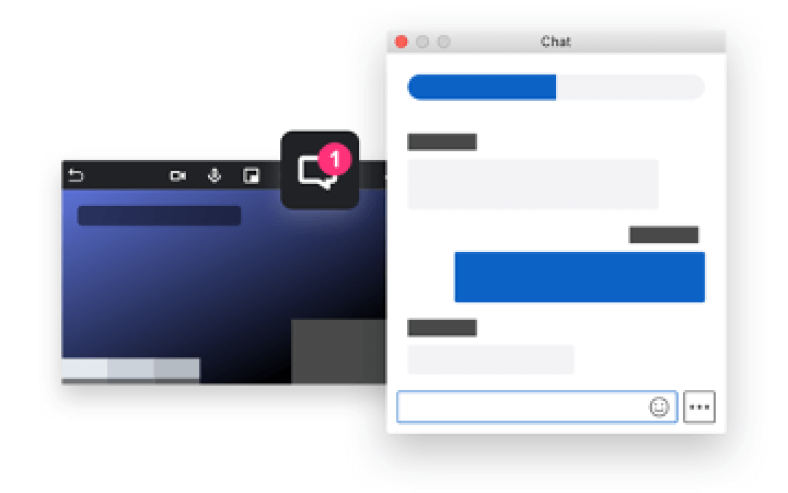
    Meeting participants can now view chats while the floating view is enabled. To access the chat, click on the new icon on the top bar of the view.

    Floating Chat

    BlueJeans Mobile

    Android

    Release Version 2.0 | Release Date: February 14 – March 31 (Gradual Rollout)

    Improved User Experience

    We have completely refreshed the Android App to be more user friendly and Accessibility compliant.

    Image
    BlueJeans Android Experience

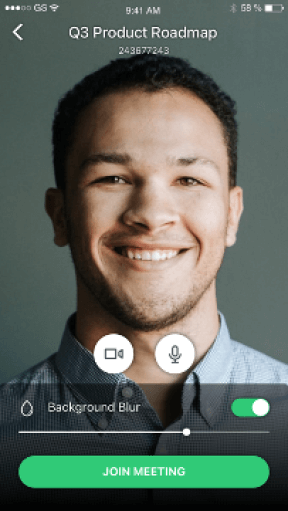
    Hair Check Screen with Background Blur

    Participants can now see themselves and blur their video background before joining the meeting.

    Image
    Android Blur

    Simultaneous Interpretation

    Participants can simply join the meeting and choose to listen to the meeting in their preferred language when Meeting organizers invite interpreters to support real time audio language interpretation for up to 5 languages per meeting.

    Image
    Android Interpretation

    Mobile iOS

    Release Version 48 | Release Date: February 16

    Live Reactions

    We will now support live reactions on the iPad during a meeting where meeting participants can share 6 different emoji options during a meeting.

    Image
    iPad Emoji

    BlueJeans Browser

    Screen Share in Safari

    Available in Feb

    Now Safari browser users can screen share during a BlueJeans Meeting in the browser.

    BlueJeans Gateway for Microsoft Teams

    Trusted Rooms Support for Live Events

    Targeted for Release: Available Now

    With the v5.1.0 release, BlueJeans Gateway customers will now have Trusted Rooms support extended to Teams Live Events, without any additional configurations. This feature support will provide enhanced privacy options to enterprises by ensuring only whitelisted IPs/domains can join Live Events. More details can be found in the support article here.

    Large Gallery View Support

    Targeted for Release: Available Now

    With the v5.1.0 release, we are releasing an enhanced and updated version of Large Gallery View. Customers can enjoy up to 49 participants in a single screen using this feature. To enable this feature, customers can now reach out to support and get this feature enabled for their tenants. More details can be found in the support article here.

    Enhancements to Fix Audio/Video Quality of Service

    Targeted for Release: Available Now

    BlueJeans Gateway has released multiple enhancements to improve the audio/video QOS and enable superior in-meeting experience. Please reach out to support for more details.

    Developer Platform

    Web Client SDK

    Release Version: v1.0.0

    Release Date: January 2022

    The BlueJeans Web Client Software Development Kit (SDK) enables embedding BlueJeans Video and Audio capabilities into web apps. BJNWebClientSDK is a single object that encapsulates all the API’s related to establishing a BlueJeans Video and Audio connection. The design of the SDK emphasizes simplicity. Developers can quickly integrate BlueJeans video into their applications.

    Features

    • Join, End Meeting
    • Audio and Video Permission Handling
    • Self-Video
    • Remote Video, Remote Video States
    • Content Receive
    • Audio and Video self-Mute
    • Audio Device Enumeration, Selection
    • Video Device Enumeration, Selection
    • Video Layout Switch
    • Participant List
    • Participant Properties: Audio Mute State, Video Mute State, is Self, Name and Unique Identifier
    • Self-Participant
    • Content/Screen Share
    • Log Upload
    • Public and Private Meeting Chat
    • Meeting Information (Title, Hostname, Meeting Id)
    • Video Tile Background Customization Options

    For pre-requisite and related details, please refer to –

    BlueJeans Events

    Events Scheduling Page Localization

    GA: February

    BlueJeans Events Scheduling page is now available in 5 languages: English, German, French, Spanish, or Japanese.

    BlueJeans Rooms

    Facebook Portal

    V2.0 Release | Targeted for Release: March

    Customers using BlueJeans app on Portal devices will now benefit from an enhanced user experience and new features. Users will need to uninstall the older app and install the new 2.0 version from the Portal App Store to take full advantage of the new version. The new app supports closed captioning, waiting room, recording, hard mute, live Interpretation, raise hand, and share screen support with share URL.

    Portal2

    BlueJeans Telehealth

    User Level Customization

    Release Date: January 2022

    This feature allows customization of the patient landing experience at the user level. Admins customize background color, logo, welcome message, entertainment screen message and articles/videos at the user level.

    BlueJeans November/December 2021 Release Notes

    BlueJeans Gateway for Microsoft Teams

    Locked Meeting Support

    Available in December 2021

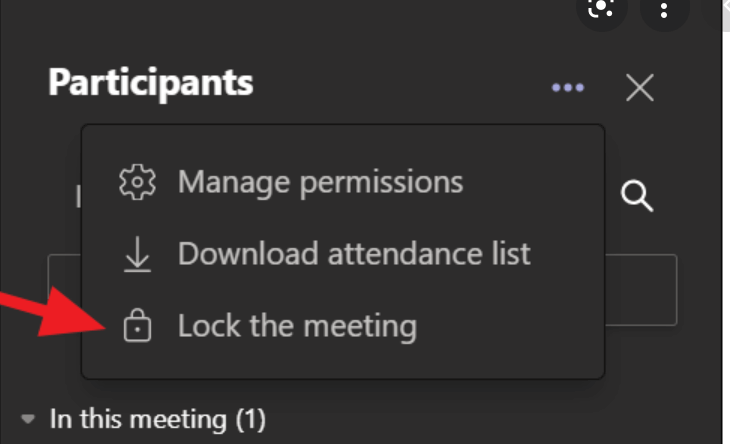
    BlueJeans Gateway for Teams supported endpoints will now support the Lock Meeting feature. As a part of this feature, if an endpoint tries to join a Teams Meeting locked by a moderator, a “Meeting is Locked” message will display for a few secs before getting disconnected.

    More details of the feature can be found here.

    Image
    Gateway Lock
    Domain Name Whitelisting

    Available in December 2021

    BlueJeans Gateway for Microsoft Teams will now support Enterprise Domain Name Whitelisting for the “Trusted Rooms” feature. This feature enhancement support will enable room systems to bypass the lobby and connect directly to the meeting. More details of the feature can be found here.

    BlueJeans Events

    Transfer Events API

    GA: December

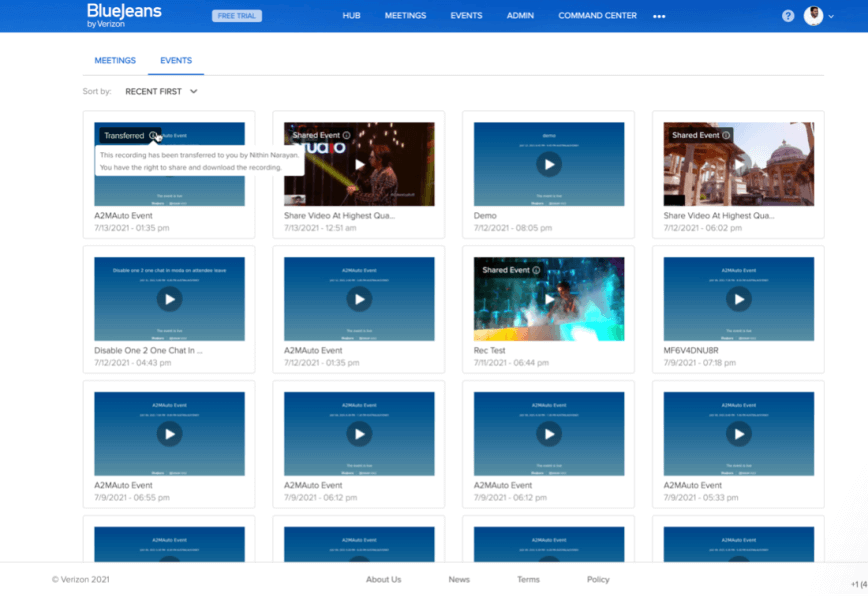
    An enterprise admin can now leverage the “Transfer Events API” to transfer recordings, past events, and upcoming events from one user to another user in the same organization. This can be utilized by admins to continue to retain important Event data when users leave the organization.

    Image
    Transfer Events 1
    Image
    Transfer Events 2
    Background Blur

    GA: December

    BlueJeans Events Moderators and Presenters can now blur their background during an Event.

    Image
    Events Blur
    Multi-Language Closed Captions

    GA: December

    BlueJeans Events Attendees can now view closed captions in over 70 Languages. Automated translation of captions from English to French, German, Chinese, Portuguese, Italian, Japanese, and more is available. You can view more details about the feature: here.

    Image
    ML Closed Captions
    Embeddable Recording

    GA: November

    BlueJeans Events Hosts will now be able to embed event recordings into an external website and continue to engage on-demand audiences.

    Image
    Embed Recordings 1
    Image
    Embed Recordings 2

    Developer Platform

    iOS Client SDK

    Release Version: v1.2.0

    Release Date: December 2021

    BlueJeans has brought a couple of upgrades on top of the previously released iOS Client SDK v1.0.0 to include features that elevate security via Waiting Room, active speaker identification during the call, elevate accessibility via Closed Captioning, mute of incoming audio to enable parallel VOIP call use cases and wide variety of moderator controls.

    Feature support:

    • Closed captioning (Enhance your video call’s accessibility by showcasing text during conversation)
    • Waiting Room support
    • Active speaker identification
    • Moderator Controls
      • Meeting recording
      • Mute/Unmute Audio/Video of other participants / all participants
      • Remove a participant from the meeting
      • End meeting for all immediately or after a certain delay•
    • XCode 13.0 Support
    • Mute incoming audio
    • Remote mute and Local mute information
    • “isModerator” property added to the participant object
    • “meetingId” and “participantPasscode” properties added to the meeting information
    • Misc. bug fixes

    For pre-requisite and related details, please refer to –

    Android Client SDK

    Release Version: v1.3.1

    Release Date: December 2021

    BlueJeans has brought a couple of upgrades on top of previously released Android Client SDK v1.2.0 to include features that elevate security via Waiting Room, active speaker identification during the call, mute of incoming audio to enable parallel VOIP call use cases, and observables to read states of audio mute and user’s role.

    Feature Support:

    • Waiting Room support
    • Active speaker identification
    • Mute incoming audio
    • Remote mute and Local mute information
    • “isModerator” property added to the participant object
    • “meetingId” and “participantPasscode” properties added to the meeting information
    • Misc. bug fixes

    For pre-requisite and related details, please refer to –

    BlueJeans Rooms

    Custom In-Meeting Support using Cisco Macros

    Using Cisco CE Macro Customization support, customers connecting to BlueJeans Meetings or Teams Gateway Meetings using Cisco Room Systems will now be able to add custom in-meeting control buttons for features such as:

    • Switch meeting layout

    • Remote mute/unmute microphone, handy for mute-on-entry or if you were moderator muted

    • Remote disable/enable the camera

    These custom control buttons enhance the meeting experience and allow the user to use Cisco Touch 10 touch panels and DX series touch interfaces.

    Customers will also have option to configure multiple endpoints with Custom In-Meeting Support for BlueJeans Meetings using Command Center. For more details check here.

    Image
    Cisco Macros
    Global IP Address Updated (SIP & H.323)

    BlueJeans global IP addresses for SIP & H.323 Room Systems have been updated. If your devices or supporting infrastructure are programmed to dial 199.48.152.152, you will need to update the configurations to reflect the new IP address. The existing/ old IP address will continue to operate alongside the new address until November 30, 2021 to ensure a smooth transition and provide ample time for administrators to make updates as needed.

    Old IP Address:

    • 199.48.152.152** (functional until November 30, 2021)

    New IP Addresses:

    • Primary: 104.238.247.247
    • Secondary: 104.238.244.244

    Support article can be accessed here. Meeting and Events scheduling service have been updated to reflect the new IP.

    BlueJeans Meetings

    Recording

    Share Recording with Invitees

    Generally Available in December

    A meeting recording owner can now leverage the “Add invitees email address” on the share screen to effortlessly share the recording with all meeting invitees.

    Image
    Share Recording

    BlueJeans Mobile

    Mobile iOS

    Release Version 47

    Release Date: November 2021

    Mute Audio using Speaker Button

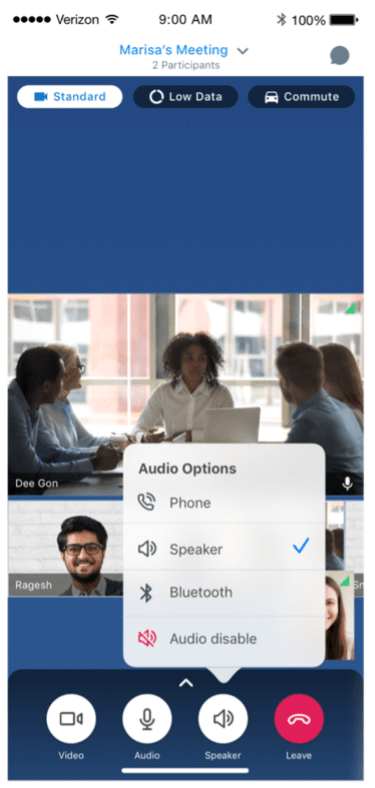
    A new option has been introduced in the iOS app to disable and enable audio.

    Image
    Mute Audio1
    Image
    Mute Audio2

    Release Version: 47.1

    Release Date: December 2021

    Profile Picture Shown in Self-View During Video Mute

    Upon muting video during a meeting, users will now be able to see their profile picture in their self-view.

    Audio

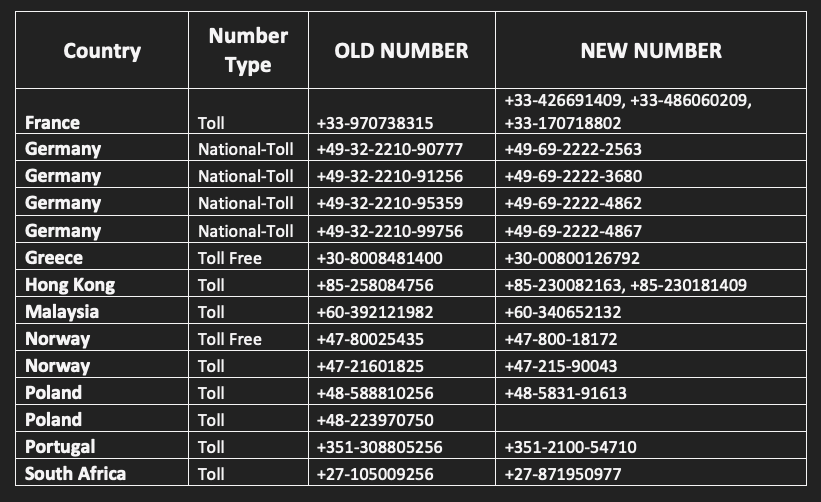
    PSTN Number Updates

    Image
    PSTN updates
    BlueJeans Desktop App

    Waiting Room Updates

    Available in v2.33 (December)

    Improved the overall user experience for waiting room moderation by adding controls to the People section.

    Image
    Waiting Room Updates

    Chat in Floating View

    Available in v2.33 (December)

    Users can now access group and direct chats while in the floating view layout.

    Image
    Chat in Floating View

    Reactions

    Available in v2.33 (December)

    Participants can share reactions in their meetings with six different emojis.

    Image
    Reactions

    Simultaneous Interpretation

    Available in v2.33 (December)

    Meeting organizers can now invite interpreters to support real time audio language interpretation for up to 5 languages per meeting. Moderators will have the ability to manage and monitor interpreters’ audio, video, and language settings. Participants can simply join the meeting and choose to listen to the meeting in their preferred language.

    Image
    Interpretation

    BlueJeans Telehealth

    Image Capture

    Available in December 2021

    This feature allows patients to live capture or upload images from the patient landing experience or the televisit tile during a visit. These images will then be visible to both the patient and the provider from within the televisit tile for use during the televisit.

    Telehealth Monitoring

    Available in December 2021

    Enterprise admins can now monitor and track all telehealth visits in Command Center.

    BlueJeans September/October 2021 Release Notes

    BlueJeans Rooms

    BlueJeans Relay in AWS Marketplace with Advanced Webapp Support

    Targeted for Release: Available Now

    Customers with AWS Cloud Services can now easily install, upgrade, maintain BlueJeans Listener service (2.29 or higher) from AWS Marketplace with support of BlueJeans Relay with advanced webapp installation support.

    This feature will help customers further their cloud migration strategy and help by easily controlling on-prem endpoints from remote locations. More details about the feature can be found here.

    Image
    Relay for AWS
    Global IP Address Updated (SIP & H.323)

    BlueJeans global IP addresses for SIP & H.323 Room Systems have been updated. If your devices or supporting infrastructure are programmed to dial 199.48.152.152, you will need to update the configurations to reflect the new IP address. The existing/old IP address will continue to operate alongside the new address until November 30, 2021 to ensure a smooth transition and provide ample time for administrators to make updates as needed.

    Old IP Address: 199.48.152.152** (functional until November 30, 2021)

    New IP Addresses:

    Primary: 104.238.247.247

    Secondary: 104.238.244.244

    Support article can be accessed here

    Meeting and Events scheduling service have been updated to reflect the new IP.

    BlueJeans Rooms Native Support with Poly (GA)

    Targeted for Release: Available Now

    BlueJeans Rooms is proud to announce the General Availability of BlueJeans Native Rooms solution with Poly Studio X series and G7500-based room systems.

    Using BlueJeans Native Rooms solutions with Poly, customers can now outfit their huddle spaces and conference rooms with pro-grade audio and video gear that is quick to deploy, easy to use and delivers a seamless meeting experience for everyone, regardless of whether they are in the room or joining remotely.

    For more details on the BlueJeans Native Rooms please reach out to support for more details.

    Image
    Poly Room
    Chat Display Support on SIP/H.323 Room Systems (Preview)

    Targeted for Release: Available Now

    Customers using BlueJeans Rooms (H.323/SIP) can now have an enhanced in-meeting experience with the availability of chat message display support. BlueJeans Rooms participants will now be able to view chat messages on screen while talking to other participants. More details about the feature can be seen here.

    BlueJeans Meetings

    BlueJeans Mobile

    Waiting Room Moderation

    Release Version: 46 / Release Date: September 2021

    This is the first feature of a larger initiative to bring parity in moderations controls on Meetings for mobile with the desktop version of BlueJeans Meetings. Moderators will now be able to join meetings from the mobile iOS applications and manage their waiting rooms. This includes the ability to view waiting rooms, admit participants to a meeting from the waiting room, deny participants from joining a meeting and sending meeting participants to the waiting room.

    Image
    Mobile Waiting Room

    Profile Picture Displayed during Video Mute State

    This update will allow iOS users (iPad and iPhone) to see the profile image, if present, of a meeting participant when that participant is muted.

    Mute Audio Using Speaker Button

    Release Version 47 / Release Date: October 2021

    A new option has been introduced on the iOS app to disable and enable audio with a button.

    BlueJeans Desktop App

    Moderator Chat Clear

    Now Available on Linux version 2.24 (Sept)

    Moderators can now delete the public chats for all users in their meeting ID via a menu option in the chat section of the app.

    Endpoint support – This feature is supported on Desktop apps (Windows, Mac, Linux), Browser, Android, and iOS)

    Image
    Clear Chat

    Moderator Editing of Participant Names

    Available in Oct

    Moderators can now edit participant’s names within meetings.

    Endpoint support – This feature is supported on Desktop apps (Windows, Mac, Linux), and Browser

    Participant Scrolling

    Available in Oct

    Users will now be able to view all meeting participants’ video tiles by scrolling through multiple pages of attendees.

    Endpoint support – This feature is supported on Desktop apps (Windows, Mac, Linux), and Browser

    Audio

    PSTN Number Update

    Image
    PSTN updates
    Recording

    Trim Meeting Recordings

    Targeted for Release: October

    A meeting recording owner can now trim any unwanted parts from the beginning and end of a recording before sharing it. When the recording is viewed by other users on the BlueJeans playback page, they would see the edited version of the video.

    Image
    Trim Meetings
    BlueJeans Desktop App for Linux

    Window Sharing in Content Share

    Available on version 2.24 (Sept)

    Beginning with Desktop Linux app v2.24 on Linux, users can now choose to share a particular open window while sharing content.

    Note: Applicable only for X11 display system.

    Image
    Linux Screen Sharing

    Binge Meetings

    Available on version 2.25 (Oct)

    Transition quickly and effectively from back-to-back meetings. On-screen notifications provide one-click access to join your next meeting without having to return to the meeting dashboard.

    Image
    Binge Meetings Linux

    Developer Platform

    iOS Client SDK

    Release Version: v1.0.0

    Release Date: September 2021

    BlueJeans has released a brand-new SDK for our customers, partners & developers to integrate and bring the power of BlueJeans Meetings on their iOS native applications. BlueJeans iOS Client SDK is a bundle of Audio, Video Conferencing Meetings API, with an easy-to-use sample app(s) which works seamlessly across all your iOS devices and enables users to enjoy audio, video, screen sharing and many more features. With BlueJeans SDK, you can join meetings, chat, share your screen and create brand new use cases that are relevant to your industry.

    Feature support:

    • Audio and Video Permission handling
    • Join, End Meeting
    • Self-Video
    • Remote Video, Remote Video states
    • Screen Share
    • Content receive
    • Audio and Video self-mute
    • Orientation handling
    • Video device enumeration, Selection
    • Audio device enumeration, Selection
    • Video Layout switch
    • Participant list
    • Participant properties: Audio mute state, Video mute state, is Self, Name and Unique Identifier
    • Log Upload
    • Multi stream support (Sequin Video Layouts)
    • Public and Private meeting Chat
    • Remote Video and Content mute
    • Meeting Information (Title, Host name, URL) property

    For pre-requisite and related details, please refer to –

    Web Client SDK

    Release Version: (beta)

    Release Date: September 2021

    BlueJeans has released a brand new WebRTC based Web Client SDK for our customers, partners & developers to integrate and bring the power of BlueJeans Meetings on their websites. BlueJeans Web Client SDK is a bundle of Audio, Video Conferencing Meetings API, with an easy-to-use sample app(s) which works seamlessly across various desktop and mobile browsers and enables users to enjoy audio, video, screen sharing and many more features.

    Web Client SDK allows developers to build a whole meeting experience from scratch, control user flows with respect to video conferencing (such as joining or actions during the meeting). With BlueJeans SDK, you can join meetings, share your screen and create brand new use cases that are relevant to your industry.

    Web Embed SDK or Web Client SDK?

    BlueJeans Web Embed SDK allows developers to use BlueJeans Web Meeting Client experience as-is with many customizations while, Web Client SDK empowers developers to build their video calling experiences from scratch and define their own user experience.

    Feature support:

    • Audio and Video Permission handling
    • Join, End Meeting
    • Self-Video
    • Remote Video, Remote Video states
    • Screen Share
    • Content receive
    • Audio and Video self-mute
    • Orientation handling
    • Video device enumeration, Selection
    • Audio device enumeration, Selection
    • Video Layout switch
    • Participant list
    • Participant properties: Audio mute state, Video mute state, is Self, Name and Unique Identifier
    • Remote Video and Content mute
    • Meeting Information (Title, Host name, URL) property
    • Desktop & Mobile browser support

    For getting access to Web Client SDK, please fill the following form and get started.

    Web Embed SDK

    Release Version: v2.0.0

    Release Date: October 2021

    BlueJeans has released enhancements to WebRTC based Web Embed SDK that includes features which elevates accessibility of a call by providing ability to select language locale while joining the meeting and also, be able to customize background colours to match the in-meeting experience to customer’s brand.

    Web Embed SDK or Web Client SDK?

    BlueJeans Web Embed SDK allows developers to use BlueJeans Web Meeting Client experience as-is with many customizations while, Web Client SDK empowers developers to build their video calling experiences from scratch and define their own user experience.

    Feature support:

    • Locale support of 5 languages while joining a meeting
    • Customise background tile colours to match in-meeting experience with brand colours

    For pre-requisite and related details, please refer to –

    Android Client SDK

    Release Version: v1.2.0

    Release Date: September 2021

    BlueJeans has released enhancements to Android Client SDK v1.0.0 in a quick succession to include features that elevates accessibility on a call, spotlight a participant’s video and wide variety of moderator controls.

    Feature support:

    • Closed captioning (Enhance your video call’s accessibility by showcasing text during conversation)
    • Spotlight participant video
    • 720p video capture (Experimental API)
    • Moderator Controls
      • Meeting recording
      • Mute/Unmute Audio/Video of other participants / all participants
      • Remove a participant from the meeting
      • End meeting for all immediately or after a certain delay
    • Audio capture dumps (debug facility)
    • Misc. bug fixes

    For pre-requisite and related details, please refer to –

    BlueJeans Gateway for Microsoft Teams

    Updated Notification on Teams Gateway Licenses

    Targeted for Release: Available in Oct 2021

    Customers using BlueJeans Gateway for Microsoft Teams in a trial period will now see notifications indicating free trial as well as the end of the free trial period. These notifications will equip free trial users to make informed decisions and avoid any sudden disruption of service. More details can be found here.

    Video Mute Support

    Targeted for Release: Available in Oct 2021

    Customers using BlueJeans Gateway for Microsoft Teams will now have the ability to mute self-video from their DTMF menu. More details can be found here.

    Image
    GW Mute
    Premium Access for China (CPA) for Teams Gateway

    Targeted for Release: Available in Oct 2021

    Mainland China Customers using BlueJeans Gateway for Microsoft Teams can now have an improved Teams Meetings experience by leveraging a dedicated China network (Premium Access for China support) to handle BlueJeans Gateway for Teams traffic into and out of China.

    Once the enterprise subscribes to the CPA feature, they just need to dial a dedicated FQDN to dial into Teams meetings. More details can be found here.

    Static Images for Video Muted Participants

    Targeted for Release: Available in Oct 2021

    Customers using BlueJeans Gateway for Microsoft Teams can now see details of “static image” of video muted or audio only participants, thus giving actual representation of participants in the meeting. Please reach out the support get the feature enabled for your tenant. More details can be found here.

    Image
    GW Static
    Meetings Information Support

    Targeted for Release: Available in Oct 2021

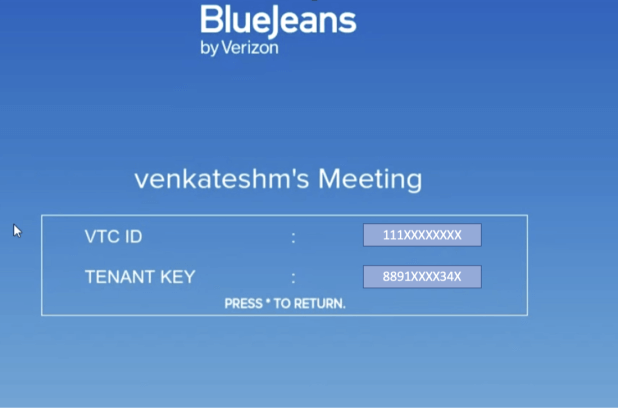
    Customers using BlueJeans Gateway for Microsoft Teams can now see meeting info like VTC ID, TENANT KEY, and CUSTOM DOMAIN by pressing *3 from their DTMF menu. More details can be found here.

    Image
    GW meeting Info

    BlueJeans Events

    Embeddable Recording

    Targeted for Release: October

    Like a live event, an event host will now be able to embed the event recordings into an external website and continue to engage new audiences.

    Image
    Embed Recordings 1
    Image
    Embed Recordings 2
    Multi-Language Closed Captions

    Targeted for Release: October

    Bluejeans Event Attendees can now view closed captions in over 70 Languages. Automated translation of captions from English to French, German, Chinese, Portuguese, Italian, Japanese among several other languages will be available.

    Image
    Multi-Language Closed Captions

    BlueJeans Telehealth

    Telehealth Monitoring

    Enterprise admins can now monitor and track all Telehealth visits in Command Center.

    VDI Support for Telehealth Features

    Release Date: October 2021

    VDI support for the following Telehealth features: Patient Landing Experience, interpreter integration, Apple Health integration, Televisit Tile and self-service customization via enterprise admin.

    BlueJeans July/August 2021 Release Notes

    BlueJeans Meetings

    Audio

    PSTN Number Updates

    Image
    BlueJeans PSTN Number Updates
    BlueJeans Desktop App

    Open Breakout Sessions

    Available on Windows, Mac version 2.31 (August)

    Moderators can now allow participants to choose breakout rooms. Once breakout session is initiated, Participants will get to see all the Rooms those are marked Open to Choose and Join.

    Image
    Options for selecting open breakout sessions


    Self-View Improvements

    Available on Windows and Mac version 2.30 (July)

    Beginning with Desktop app v2.30 on macOS and Windows, users can now move their self view into the feed while in Gallery View.

    Image
    Move self view into gallery view

    Accessibility Improvements

    Available on Windows and Mac version 2.29(June)

    Visual changes have been made with color, font size, and icons to improve usability for visually impaired participants.

    Image
    New accessibility designs

    Moderator Chat Clear

    Available on Windows and Mac in August

    Moderators can now delete the public chats for all users in their meeting via a menu option in the chat section of the app.

    Image
    Clear chat from meeting

    BlueJeans Desktop App for Linux

    Interactive Tiles

    Available on Linux in July

    Moderators can interact with the participant thumbnail to access quick actions such as Mute / Unmute, View Local time, Pin / Unpin.

    Image
    Easily access interactive features directly from the tile
    BlueJeans Mobile

    Version 45 (Released July 20)

    Background Blur

    Users will now be able to blur their background when sharing their video on iOS devices.

    Image
    background blur for mobile

    Version 45.1 (July-end release)

    • Telehealth Tile Support (See Telehealth)
    • Apple Health Support (See Telehealth)

    Version 46 (September release)

    Waiting Room Moderation

    Moderators will now be able to join meetings from the mobile iOS applications and manage their waiting rooms. This includes the ability to view waiting rooms, admit participants to a meeting from the waiting room, deny participants from joining a meeting and sending meeting participants to the waiting room.

    Image
    Waiting room moderation for iOS

    Profile Picture Displayed During Video Mute

    Upon muting video in meeting, only users’ initials are displayed to other participants of the meeting in iOS devices. This update will allow iOS users (iPad and iPhone) to see the profile image, if present, of a meeting participant when that participant is muted.

    BlueJeans Events

    Embeddable Recording

    Available in August

    Like a live-streamed event, BlueJeans Events hosts will be able to embed Event recordings onto an external website and continue to engage on-demand audiences.

    Hard Limit Event Duration

    Available in Version 2.11 (July)

    Organizers can now restrict the event duration. If restricted, the event will be terminated after the event duration has elapsed and no overage fee would be incurred.

    Emoji Support

    Available in Version 2.11 (July)

    All the chats in an event will now have emoji support.

    Image
    Emoji chat support for BlueJeans Events
    Configurable Default PSTN Dial-In

    Available in Version 2.11 (July)

    Administrators can now customize the Default Dial in numbers shown to Attendees at the Enterprise level. The setting "Default Dial-In Number location" is set to the United States by default. Admins can modify it by selecting a country of their choice from the list. Click here for detailed instructions

    BlueJeans Telehealth

    Telehealth Monitoring

    Enterprise admins can now monitor and track all telehealth visits in Command Center.

    Apple Health Integration

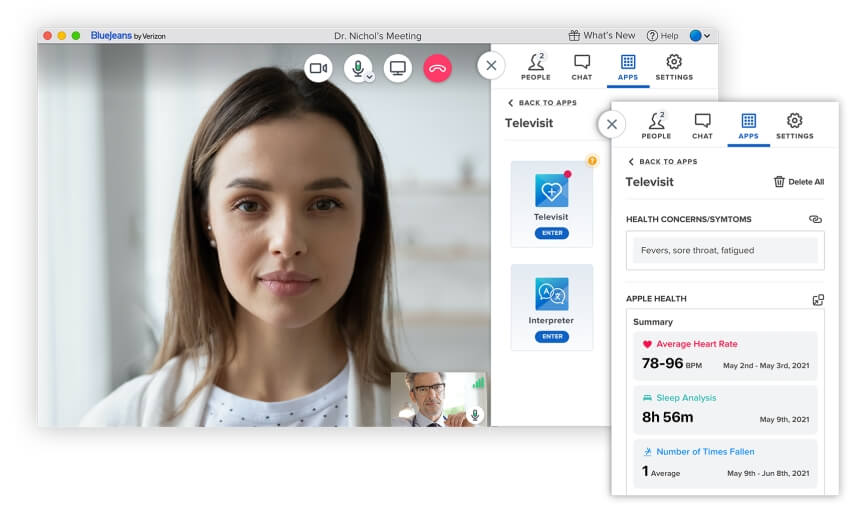
    Apple Health integration is focused on bringing pre-assessment vitals in to a televisit to help enhance a virtual encounter with data similar to what could be gathered in an in-person encounter.

    For the initial integration, the data we will pull will include:

    • Heart rate data: heart rate, resting heart rate, walking heart rate average, ECG, & irregular heart rate events
    • Step Count
    • Number of times fallen
    • Walking: walking speed, stair ascent, stair descent
    • Sleep analysis

    How the integration will work:

    Patients who are joining from their iPhone, using the native BlueJeans iOS app, will be able to sync their Apple Health data from within the patient landing experience or within the televisit from the televisit tile to bring that data in to the visit. Once synced the provider will be able to see and interact with that Apple Health data from the televisit tile. The provider can expand data as well as screen share the data for using during the televisit.

    Feature Support:

    • Patient Sync: Patient syncing of Apple Health Data will only be supported on BlueJeans native iOS app, ONLY on iPhone.
    • Provider View/Interact (within the televisit tile): BlueJeans native Mac, Win, iOS apps, WebRTC.

    ** Note: No support on native Android app until after v2 is released. No mobile WebRTC support for moderators

    Image
    BlueJeans Telehealth Provider View
    Televisit Tile

    Available in August 2021

    The televisit tile is a place where any data gathered within the patient landing experience or within the televisit will be placed. The data owner (patient) will be able to add/edit/delete the data and the provider/moderator will be able to view/delete/copy the patient data.

    For initial release this will include:

    • Chief complaint/symptoms
    • Apple Health data

    Feature Support:

    • Patient/participant Add/View: native Mac, Win, iOS apps, mobile WebRTC & WebRTC.
    • Provider/Moderator View: Mac, Win, iOS apps, and WebRTC.

    ** Note: No support on native Android app until after v2 is released. No mobile WebRTC support for moderators

    BlueJeans Gateway for Microsoft Teams

    Custom Background Color for Banners and Notifications

    Available in July 2021

    Customers using BlueJeans Gateway for Microsoft Teams can now opt to customize the notifications/ warning banner to their preference. More details can be found here.

    Image
    Custom banners for Teams Gateway
    Better Feature Control at Endpoint Level

    Available in July 2021

    Customers can now choose to add endpoint level feature options overriding tenant settings (for features like secure call/geo language support). More details can be found here.

    Enhanced Security with TLS 1.2 Support

    Available in August 2021

    Data security is the foundation of every organization. To continue to offer a secure means of communication to our systems, BlueJeans Gateway for Teams will move all the online services to support Transport Layer Security (TLS) 1.2+ and will disable TLS 1.0 and TLS 1.1 encryption protocols from August 15, 2021. To avoid any service disruption while using BlueJeans Gateway for Teams, customers are advised to upgrade the supported encryption protocol for their endpoints to TLS 1.2. Please check here for more details.

    Disable Content Share

    Available in July 2021

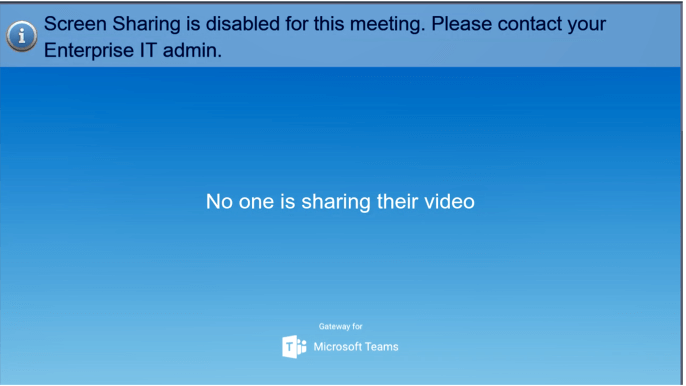
    Customers using BlueJeans Gateway for Microsoft Teams can now choose to disable content share from VTCs either at the tenant level or at the IP level by using the feature flag. More details can be found here.

    Image
    Disable Content Sharing on VTC

    Enterprise Admin

    M-Score

    Available Now as Limited Preview

    Enterprise admins can now experiment with new analytics to retroactively monitor meeting call quality across the enterprise. They can use the new M-Score to analyze call quality across various IPs, countries, Bluejeans clients and find patterns, derive insights and pro-actively address issues. They can also view the list of top users affected by poor call quality and debug their call logs through Command Center.

    BlueJeans Rooms

    BlueJeans Rooms Native Support for Poly

    Open Preview (Beta) Available Now

    BlueJeans Rooms Native Support for Poly G7500, Poly Studio X50, and Poly Studio X30 (along with TC8 Touch Controller) is now available for preliminary user testing. As a part of the Beta version, we are offering a limited set of features available in English language only. Please reach out to support for more details.

    Image
    BlueJeans Rooms for Poly Devices
    Facebook Portal 1.4

    Available in August 2021

    With version v1.4, customers using Facebook Portal for BlueJeans Meetings can have an immersive meeting experience by getting audio through their paired Bluetooth device and viewing and responding to in-meeting chat messages from their portal devices.

    Developer Platform

    Android Client SDK

    Available in August 2021

    BlueJeans has released a brand new SDK for our customers, partners & developers to integrate and bring the power of BlueJeans Meetings on their android applications. BlueJeans Android Client SDK is a bundle of Audio, Video Conferencing Meetings API, with an easy-to-use sample app(s) which work seamlessly across all your android devices and enables users to enjoy audio, video, screen sharing and many more features. With BlueJeans SDK, you can schedule, join meetings, chat, share your screen and create brand new use cases that are relevant to your industry.

    Feature support:

    • Audio and Video Permission handling
    • Join, End Meeting
    • Self-Video
    • Remote Video, Remote Video states
    • Content receive
    • Audio and Video self-mute
    • Orientation handling
    • Video device enumeration, Selection
    • Audio device enumeration, Selection
    • Video Layout switch
    • Participant list
    • Participant properties: Audio mute state, Video mute state, is Self, Name and Unique Identifier
    • Screen Share
    • Log Upload
    • Multi stream support (Sequin Video Layouts)
    • Enable torch / flash unit on a device
    • Set capture requests such as zoom, exposure on the active video device
    • Public and Private meeting Chat
    • Remote Video and Content mute
    • Meeting Information (Title, Host name, URL) property

    For pre-requisite and related details, please refer to Android Client SDK github repo and Getting Started guide.

    BlueJeans April 2021/June 2021 Release Notes

    Enterprise Admin

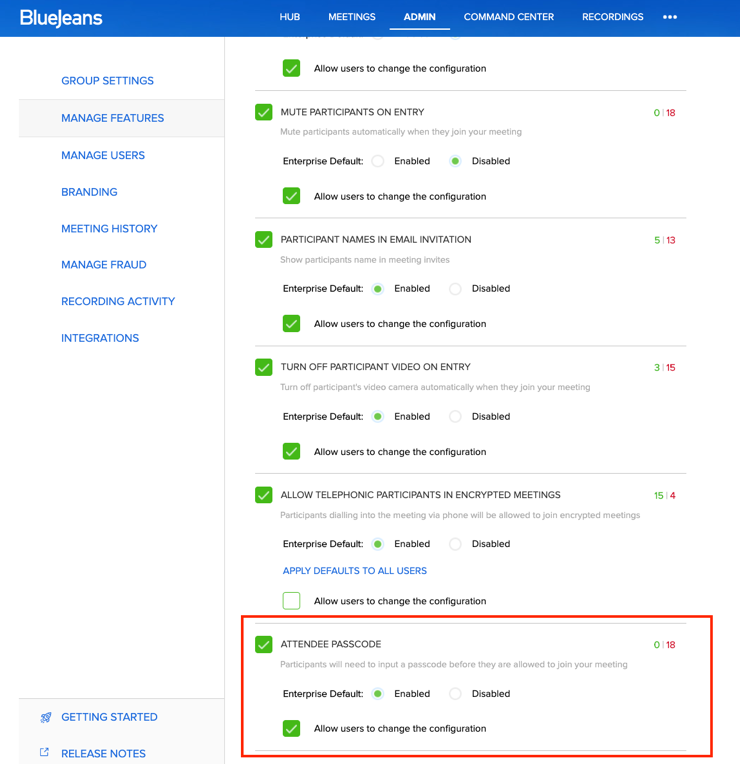
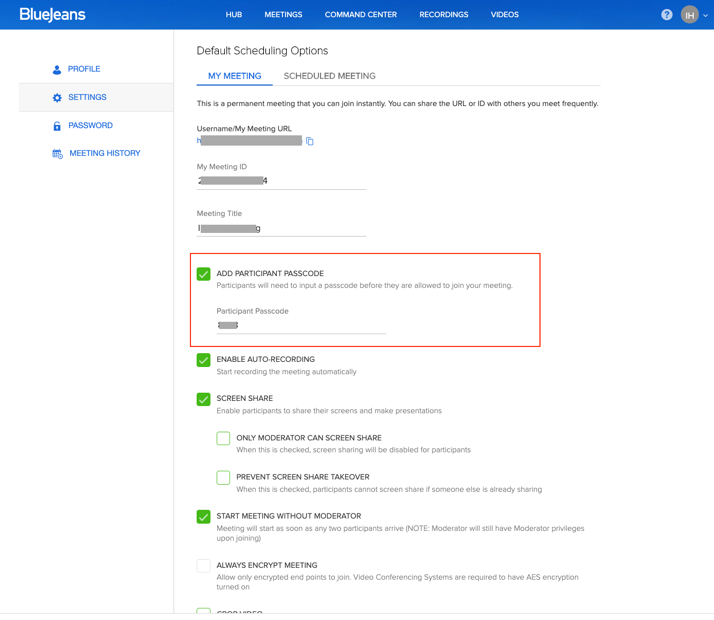
    Attendee Passcode for Scheduled One-Time Meetings

    Targeted for Release: Late May 2021

    BlueJeans is bringing administrative level controls for this feature for admins to enable/disable “Attendee Passcode for scheduled one-time meetings” at enterprise level or individual user level.

    Attendee Passcode feature for user’s scheduled one-time meeting lets meetings hosts enforce a passcode (few random set of digits) for the participants to enter before joining the meeting. If incorrect passcode is provided, participant is denied entry into the meeting.

    • For higher account security, BlueJeans recommends “Attendee Passcode” setting to be enabled & enforced at enterprise level, such that all existing and new users added here after, inherits the defaults set at enterprise level.
    • So, by default, BlueJeans provides this setting as enabled and enforced at enterprise level. Admin can choose to allow this setting to be configurable by user from admin portal.
    Upload User Profile Pictures

    Targeted for Release: June 2021

    Administrators can now upload users profile picture on behalf of the users in Enterprise Admin.

    BlueJeans Events

    Limit Attendee Count

    Targeted for release: May (version 2.10)

    This enables an option in the event settings to restrict the number of attendees that can join the event. If checked, the capacity will be limited to the number of attendees supported by the user’s plan and no overage fee would be applicable.

    Host Restricted Events

    Available Now (Version 2.9)

    The event host can now create an event with a new permission type “Everyone in the organization and invited participants from outside.”

    Configurable Moderator/Attendee Chat

    Targeted for release: May (version 2.10)

    Provides an event setting to enable/disable 1:1 chat between Moderator & Attendees.

    Enterprise Events Deletion

    Available Now (Version 2.9)

    An enterprise admin can now enable auto-deletion of all event data like recordings, polls, Q&A, participant info etc after any number of days. By default, auto deletion is disabled.

    Registration Emails – BlueJeans API

    Targeted for release: May (version 2.10)

    Customers using BlueJeans API to power their event registrations will now be able to send out the registration emails via BlueJeans. Under the API registration, they will have an option to control the registration emails. By default, it is unchecked. If checked, BlueJeans will send out the registration emails.

    Backstage Chat

    Available Now (Version 2.9)

    Enables a group chat between all the moderators and presenters in the event. This will be available to every moderator and presenter in the event.

    Embed Chat, Q&A, Polling

    Available Now (Version 2.9)

    Like the attendee player, an event host can now also embed Events attendee engagement widgets (Q&A, Poll, & Chat) with several customization options into an external website and have an integrated event experience on your website.

    Event Update Emails

    Targeted for release: May (version 2.10)

    Event hosts can control if an email will be sent (or not) to all the attendees when an edit is made to the event. This would give them better control over the communications being sent for the event. The host will be prompted with the below screen after any changes.

    Dual Layout for Polling/Q&A

    Available Now (Version 2.9)

    Moderators will now have the option to expand/collapse the Q&A and poll layout to better handle the event engagement.

    BlueJeans Meetings

    Integrations

    Zapier for Meetings & Events

    Targeted for Release: April (version 1.0.3)

    Zapier is an online automation tool that connects your favourite apps, such as Gmail, Slack, Mailchimp, and more. You can connect two or more apps to automate repetitive tasks without coding or relying on developers to build the integration. It's easy enough that anyone can build their own app workflows with just a few clicks. BlueJeans has created Zaps for Meetings & Events, this will allow our customers to create their own workflows to connect with multiple existing Zaps.

    Bluejeans Bot for Facebook Workplace

    Targeted for Release: May

    New BlueJeans Bot lets Workplace users schedule, invite users and join a BlueJeans meeting from Facebook Workplace Chat or group chat. The old bot is being retired and replaced with the new one to meet the FB workplace updates.

    BlueJeans Mobile

    Dolby Audio Modes (iOS)

    Targeted for Release: March (version 43)

    Certain environments require optimized settings for a user when in a meeting. Dolby Audio modes help facilitate the right audio profile for use cases many of our users need.

    There are modes for musicians to turn off the Dolby Voice mode as well as audio fencing for larger and smaller areas.

    BlueJeans Telehealth

    Targeted for Release: March (version 43 iOS)

    For our BlueJeans Telehealth customers, the BlueJeans mobile app will support telehealth from an end user perspective. Features supported on BlueJeans mobile apps include; patient landing experience, interpreter integration, and EHR integration. These features are available for our BlueJeans Telehealth customers to give their patients and providers a great mobile visit experience.

    Background Blur Enhancements - Android

    Targeted for Release: March (version 46 Android)

    In version 45 of our Android app, we added the option to blur your background before entering the meeting, we have expanded on this in version 46 to allow a user to change, start, stop blur in the meeting as well!

    Audio

    Retiring Legacy Dial-In Numbers

    Targeted for Release: March

    BlueJeans will occasionally deactivate legacy dial-in phone numbers, replacing them with numbers that offer an improved voice quality experience. Learn More.

    BlueJeans Browser

    Waiting Room

    Maintain the privacy of your meetings with automatically enabled waiting rooms. Meeting hosts now have better control over who can join their meetings with the ability to easily admit or deny attendees. Learn more.

    Scheduling

    Google Calendar Add-on Taskpane

    Targeted for Release: June

    BlueJeans Google calendar add-on taskpane lets the user choose Scheduling settings directly from Google Calendar.

    BlueJeans Desktop App

    Profile Image for Non-Video Participants

    Available on Windows and Mac version 2.29 (June)

    Fight video fatigue with the ability add a profile picture in meetings when your camera is turned off!

    Binge Meetings

    Available on Windows version 2.28 (March). Targeted release on Mac: July

    Transition quickly and effectively from back-to-back meetings. On-screen notifications provide one-click access to join your next meeting without having to return to the meeting dashboard. Learn more

    Enhanced Waiting Room

    Available on Windows and Mac in June

    Maintain the privacy of your meetings with automatically enabled waiting rooms. Meeting hosts now have better control over who can join their meetings with the ability to easily admit or deny attendees. Learn more.

    Pre-Assigned Breakout Sessions

    Available on Windows and Mac version 2.29 (June)

    Create breakout rooms and assign participants before your meeting, enabling breakouts without needing setup in your meeting. Learn More

    Content Zoom Improvements

    Available on Windows and Mac version 2.29 (June)

    Having trouble reading a shared screen? Use the new magnification buttons to increase the size of content!

    Multi-Participant Pinning

    Available on Windows 2.28, Targeted for release on Mac: December

    Participants can now pin up to 25 participants simultaneously across different video layouts.

    HID (Human Interface Device) Support

    Available on Windows and Mac version 2.28 (March)

    Users can now conveniently mute a call on wired Jabra USB devices with our newest hardware integration support.

    Moderator Editing of Participant Names

    Available on Windows Version 2.28 (March) and Mac version 2.29 (June)

    Moderators can now edit participant’s names within meetings.

    Support for Apple Silicon

    Available on Mac version 2.28 (March)

    BlueJeans for macOS now supports Apple Silicon devices. This version can be found here.

    Upgrade to the latest version of Desktop app

    Targeted for Release: April

    Bluejeans regularly provides new versions of the Desktop app to release new features and fix bugs. We recommend users to upgrade to the latest available version (2.26) of the app for the best experience. After April 30, 2021, all the clients on older versions (versions below 2.26) will receive a forced upgrade when trying to join meetings. More details.

    BlueJeans Telehealth

    General Availability

    BlueJeans Telehealth is a simple, smart way for providers to meet with patients over video. By mapping the user experience to clinical team workflows, BlueJeans Telehealth helps replicate the experience of on-site appointments and patient interactions while also providing the flexibility of virtual care. Some of the key points that make BlueJeans Telehealth smart, simple, and a trusted platform are:

    · Built for quick access and easy patient experience.

    · Mapped to clinical team workflows to replicate on-site visits and patient interactions.

    · Meets all applicable electronic protected health information (ePHI) requirements outlined under the Privacy and Security Rules to support your compliance goals

    Click here for the BlueJeans Telehealth Data Sheet

    Features:

    Quick join mode. Makes video visits easy for providers and patients, with no downloads required. Join through web browsers from any desktop or mobile device.

    EHR integration. Provides patient and provider access to BlueJeans Telehealth from existing EHR workflows with dedicated support for integration and deployment.

    Patient landing experience. Customizable pre-visit landing experience mirrors an in-person visit by providing virtual options for symptom capture and educational materials.

    Interpreter integration. Provides click to connect functionality within the televisit using integration with medical interpreter services, AMN Language Services (formerly Stratus) and Voyce, covering 200+ languages, including American Sign Language.

    BlueJeans Rooms

    Enhanced Support for Facebook Portal

    Background Blur & Expanded Gallery View Support for Facebook Portal

    Targeted for Release: Available now (version 1.3.0.16)

    Customers using Facebook Portal devices from home offices for BlueJeans Meetings will have an improved in-meeting experience with support of Background Blur and Expanded Gallery view support with upcoming v1.3 release. This release will also enhance the user experience with host of new features like “Who’s talking Indicator”, Google Calendar integration support, Hardware mute support, pinch to zoom support and many other fixes. Click here to know more.

    Global IP Change on Hold

    Targeted for Release: July/Aug

    Action Required:

    Dialing by bjn.vc (FQDN): If your SIP/H.323 devices or supporting infrastructure is programmed to dial bjn.vc, there is no action required, if not set update the setting to dial by FQDN: bjn.vc .

    Custom IVR: If you have a custom IVR, you will need to configure your SIP/H.323 devices or supporting infrastructure to dial your custom hostname (e.g. companyname.bjn.vc).

    https://www.bluejeansbyverizon.com/s/article/Updated-Global-IP-Address-SIP-H-323

    BlueJeans Gateway for Microsoft Teams

    Meet Now Support

    Customers using Teams “MeetNow” option to create instant meetings can now see BlueJeans Gateway information in Meeting Invites. Click here to know more details.

    Updated Teams Gateway Consent Form

    O365 admins planning to setup Teams Gateway can now use updated Teams GW Consent Form which reflects the required permissions and the restricted WRITE access permissions. More details can be found here.

    Command Center

    Search by Encounter ID for Telehealth Customers

    Targeted for Release: May 2021

    'Search by Encounter ID’ enables CC users to search for meetings that are associated to an Encounter ID. An Encounter ID is a unique identifier, created in EHR systems like EPIC, which is associated to a patient and a doctor for their appointment. This ID is associated with BlueJeans meetings as part of the integration.

    IT admins would now be able to search in Command Center via Encounter ID and know details of the meetings, people who joined and related telemetry information.

    BlueJeans March 2021 Release Notes

    BlueJeans Events

    Assign Multiple Plans to Events Users

    Targeted for Release: Late March 2021

    BlueJeans is introducing a way for Admins to view and assign multiple Events plans to the users. Details of plan include Subscription name, Valid through and Plan ID for reference purposes.

    BlueJeans Rooms

    Skype for Business Support (For SIP/H.323 Room Systems using Relay)

    Targeted for Release: Available Now (version 2.27)

    Customers using Cisco, LifeSize, Poly, or any other SIP/H.323 devices with Relay (v2.27 onwards) can now receive Skype for Business calendar invitations and join Skype for Business calls with One-Button-to-Push ease. In addition to generic Skype for Business invites, the latest Relay version will also have the expanded flexibility to support customized invites. Check here for more details.

    Note: Endpoints must support Skype for Business calls, or the enterprise should have an existing Skype for Business deployment setup with a third-party Skype for Business Gateway solution.

    BlueJeans Gateway for Microsoft Teams

    SpotLight Feature for Teams Gateway

    Targeted for Release: Available Now

    BlueJeans Gateway for Microsoft Teams supported endpoints will now have the ability to view the spotlighted participant with support of SpotLight Feature. When the meeting presenter spotlights any participant (from Desktop / mobile app), the room systems participants layout would auto-switch to “Active Presence” layout and display the spotlit participant for rest of the meeting duration. More details can be found here.

    Customized Alternative VTC Dial Strings

    Targeted for Release: Available Now

    BlueJeans Gateway for Microsoft Teams customers will now have ability to setup an alternative VTC dial string instruction page depending on the network configurations and video endpoints configured. This setup will give the VTC users options to select the appropriate dial instructions based on the endpoint used and custom domain setup. Check here for more details.

    Mute Enhancements for Teams Gateway

    Targeted for Release: Available Now

    Customers using third party meeting systems often find it difficult to unmute once muted by moderator. Customers using BlueJeans Gateway for Microsoft Teams supported endpoints will now have the ability to opt for “ignore moderator mute” feature for specific endpoints depending on the use case. More details can be found here.

    BlueJeans Gateway for Teams – 1080p Video (Add-on Plan)

    BlueJeans Gateway for Teams enabled (SIP) endpoints will now support high resolution 1080p HD video. Customers/partners interested in enabling 1080p video for their tenant should reach out to sales team/account managers to know more about the feature, pricing details, and the lead times on deliverables. Check here for more details.

    Teams Live Events Support (GA)

    Targeted for Release: Available Now

    Customers using BlueJeans Gateway for Teams will now be able to join Teams Live Events as Presenter. For more details on how to use the feature, please check here

    Together Mode Support for Teams Gateway

    Targeted for Release: Available Now

    In addition to Large Gallery Mode, BlueJeans Gateway for Teams supported endpoints will now support Together Mode, which lets the participants feel they are in same shared space with everyone in meeting. Together Mode can be enabled from Desktop or mobile app only when there are at least 5 people in a meeting. More details about this feature can be found here.

    BlueJeans Meetings

    BlueJeans Browser

    Spotlight in Browser Experience

    Targeted for Release: March (version 47)

    Moderator can put Spotlight on one of the participants so that the participant video thumbnail stays persistent in the meeting.

    Transcription in Browser Experience

    Targeted for Release: March (version 47)

    When moderator enables Recording in the meeting, the real-time transcription service will be launched and accessible (according to licensing).

    BlueJeans Desktop App

    New Download Experience

    Targeted for Release: March

    When a user does not have the app installed, BlueJeans meeting link will detect that and auto-download the Desktop Application. The download progress will be seen on the screen and post successful download the user will be informed on next steps for how to install the application.

    Upgrade to the Latest Version of Desktop App

    Targeted for Release: May

    BlueJeans regularly provides new versions of the Desktop app to release new features and fix bugs. We recommend users upgrade to the latest available version (2.26) of the app for the best experience. After May 31, 2021, all the clients on older versions (versions below 2.26) will receive a forced upgrade when trying to join meetings. More details.

    Integrations

    Zapier for Meetings & Events

    Targeted for Release: March (version 1.0.0)

    Zapier is an online automation tool that connects your favorite apps, such as Gmail, Slack, Mailchimp, and more. You can connect two or more apps to automate repetitive tasks without coding or relying on developers to build the integration. It's easy enough that anyone can build their own app workflows with just a few clicks.

    BlueJeans has created Zaps for Meetings & Events, this will allow our customers to create their own workflows to connect with multiple existing Zaps.

    BlueJeans December 2020/January 2021 Release Notes

    BlueJeans Gateway for Microsoft Teams

    BlueJeans Gateway for Teams Usage Reports

    Targeted for Release: December

    Now you can run one-time reports or schedule a monthly report to be delivered to your inbox.

    Large Gallery View Support (7x7)

    Targeted for Release: December

    BlueJeans Gateway for Teams supported endpoints will now have the ability to display more than 9 video participants in a single screen (Up to 49 video participants). The 7x7 Gallery View feature, when enabled for any Enterprise Group, allows BlueJeans Gateway for Teams supported endpoints to auto-switch to 7X7 video mode once “Large gallery” is enabled by any of Microsoft Teams participants from their mobile or desktop.

    More details can be found here

    BlueJeans Events

    Improved Embedded Attendee Experience

    Targeted for Release: December

    The attendee experience in embedded format has been improved to provide a seamless view in websites where attendees watch BlueJeans Events. The process to create the embed HTML code remains the same.

    Custom Intro Music

    Targeted for Release: January

    Organizers may now upload their own music files in addition to using the default music available.

    Custom Sender Email Address

    Targeted for Release: January

    When invites are sent out, organizers can update the from email and name to what suits their brand and use case, instead of BlueJeans defaults.

    BlueJeans Events Survey on Streaming

    Please answer this survey to provide us with valuable feedback on your streaming and event production workflows.

    BlueJeans Rooms

    5x5 Support

    Targeted for Release: Available Now

    BlueJeans Rooms customers will now have the ability to experience 5x5 gallery view support for Sequin meetings. This feature will be applicable to all BlueJeans Rooms ( including Dolby Rooms and SIP/H.323 Room Systems)

    Advanced Analytics Support (Non-DVR)

    Targeted for Release: December

    BlueJeans customers using Cisco, LifeSize, Poly, or any other SIP/H.323 endpoints which are connected using BlueJeans Relay, will now have access to advanced analytics about model number and software version of Room Systems along with additional Listener Service system and status details.

    BlueJeans Meetings

    BlueJeans Desktop App for Linux

    Self-View as a Part of Gallery View

    Targeted for Release: December (v2.19)

    When the Gallery view reaches 25 or more participants, your self-view (the thumbnail that is at the bottom-left corner of the App) becomes the last thumbnail of the Gallery View.

    Switch to Full Screen

    Targeted for Release: December (v2.19)

    In a BlueJeans Meeting, you can toggle to Full Screen experience by clicking on the Full Screen button found at the bottom corner of the screen.

    Ability to Turn Off / On Display Audio-only Participants

    Targeted for Release: December (v2.19)

    Turn off the thumbnail view of Audio-only participants to see all Video enabled thumbnails together. The feature is available under Settings in the Application.

    Closed Captioning

    Targeted for Release: December (v2.19)

    Meeting participants using the BlueJeans Desktop App can turn on automated Closed Captions (subtitles) from the Settings tab.

    Note: this is a paid feature. Please contact your Sales Rep/CSM/Support to buy the feature.

    Floating Widget for Screen Sharing

    Targeted for Release: December (v2.20)

    When you are screen sharing, you can use the floating widget, to see yourself and others. The widget provides easy and quick access controls.

    Breakout Rooms: Allowed Number of Rooms increased

    Targeted for Release: December (v2.20)

    Now moderators can create up to 75 breakout rooms in a BlueJeans Meeting.

    Scheduling

    BlueJeans Outlook Add-in (Outlook for Mac Experience)

    Targeted for Release: Available

    Microsoft Outlook for Mac v16.41 appears with a new look and feel, and includes a new feature that enables users to customize the Outlook calendar tool bar. BlueJeans Outlook Add-in is now, by default, tucked inside the three-dots menu. Users can customize their Outlook Calendar by clicking the three-dot ellipsis to move the BlueJeans button to a more visible spot on the ribbon as desired.

    Recording

    Playback Keyboard Shortcuts

    Targeted for Release: December

    The following keyboard shortcuts will be available to control playback of BlueJeans Meetings recordings:

    • Spacebar: Toggle Play/Pause
    • ← and →: Seek backward/forward 5 seconds (show on player UI the rewind/forward progress)
    • Home and End: When player is in focus, Home goes to start of chapter and End goes to end of chapter. When player is not in focus, the webpage moves up and down.
    • j: Seek backward 10 seconds. (show on player UI the rewind progress)
    • l: Seek forward 10 seconds. (show on player UI the forward progress)
    • 0 to 9: Seek to a specific point in the video (4 advances to 40% of duration, 5 to 50%, etc...).
    • c: Toggle On/Off subtitles/closed captions if available.
    • Shift + ,: Decrease playback speed.
    • Shift + . : Increase playback speed.
    BlueJeans Desktop App

    Participant Scrolling Improvements

    Targeted for Release: December

    Both Expanded Gallery View and People View will allow users to view all meeting participants by scrolling through multiple pages. For Expanded Gallery View, each subsequent page will retain the five most recent speakers at the top and support various layout types. This feature will be available both on Windows and Mac desktop apps.

    Participant Interactions

    Targeted for Release: December (2.26+)

    Moderators and participants will have the ability to interact with video tiles.

    • Moderators will be able to: mute mic/video, pin, spotlight, direct message, lower raised hand for any participant.
    • Participants will be able to: pin or direct message any other participant.

    Participant Time Display

    Targeted for Release: December (2.26+)

    To increase empathy for our fellow meeting attendees in the COVID and work-around-the-clock world, knowing their local time is particularly helpful in meetings spread across time zones. A participant’s time shall be displayed on their individual video tile menu. See example in the above picture.

    Participant Reactions

    Targeted for Release: December (2.26+)

    Increase meeting engagement with participant reactions. Clap, thumbs up, celebrate, smile, like, vote yes/no with your fellow participants. Each participant can see the group’s reactions in real time.

    Turn Off Noise Cancellation

    Targeted for Release: December (2.26+)

    To support use cases like music sessions, speech therapy, etc where background noise cancellation is not required and must be off, a new setting is provided to the moderator.

    End of Support for Desktop App on Windows 7

    Target Date: December 31, 2020

    End of Support (EOS) for BlueJeans Desktop App on Windows 7 is scheduled for December 31st, 2020 (Microsoft’s support for Windows 7 ended on January 14th, 2020). Windows 7 users can continue to leverage the Desktop App however no feature enhancements or bug fixes will be supported after year end. To leverage the latest features, users are encouraged to schedule and join meetings from a web browser.

    BlueJeans October/November 2020 Release Notes

    BlueJeans Events

    Scheduling & Invite Improvements

    Targeted for Release: November

    We have improved the scheduling and invite flows by simplifying the designs and adding clear instructions for each step. Doing so eliminates confusion regarding the separate join links for attendees, panelists, and moderators.

    Stream to Custom Live Streaming Platforms

    Targeted for Release: November

    You can now live stream BlueJeans Events to a custom live streaming platform. This feature supports RTMPS URLs that do not require username and password authentication.

    BlueJeans Meetings

    BlueJeans Mobile

    Android Updates

    Targeted for Release: October (Version 44)

    Version 44 of the Android app will include app notifications to ensure you are on the latest app version, and the option to view up to 25 participants (commonly known as 5x5) from your current flagship mobile device. The in-meeting experience will also support video resolution up to 720p, and content share up to 1080p.

    End of Support for Android Versions 6 and 7

    Targeted for Release: October (Version 44)

    With the release of version 44, End of Support (EOS) for Android version six and seven is targeted for the end of October, after which there will be no active development for new updates/features. Learn More

    iOS Updates

    Released: October (Version 40)

    Version 40 of the iOS app will include full support for iOS 14, audio support for newer iPad Pro devices (2018 and 2020), back-end optimizations, and app version notifications to ensure you are leveraging the latest and greatest version. We have also added support for seeing up to 25 participants on iPads (commonly known as 5x5).

    Integrations

    WebRTC Embed SDK

    Released: September

    BlueJeans has released a fully functional WebRTC client that can be embedded within a web page, making it easier to build video conferencing applications (available on BlueJeans GitHub). Additional customization options are available to leverage call meeting actions in a simpler programmable fashion.

    Learn More: WebRTC Embed SDK | Sample App | BlueJeans Developer Tools

    LinkedIn Messenger

    Released: September

    BlueJeans now integrates with the new LinkedIn Messenger feature to kick off video calls within the messaging interface. Learn More

    Slack Org-Wide Deployment Feature Support

    Targeted for Release: October

    The BlueJeans Slack integration will be enhanced to support a new Slack feature called Org-Wide Deployment, which helps Slack administrators to manage the BlueJeans app at their organization level more efficiently. Learn More

    BlueJeans Bot for Microsoft Teams

    Targeted for Release: November

    The BlueJeans Bot for Microsoft Teams will support message extensions to start a meeting in a channel or 1-1 chat quickly. Learn More

    BlueJeans Desktop App for Linux

    Expanded Gallery View

    Targeted for Release: November (Blue 2.18)

    For larger meetings, see up to 25 participant videos at the same time. The layout adjusts itself when people join or leave. This feature will begin launching in waves starting in November. Learn More

    Audio

    Retiring Legacy Numbers

    Targeted for Release: December

    As part of an ongoing effort to improve voice quality, BlueJeans will be retiring several legacy phone numbers after the end of the year, replacing them with ones that offer a superior quality experience. We encourage you and your users to start using the numbers, which are already active and available to use today.

    Learn More

    BlueJeans Browser

    Expanded Gallery View

    Targeted for Release: November (v44.0)

    For larger meetings, see up to 25 participant videos at the same time. The layout adjusts itself when people join or leave. This feature will begin launching in waves starting in November. Learn More

    Automated Closed Captioning

    Released: October (v43.0)

    When the closed captioning add-on is purchased, participants will be able to view automated closed captions in real-time by selecting the Closed Caption option under Settings. The captions are not stored or available for download post-meeting. Learn More

    BlueJeans Desktop App

    Participant Scrolling

    Targeted for Customer Preview: November (version 2.25)

    Targeted for General Availability: December (version 2.26)

    The Expanded Gallery View will allow users to view more than twenty-five participants by scrolling through multiple pages. This feature will be available both on Windows and Mac Desktop apps.

    Lower Thirds

    Targeted for Release: November (version 2.25)

    Whether you are presenting, training, or teaching - boost production quality with custom titles and overlay graphics. Make every meeting look broadcast-ready. This feature will be available both on Windows and Mac Desktop apps.

    Disable Non-Video Participants from Showing Up On-Screen

    Released: October (version 2.24)

    Now you can disable non-video participants from showing up on your screen during a meeting. This option is available under in-meeting settings. Enabling this feature will only impact your video layout.

    Learn More

    Virtual Background Library for Windows Centralized Deployment

    Released: October (version 2.23)

    The Virtual Background Library is now available for Windows Centralized Deployment via an additional stand-alone msi. Deploy along with the per-machine MSI to make the virtual background feature accessible to your users. Learn More

    Big Sur Support

    Released: November (version 2.25)

    Version 2.25 of the BlueJeans desktop is certified to support the Mac OS 11 release, commonly referred to as Big Sur.

    Scheduling

    Outlook Add-in: Delegate Scheduling (Mac)

    Targeted for Release: Oct (version 3.2)

    BlueJeans Outlook Add-in users will be able to schedule BlueJeans meetings on behalf of other users (delegates) in Outlook for Mac (v 16.41 onwards).

    Google Calendar Add-on: Choose Between Meeting Type

    Targeted for Release: Oct (version 2.2)

    While scheduling a BlueJeans Meeting, Google Calendar Add-on users will be able to switch between Personal and One-Time Meetings directly from the Google Calendar Invite.

    Google Calendar Add-on: Meeting Settings

    Targeted for Release: Nov (version 2.4)

    While scheduling a BlueJeans Meeting, Google Calendar Add-on users can change meeting settings in the side task pane directly in the calendar view.

    BlueJeans Gateway for Microsoft Teams

    IVR/Banners Language Support Based on Geolocation IP

    Targeted for Release: October

    Employees from different regions will see IVR and notification banners in their local language (including Spanish, French, German, Italian, Japanese, and English).

    BlueJeans August/September 2020 Release Notes

    BlueJeans Rooms

    “Return to Office” Themed Backgrounds and Increased Custom Background Support

    Targeted for Release: August

    BlueJeans Rooms featuring Dolby Voice Room provides configurable background support that can also be used as a digital signage solution to display enterprise-level safety and sanitization guidelines.

    These configurable backgrounds are now enhanced to include: "Return to Office” themed DVR wallpapers along with Increased custom background support capability (up to 500 images).

    Learn more

    Dolby Voice Huddle

    Targeted for Release: September

    This September, BlueJeans Rooms announces the launch of BlueJeans Rooms featuring Dolby Voice Huddle, a purpose-built solution designed specifically to elevate the audio and video experience in small huddle spaces.

    Learn More

    Note: Initially, this product will only be available in the US and UK regions. We will be ready to ship to other parts of the world, along with full feature parity, by mid-December.

    High FPS content sharing for DVR

    Targeted for Release: September

    BlueJeans Rooms featuing Dolby Voice endpoints will now support an enhanced content sharing experience with better screen sharing quality and higher FPS (up to 15 fps).

    BlueJeans Meetings

    BlueJeans Browser

    Music Mode (Disable Background Noise Cancellation)

    Targeted for Release: September (version 42)

    The advanced noise cancellation functionality of the Dolby Voice technology can suppress background music played during the meeting. It is possible for a participant to selectively disable the noise cancellation functionality for the endpoint that is feeding music into the meeting. This can be re-enabled at any time.

    Note: This feature is only available for BlueJeans Browser experience

    Improved Join Experience in Internet Explorer

    Targeted for Release: September (version 42)

    The BlueJeans Browser experience in Internet Explorer does not support computer audio or video. It supports Screen Share Receive via the computer and audio connection over phone. However, many users that join a meeting using Internet Explorer are not aware of these limitations. We have included an intermediate screen to set the right expectations before joining a BlueJeans Meeting in Internet Explorer (or older version of Microsoft Edge).

    Chat Emoji

    Targeted for Release: September (version 42)

    The BlueJeans Browser experience now offers emoji support for in-meeting chat. You should see this option when opening the chat during a meeting.

    Audio

    Retiring Legacy Number

    As part of an ongoing effort to improve voice quality BlueJeans will be retiring the legacy China phone number on October 1st, 2020.

    Legacy number to be removed: +86.400.120.2896

    We encourage you and your users to start using the numbers below, which are already active and available to use today:

    Beijing (Mandarin) +86.10.8783.3602

    National (Mandarin) +86.400.028.0799

    National (Mandarin) +86.400.028.0366

    National (English) +86.400.028.0655

    Shanghai (English) +86.21.8036.5496

    Scheduling

    Windows Outlook Plug-in – End-of-Support (below v4.5)

    Targeted for Release: August 31

    The End-of-Support (EOS) date for the Windows Outlook Plug-in has been delayed until August 31, 2020, to allow organizations additional flexibility to continue migration efforts to the Outlook Add-in or upgrade to latest version of Windows Outlook Plug-in.

    Learn More.

    Delegate Scheduling in BlueJeans Google Calendar Add-on

    Targeted for Release: August (version 2.0)

    Exec Admins can now schedule BlueJeans Meetingsvfor their Execs using the BlueJeans Google Calendar Add-on.

    SIP Entry point in BlueJeans Google Calendar Add-on

    Targeted for Release: August (version 2.1)

    BlueJeans Google Calendar Add-on now populates the SIP entry protocol on the Google Invite.

    Restricted Meeting Access with Delegate Scheduling

    Targeted for Release: September (version 2.1)

    Restricted Meetings is now supported with Delegate Scheduling (Web Scheduling only). It ensures that only invited participants can join a BlueJeans meeting either via login or by using a unique one-time passcode that is generated every time an authorized attendee attempts to join.

    Learn More.

    BlueJeans Desktop App

    Expanded Gallery View

    Targeted for Release: August (Blue 2.23)

    For larger meetings, see up to 25 participant videos at the same time. The layout adjusts itself when people join or leave. This feature is only available with the Sequin infrastructure.

    Learn more

    Virtual Background – Admin Deployment & Control

    Targeted for Release: August (Blue 2.23)

    Admins of an enterprise can now manage their virutal background roll-out by using the standalone installer for the virtual background library. This is available for both Mac & Windows. In addition, Admins can also roll-out the images to the users’ machines by using the centralized deployment procedures.

    Learn more

    Uninstaller for Windows Desktop App

    Targeted for Release: September (Blue Uninstaller 1.0)

    We now have BlueJeans Desktop App uninstaller for Windows. This .exe, if used, can do a clean uninstall of the BlueJeans client from your machine.

    Learn more

    End of Support for Desktop App on Windows 7

    Target Date: December 31, 2020

    Microsoft’s support for Windows 7 ended on January 14th, 2020. End of Support (EOS) for BlueJeans Desktop App on Windows 7 is targeted for December 31st, 2020, after which there will be no active development for the Desktop App on Windows 7. Instead, users can schedule and join meetings from a web browser.

    BlueJeans 1.x Desktop App End of Life
    Target Date: August 31, 2020

    The BlueJeans Desktop App versions 1.x will reach End-of-Life (EOL) on August 31, 2020. Users are encouraged to upgrade to the latest version of the app or leverage the browser experience.

    Learn More

    Recording

    Recording Migration

    Targeted for Release: August

    BlueJeans will continue to provide unlimited recording storage for our Enterprise customers. For this, we need to migrate recordings older than 12 months and that have not been accessed, to an equally reliable and secure storage tier to maintain our cost structure. These recordings will always be available; however, it may take a few hours to retrieve migrated recordings depending on the file size.

    Learn More

    Closed Captioning

    Targeted for Release: August

    Meetings that are recorded with Smart Meetings Transcription enabled, will have the option to display the transcript as closed captions in the recording playback. This may be switched on/off by clicking the “CC” button in the viewer. There are several additional accessibility features like changing font, color, background opacity etc.

    Learn More

    BlueJeans Desktop App for Linux

    Video Upload and Share

    Targeted for Release: September (version 2.17)

    Upload videos in advance of the meeting. This is especially helpful in situations where network conditions are poor or meetings where shared video content playback must be flawless.

    Learn More

    Breakout Sessions

    Targeted for Release: September (version 2.17)

    Trainers and educators often require that large groups break into individual project teams for various exercises. To accommodate this, BlueJeans Breakout Sessions allows meeting Moderators to create separate rooms and move participants in and out of them as needed. This allows training instructors to create separate, temporary work sessions as part of their virtual classroom curriculum.

    Learn More

    Integrations

    Zoom.ai integration

    Targeted for Release: August

    The BlueJeans integration with Zoom.ai will use Zoom.ai’s AI powered meeting assistant for scheduling meetings by determining scheduling conflicts. Zoom.ai will create a BlueJeans meeting URL via the user’s BlueJeans account and adds it to the Zoom.ai calendar invite.

    Learn More

    Slack Shortcuts

    Targeted for Release: August

    The BlueJeans Slack integration will be enhanced to support the new Slack feature called Shortcuts. This will help users to schedule BlueJeans meetings directly from within the Slack interface and notify a channel or 1-1 conversation.

    Learn More

    Skype/Lync Integration End of Life

    Target Date: September 30, 2020

    Effective September 30, 2020, BlueJeans will end support for the BlueJeans Skype for Business integration that specifically enables joining of BlueJeans meetings through Skype for Business.

    Jabber Integration End of Life

    Target Date: September 30, 2020

    Effective September 30, 2020, BlueJeans will end support for the Jabber integration that allows users to connect to a meeting via the Cisco Jabber for Telepresence client.

    BlueJeans Gateway for Microsoft Teams

    Transcription and Recording Notification Support

    Targeted for Release: September

    BlueJeans Gateway for Microsoft Teams will now support Transcription and Recording notifications on the VTC side. Whenever a meeting is recorded or transcribed, users on the VTC side will get notifications indicating the recording and/or transcription state.

    Teams Live Events Support

    Targeted for Release: September

    BlueJeans Gateway for Microsoft Teams will now support joining of Teams Live Events from VTC. Customers can now easily watch live/recorded Teams Live Events from VTC, speak during the event, talk when content is displayed, and leave the event from VTC. All the Teams Live Events will be recorded by default. As of now, VTCs can join Teams Live Events as Presenters.

    Command Center

    Location Specific Rating Alerts

    Targeted for Release: September

    Command Center is introducing a new feature in rating alerts. Admin can now configure rating alerts to be triggered for a specific location (country). Participants joining in from particular location, if they rate a meeting below the configured thresh-hold, then a rating alert is triggered to the audience meant to receive notification for that location. This helps manage alerts for IT teams across geographies.

    Learn more

    Support for Dolby Voice Huddle

    Targeted for Release: September

    Dolby Voice Huddle has now been added as a supported Dolby Room type in Command Center. Along with this additional endpoint being supported across all of the Command Center widgets, rooms listings, and details page, the details page has been enhanced to include Room Type column and data fields like Type, Provisioning Server, and more.

    Support of Restricted Meetings on Live/Past Meetings

    Targeted for Release: August

    Restricted Meetings ensures that only invited participants can join a BlueJeans meeting either via login or by using a unique one-time passcode that is generated every time an authorized attendee attempts to join. Command Center uniquely identifies a restricted meeting on Live/Past Meetings page via an icon that is appended before the Meeting ID on the listing, as represented below.

    Learn more

    Enterprise Admin

    Session Timeout – Logout User from all Devices on Password Change

    Targeted for Release: August

    Feature “Logout user from all devices on password change” enables administrators to enforce mandatory logout from all devices that a user is logged in from once user’s password is changed. This setting works only for enterprises who have enabled “Password based configuration” in Security (means they are not SSO enabled).

    Once this setting is enabled, on change of a user’s password (either by Admin or user initiated), tthe following behavior is encountered –

    1. User would be logged out from all the devices
    2. User would receive an email about their password reset.

    At Enterprise level, admin can access this setting via Group Settings > Session Timeout

    Admin, when tries to change password of a user, will experience a pop-up window that confirms on admin’s action and communicates that this action would lead to user getting logged out from all devices and they would need to login again. On click of, “Yes, Change Password”, password of user is changed, and an email is triggered to user intimating about it.

    Learn more

    Ability to Control User Profile Changes

    Targeted for Release: September

    You can now prevent your users from modifying the user profile fields within their BlueJeans account. This helps prevent discrepancies in user data between your company directory and your BlueJeans enterprise. This is especially helpful if your organization utilizes SSO and SCIM.

    Learn more

    BlueJeans Events

    Responsive Embeddable Attendee Player

    Targeted for Release: September (Events 2.3)

    BlueJeans Events supports an embeddable live streaming experience for your attendees. Easily embed your event onto any web property and take advantage of convenient customization options to align the player with your brand and webpage.

    Learn more

    Stream to YouTube

    Targeted for Release: September (Events 2.3)

    You can now stream a BlueJeans Event live on YouTube. This allows you to simulcast the Events to attendees both via the BlueJeans attendee experience and also on YouTube. This option to stream will be available for the moderators in the Event.

    BlueJeans June/July 2020 Release Notes

    BlueJeans Gateway for Microsoft Teams

    Australia PoP in Traffic Routing

    Generally Available in June

    All Australia traffic will now route through a local Australia Azure PoP. Current customers will have to add the AU PoP IP address to firewall rules.

    Japanese Support

    We now support Japanese in the IVR and Waiting Room, as well as for notifications. In the IVR, users can cycle through the supported languages (EN, ES, FR, IT, GR, JP) via DTMF commands under the star “*” menu.

    BlueJeans Meetings

    Integrations

    Slack Shortcuts

    Preview in July

    The BlueJeans Slack integration will be enhanced to support the new Slack feature called Shortcuts. This will help users to schedule BlueJeans Meetings directly from within the Slack interface and notify a channel or 1-1 conversation. Learn more.

    Zoom.ai

    Preview in July

    The BlueJeans integration with Zoom.ai will use Zoom.ai’s AI powered meeting assistant for scheduling meetings by determining scheduling conflicts. Zoom.ai will create a BlueJeans meeting URL via the user’s BlueJeans account and adds it to the Zoom.ai calendar invite. Please contact BlueJeans Support or your Customer Success Manager to participate in Preview.

    BlueJeans Desktop App for Linux

    Download Chat

    Generally Available in June

    Meeting participants can download a copy of the chat discussion locally. The option is made available besides the Chat text bar. Learn more here.

    Note: A new setting will be available in late July under Settings to auto-download chat.

    Low Bandwidth Mode

    Generally Available in June

    Users can stop sending and receiving video in order to preserve their bandwidth when using a slow network to join a meeting. This setting can be enabled by clicking the down arrow key next to the camera icon and clicking “Disable Video”. Learn more here.

    Quick Lock Meeting

    Generally Available in June

    In addition to selecting the Lock Meeting feature in settings, moderators can easily lock an ongoing meeting by clicking the lock icon in the upper left corner to prevent any new participants from joining the meeting. Anyone who leaves the meeting will be unable to rejoin until the meeting is unlocked. Once the meeting is unlocked, participants who were attempting to join will be auto-connected to the meeting.

    Moderator Lock Screen Share

    Generally Available in July

    Moderators can restrict who has the ability to share their screen and who has the ability to take over screen share controls. Similarly, moderators can reserve screen sharing solely for themselves. Doing so will also prevent participants from taking over screen share. This setting can be made default for all meetings in the users’ Account Settings.

    BlueJeans Desktop App

    Virtual Background and Background Blur

    Generally Available in July

    Attendees have the ability to turn on background blur and choose their own blur density or upload their own background image to serve as their conferencing background. They can enable this in BlueJeans > Preferences. This is supported on BlueJeans Desktop App version 2.22+. Learn more here.

    Raise Hand in Meetings

    Generally Available in June

    With the raise hand feature, participants can present a visual cue to the moderator without having to speak or send a chat. This is especially useful in large meetings and in a training/education scenarios where the moderator may not want participants to interrupt but want them to use nonverbal reactions to contribute to the discussion. This feature is supported on Desktop App version 2.21+ and accessible from the bottom of the meeting roster. Learn more here.

    Moderator Lock Screen Share

    Generally Available in June

    Moderators can restrict who has the ability to share their screen and who has the ability to take over screen share controls. Similarly, moderators can reserve screen sharing solely for themselves. Doing so will also prevent participants from taking over screen share. This setting can be made default for all meetings in the users’ Account Settings.

    Simplified Chinese Language Support

    Generally Available in July

    Desktop app version 2.22+ will support Simplified Chinese language.

    Quick Diagnostics Test

    Generally Available in July

    Users can now test if their device is able to connect to a BlueJeans Meeting effectively by running a diagnostic test. This is a web-based solution that runs diagnostic on network quality, VOIP, mic, and speaker. User can go to diagnostics.bluejeans.com to perform the test.

    End of support for Desktop app on Windows 7 by 12/31

    Microsoft’s support for Windows 7 ended on January 14th, 2020. The end of support for BlueJeans Desktop App on Windows 7 is targeted for December 31st, 2020 after which there will be no active development for the Desktop App on Windows 7.

    Scheduling

    Restricted Meetings

    Generally Available in July

    Restricted Meetings ensures that only invited participants can join a BlueJeans meeting either via login or by using a unique one-time passcode that is generated every time an authorized attendee attempts to join. Learn more here.

    Control meeting access by selecting "Invited Participants Only” or “My Organization Only” under Meeting Access options in the Web Scheduler when scheduling your meeting. When joining the meeting, attendees will be asked to verify their identity to join the meeting.

    Schedule Meetings with Screen Share settings

    Preview in June

    Users who schedule meetings via web-scheduler will be able to change their Screen Share settings at the time of scheduling a meeting. They would be able to limit screen sharing to the moderator and/or prevent screen sharing takeover.

    Outlook Add-in: Edit Meeting and Advanced Settings

    Generally Available in July

    BlueJeans Outlook Add-in for O365 users can now edit BlueJeans Meetings settings for previously scheduled BlueJeans Meetings. Also, in the Default Scheduling Profile, new Settings options such as Crop Video, Chat, Auto recording, and Encrypted Meeting are introduced. Learn more here.

    Note: Any meetings scheduled using v3.2 and above can be edited. Old meetings cannot be edited.

    Windows Outlook Plug-in – End-of-Support Extended until August
    The End-of-Support (EOS) date for the Windows Outlook Plug-in has been delayed until August 1, 2020, to allow organizations additional flexibility to continue migration efforts to the Outlook Add-in. Learn more here.

    BlueJeans Mobile

    New Video Layout on iOS

    Generally Available in June

    The iOS app (version 37.0+) now provides a new video layout during meetings. This redesign includes an enhanced display of non-video participants on the main screen and the ability to scroll through non-active participants.

    Simplified Chinese Language Support on iOS

    Generally Available in June

    The iOS app (version 37.0+) supports Simplified Chinese language.

    Call Me on iOS

    Generally Available in July

    Call Me is a premium audio connection option that allows meeting participants to enter a phone number of their choice and have BlueJeans call the number and connect them to the meeting. This feature will be supported on the iOS app version 38.0+ for customers subscribed to Premium Calling.

    Automated Closed Captioning on Android

    Generally Available in July

    Participants can now view automated closed captions in real time on their BlueJeans Android App version 42+ upon selecting the Closed Caption option under the additional features section. This works for all users’ meetings who are enabled with the paid closed captioning add-on. The captions are not stored nor available for download post meeting. Support for this feature on iOS is coming soon.

    Recording

    Closed Captioning in Recording Playback

    Generally available in July

    Meetings that are recorded with Smart Meetings Transcription enabled, will have the option to display the transcript as closed captions in the recording playback. This may be switched on/off by clicking the “CC” button in the viewer. There are several additional accessibility features like changing font, color, background opacity etc. Learn more here.

    Recording Migration

    Preview in July (postponed from May)

    BlueJeans will continue to provide unlimited recording storage for our Enterprise customers. For this, we need to migrate recordings older than 12 months and that have not been accessed, to an equally reliable and secure storage tier to maintain our cost structure. These recordings will always be available; however, it may take some time to retrieve migrated recordings depending on the file size. If you are interested in participating in Preview, contact your Customer Success Manager or Customer Support.

    BlueJeans Browser

    Simplified Join Flow

    Generally Available in July

    The BlueJeans Browser experience is now enhanced to make the joining much easier. If the browser has permissions to engage the Mic and Camera, users are directly taken to the “Hair Check” screen bypassing the audio selection screen and decreasing the number of clicks needed to enter the meeting. From there, they can simply click to Join Meeting or choose options to join a BlueJeans Meeting such as via Phone, Room System, Screen Share, or Listen only mode.

    First time users will be taken through Device Permission flow.

    Report an Issue Link

    Generally Available in June

    Users can report any issue and upload the logs directly from the browser experience. “Report an Issue” link is available on the right side of the footer. This is supported in all browsers.

    Download Chat

    Generally Available in June

    Meeting participants can download a copy of the chat discussion locally. The option is available beside the Chat Message text typing place. Learn more here.

    Note: A new setting will be available under Settings Tab to auto-download the chat in late July.

    Low Bandwidth Mode

    Generally Available in June

    Users can stop sending and receiving video in order to preserve their bandwidth when using a slow network to join a meeting. This setting can be enabled by clicking the down arrow key next to the camera icon and clicking “Disable Video”. Learn more here.

    Quick Lock Meeting

    Generally Available in June

    In addition to selecting the Lock Meeting feature in settings, moderators on a browser can easily lock an ongoing meeting by clicking the lock icon in the upper left corner to prevent any new participants from joining the meeting. Anyone who leaves the meeting will be unable to rejoin until the meeting is unlocked. Once the meeting is unlocked, participants who were attempting to join will be auto-connected to the meeting.

    Moderator Lock Screen Share

    Generally Available in July

    Moderators can restrict who has the ability to share their screen and who has the ability to take over screen share controls. Similarly, moderators can reserve screen sharing solely for themselves. Doing so will also prevent participants from taking over screen share. This setting can be made default for all meetings in the users’ Account Settings.

    Raise Hand in Meetings

    Generally Available in July

    With the raise hand feature, participants in the browser can present a visual cue to the moderator without having to speak or send a chat. This is especially useful in large meetings and in a training/education environment where the moderator wishes to minimize participant interruption, instead have them utilize nonverbal reactions to contribute to the discussion. Learn more here.

    Command Center

    Download Endpoint Distribution Data

    Generally Available in June

    One of the key factors in ensuring end users have the best quality meeting experience is an organization’s ability to keep users up-to-date with the latest version of the BlueJeans App. The Command Center Endpoint Distribution Widget helps administrators to see the spread of application versions that are being used within their enterprise, which provides an opportunity to take action and recommend that end users upgrade their App.

    BlueJeans is enhancing the Endpoint Distribution Widget to allow for exporting and downloading endpoint information in a CSV format, at every stage of the chart’s drill-down levels.

    BlueJeans Events

    Brazilian Portuguese Language Support

    Generally Available in June

    BlueJeans Events now supports Brazilian Portuguese for Attendees & Presenters. Learn more

    Automated Closed Captions

    Generally Available in June

    Event Attendees can now view automated closed captions in real time upon enabling the feature under Settings. The captions are not stored nor available for download post meeting. Learn more here.

    Application Sharing

    Generally Available in July

    In addition to sharing full screen, Presenters & Moderators can share an individual application during the Event. When a moderator or presenter clicks to “Share Screen”, they will be presented an option to share their screen or a select an application. This feature is supported on Chrome (version 80+) and on the Events app (1.7.8+)

    Attendee Search for Moderators

    Generally Available in July

    Moderators now have an ability to search attendees in the moderator dashboard.

    BlueJeans Rooms

    Auto Join Meetings Based on Scheduled Time (For non-DVR Endpoints)

    Generally Available in July

    Customers using Cisco, LifeSize, Poly, or any other SIP/H.323 devices can now join meetings automatically from their devices at scheduled start time without touching the “JOIN” Button. However, attendees will still be required to manually hang-up the meetings. Customers can easily configure their endpoints to Auto Join Meeting by simply enabling/disabling the feature from Relay Admin Settings. More details can be found here

    Office 365 Calendar Support for DVR endpoints

    Generally Available in July

    Customers using BlueJeans Rooms (DVR, DVR Pro, Huddle 1.0) can now configure their devices to connect with Office 365 calendar easily and directly without the need of a Listener Service. More details can be found here.

    Enterprise Admin

    Require Attendee Passcodes for Personal Meetings

    Available for Preview in June

    Administrators can now require “Attendee Passcode” for users at the user level or for the entire enterprise. Once marked enabled/disabled at enterprise level, any new user would automatically inherit the setting and any new meetings created by the users would include a passcode for attendees to enter when joining a meeting. Alternatively, admins can apply the “Attendee Passcode” setting at the user level and require attendee passcodes for select users. Once this setting is checked, any new meeting created by the host would include a passcode for attendees to join the meeting. Please contact Customer Support or Customer Success Manager to participate in Preview.

    Enterprise level setting:

    Once this setting is enabled at enterprise or user level, “Add Participant Passcode” setting appears in User’s Profile > Settings > My Meeting for the user to configure. Learn more here.

    Control Screen Sharing at Enterprise/User Level

    Available for Preview in June

    Administrative-level controls are now available for admins to enable/disable screen sharing at the enterprise level or at an individual user level.

    These additional controsl are represented by the following settings –

    1. Only moderator can screen share: enabling this checkbox would allow only the moderators to share screen. For rest of the participants, screen share control on the app would appear disabled.

    1. Prevent screen share takeover: enabling this checkbox would prevent participants from sharing screen if someone else is already sharing.

    Admins while creating a new user or editing user details via Manage Users, can edit these settings.

    Once enabled at enterprise / user level, Screen Share settings appear at User’s Profile > Settings > Default Scheduling Options. Setting is available in both “Personal Meeting” and “Scheduled Meeting” for user to configure.

    BlueJeans May 2020 Release Notes

    BlueJeans Rooms

    Office 365 API Support (For Non-DVR Endpoints)

    Generally Available in April

    Customers using Cisco, LifeSize, Poly, or any other SIP/H.323 devices can now connect to the Office 365 calendar directly without the need of a Listener Service. However, a Listener Service must be deployed to meet other requirements. Learn more here.

    Note: Office 365 API support is currently not available for BlueJeans Rooms (DVR, DVR-Pro, BlueJeans Rooms with Dolby Conference Phone, or the original BlueJeans Rooms with PC)

    Relay Support for Poly Studio X30, Studio X50, and G7500

    Available in April

    BlueJeans Relay One-Touch Join now supports Poly’s new endpoints: Studio X30, Studio X50, and G7500. These new endpoints will be represented in the device type option within the Relay Admin Panel that is located in Command Center.

    Enterprise Admin

    Automated Closed Captioning

    Generally Available in April

    Administrators can manage this feature in the Admin control panel in the ‘Manage Features’ panel for enterprise level control and ‘Manage Users’ for user level control. When allowed to be changed by users, the corresponding settings will be available in user’s profile settings.

    Highlights and Real-Time Transcription

    Generally Available in April

    Administrators can manage Smart Meeting features in the Admin control panel in the ‘Manage Features’ panel for enterprise level control and ‘Manage Users’ for user level control. When allowed to be changed by users, the corresponding settings will be available in user’s profile settings.

    Enhanced Slack Integration for Smart Meeting Highlights

    Generally Available in May

    Administrators can manage the Slack integration in the Admin control panel in the ‘Manage Features’ panel for enterprise level control and ‘Manage Users’ for user level control. When allowed to be changed by users, the corresponding settings will be available in user’s profile settings.

    BlueJeans Meetings

    Scheduling

    Windows Outlook Plug-in – End-of-Support Extended until August
    The End-of-Support (EOS) date for the Windows Outlook Plug-in has been delayed until August 1, 2020, to allow organizations additional flexibility to continue migration efforts to the Outlook Add-in. Learn more here.

    BlueJeans Desktop App

    Automated Closed Captioning

    Generally Available in April

    Participants can now view automated closed captions in real time on their BlueJeans Desktop App version 2.18+ upon checking a box under Settings. This works for all users’ meetings that are enabled with the paid add-on. The captions are not stored or made available post meeting. Learn more here.

    Help Panel

    Generally Available in April

    The Mac and Windows desktop apps (version 2.19.2+) now make it easier for users to find help with the most common issues and questions.

    User Profile

    Generally Available in April

    The Mac and Windows desktop apps (version 2.19.2+) now make it easier for users to access their profile from the title bar.

    Floating View

    Generally Available in May

    Users can now have easy access to meetings through the Floating View even when they move the Windows or Mac desktop apps (version 2.21+) to the background during the meeting. This view can be disabled in the Preferences option in the Desktop App. Learn more here.

    Updated Title Bar

    Generally Available in April

    The Windows & Mac (version 2.19.2+) title bar now reflects the name of your meeting without revealing the Meeting ID. This is a more secure approach if a participant takes a screenshot of the meeting. Meeting ID can be found under the “People” panel.

    Download Chat

    Generally Available in April

    Participants in the meeting can now export their chat conversation while in the meeting by clicking the download button at the bottom of the chat window. This is available on Windows & Mac desktop apps only (version 2.19.2+). Learn more here.

    Slider – BlueJeans for Linux (RPM / DEB)

    Generally Available in April

    Participants that are using the Linux app (version 2.2.0) can now see a full-screen view of content being shared by scrolling the Slider all the way to the right-hand side. This will completely minimize the video view from the screen.

    Enhanced Infrastructure

    Phased Rollout Starting in May

    BlueJeans is launching a state-of-the-art video backend infrastructure that allows for a better quality and sharper video experience delivered more efficiently. The end user and admin experience will remain the same except they will notice a small improvement to the video layout on desktop apps where non-video participants will be represented in a video tile.

    Smart Meetings

    Highlights and Real-Time Transcription

    Generally Available in April

    BlueJeans Smart Meeting Highlights transforms the meeting experience with in-app intelligence that allows participants to capture the most important discussion points, assign action items, catch-up quickly with time-saving highlight reels. For a paid add-on, participants can now also view audio transcribed to text in real-time and capture transcription enriched highlights. The transcript is available for review and download on the recording playback page. Learn more here.

    Enhanced Slack App for Smart Meeting Highlights

    Generally Available in May

    BlueJeans Meeting owners can now share Meeting Highlights into a private Slack channel of their choice immediately after a meeting or via the Highlights playback page. Slack administrators need to upgrade their BlueJeans Slack app via Slack’s app directory as well as upgrade to BlueJeans Desktop App version 2.20 to use this new functionality. Learn more here.

    Watch Individual Highlight

    Generally Available in April

    From the BlueJeans Meeting Hub page, click on an individual highlight link to directly watch the specific Meeting Highlight within the recording.

    BlueJeans Mobile

    Meeting Settings

    Generally Available in May

    The Android app (version 39.0+) now provides access to Meetings settings for non-logged in users.

    Outlook Add-in: Android Outlook Mobile App Integration

    Generally Available in April

    BlueJeans Outlook Add-in users can now schedule a BlueJeans Meeting directly from their Android Outlook App (version 39).

    Recording

    Recording Migration

    Customer Preview in May

    BlueJeans will continue to provide unlimited recording storage for our Enterprise customers. For this, we need to migrate recordings that are older than 12 months and have not been accessed to an equally reliable and secure alternative storage tier to maintain our cost structure. These recordings will always be available; however, it may take some time to retrieve migrated recordings depending on the file size.

    BlueJeans Browser

    Application Sharing and Browser Tab Sharing

    Generally Available in April

    The BlueJeans Browser experience now supports individual Application Sharing and Browser Tab Sharing. This is supported on Chrome with version 80 and above. Application Sharing is a feature that was already supported on the BlueJeans Desktop App and has now been added to the Browser client to ensure feature parity.

    Note: The App / Tab Sharing feature is currently supported in Chromium Edge.

    BlueJeans March 2020 Release Notes

    Enterprise Admin

    Tips and How To’s for Admins & Meetings Users

    Available Now

    BlueJeans offers admins and users a simple way to visit common knowledge base articles directly from the My BlueJeans home page.

    Automatic User Provisioning, Profile Updates, & De-Provisioning via SCIM APIs

    Available in March for Customer Preview

    In a major step forward towards making the onboarding experience a delight for our new customers and also making it highly efficient for our existing customers to easily manage user accounts, BlueJeans has standardized the user management process by implementing support of SCIM (System for Cross-domain Identity Management) APIs.

    Using SCIM Integration, BlueJeans customers can:

    • Automate user lifecycle management tasks in BlueJeans, including provisioning, user record modifications, account de-provisioning and user re-hires.
    • Integrate with SCIM-compliant IdPs, such as Azure AD, Okta, OneLogin, G-Suite etc.
    • Interoperate between cloud solutions using a single connector.
    • Synchronize identity data from a single, authoritative source securely and efficiently.

    Currently:

    • BlueJeans supports & implements SCIM 2.0 protocol.
    • Supported IdPs in open preview are MSFT Azure & OKTA.
    • Active work is in progress to certify integration with G-Suite & OneLogin.

    For more details about SCIM, BlueJeans support of SCIM, and technical details, please refer to following article.

    Interested in giving it a try? Contact BlueJeans Support.

    BlueJeans Meetings

    Smart Meetings

    Admin Controls

    Available in March for Customer Preview

    Smart Meetings feature enablement will be available for administrators on the ‘Manage Features’ panel for enterprise level control as well as on the ‘Manage Users’ panel for user level control. Once a user is enabled, the corresponding settings shall be available under the user’s profile settings.

    Sharing with Specific People

    Available in March

    For customers with Smart Meetings, the BlueJeans recording playback page will allow for recordings to be shared with specific email addresses, in addition to enterprise-level sharing and public access. This helps in sharing recordings safely with external participants.

    Audio

    Higher Quality Numbers in China

    Available Now

    In an effort to improve audio quality and phone number reliability, we are introducing new PSTN numbers in China. The new numbers will replace the current numbers that support the Mandarin language.

    The new numbers are available now. The old numbers will be removed from newly created meeting invitations and join flow instructions on March 24, 2020. The old numbers will continue to function until all traffic is migrated away from them; a decommission date will be communicated in future release notes before this happens.

    Additional US Numbers

    The following numbers have been added:

    • +1.404.458.0105 - United States (Atlanta)
    • +1.650.963.5767 - United States (San Mateo)
    • +1.408.915.6290 - United States (San Jose)
    • +1.408.419.1715 - United States (San Jose)
    • +1.202.795.3352 - United States (Washington DC)

    Additional UK Numbers

    The following numbers have been added:

    • +44.2036950613 (UK Primary Number)
    • +44.2039761937 (UK Secondary Number)

    Additional Premium PSTN Numbers

    The following premium numbers have been added:

    • +1.844.540.8065 - United States (Primary)
    • +1.888.748.9073 - United States (Primary)
    Scheduling

    Windows Outlook Plug-in – End-of-Support Extended through May

    The End-of-Support (EOS) date for the Windows Outlook Plug-in (originally targeted for end of March) has been pushed out to May 31, 2020 to allow organizations additional flexibility to continue migration efforts to the Outlook Add-in as time permits over the next few months. To learn more, please review the BlueJeans Windows Outlook Plug-in Migration Guide.

    BlueJeans Desktop App

    Video Disabled on Entry to Preserve Bandwidth

    Available in March

    The Windows & Mac Apps will now support a mode that disables video (bidirectionally) by default for meeting participants when joining a meeting. These default settings can now be applied across your enterprise.

    There are several ways that this capability can be leveraged. Learn more here.

    Note: It is likely that video will be disabled by default in China.

    Accessibility – Improved Color Contrast on Windows

    Available in March

    The Windows App will now support a mode that delivers high-contrast user elements to ensure color blind and partially blind users can effectively navigate the user interface.

    Recording

    Responsive Playback

    Available in March

    We have made it easier for you to view BlueJeans Meetings recordings on your mobile devices by improving the view layout.

    BlueJeans Browser

    Participant Pinning

    Available Now

    BlueJeans Meetings attendees that are using the Browser experience can now pin a participant so that the video from the participant is always shown when the video is on. This is a feature that is already supported on the desktop app and has been added to the Browser client to ensure feature parity.

    Command Center

    Configurable Quality Alerts

    This feature has been delayed – new target release date is TBD

    BlueJeans is giving you more control over the Command Center quality alerts that can be configured. In the prior version, quality definitions could not be configured; now this capability exists.

    Download Concurrent Ports Data

    This feature has been delayed – new target release date is TBD

    BlueJeans Command Center now allows you to export and download the CSV data that generates the Concurrent Ports Widget. This capability will now allow administrators to see which endpoints were connected at peak usage periods. Admins can request access to this feature by contacting BlueJeans Support.

    Download Endpoint Distribution Data

    This feature has been delayed – new target release date is TBD

    One of the key factors in ensuring end users have the best quality meeting experience is an organization’s ability to keep users up to date with the latest version of the BlueJeans App. The Command Center Endpoint Distribution Widget helps administrators understand the spread of application versions that are being used within their enterprise, which provides an opportunity to take action and recommend that end users upgrade their App. BlueJeans is enhancing the Endpoint Distribution Widget to allow exporting and downloading endpoint information in a CSV format, at every stage of the chart’s drill-down levels.

    BlueJeans Events

    Salesforce Registration Integration

    Available in March

    Automatically sync registration and attendee data into Salesforce for seamless audience tracking and faster follow-up. Learn more here.

    BlueJeans Gateway for Microsoft Teams

    Localization

    Available in March

    BlueJeans Gateway for Microsoft Teams now supports multiple languages in the IVR and lobby interfaces. English, French, Spanish, Italian are supported. Support for the Japanese language will be added in a future release. To change the IVR language, just use the DTMF menu (*1) and then use option 2.

    BlueJeans February/March 2020 Release Notes

    Command Center

    Improved Email Alerts

    Available in February

    Command Center will deliver improved email notifications that contain more precise and actionable subject lines.

    For user rating alerts, Command Center now highlights specific usernames & the count of users who have rated below a specified threshold.

    For quality rating alerts, Command Center now highlights the number of impacted meetings and the time they were impacted.

    Dashboard Improvements

    Available in February

    Command Center has changed the backend widget library that renders following dashboards:

    • Rooms Dashboard
    • Teams Gateway Dashboard
    • User Feedback Dashboard
    • Smart Meetings Dashboard

    The actual look and feel of above dashboards will not change substantially. That said, users will now have access to additional features that include drill down capabilities, automatic date range conversions, list scrolling instead of paginated controls, and more.

    Please find more information here.

    BlueJeans Meetings

    BlueJeans Browser

    Microsoft Edge Support

    Available Now

    Microsoft’s release of a new Edge browser that is based on Chromium means that BlueJeans will now be able to take advantage of the WebRTC capabilities the browser offers and deliver full audio and video support in Edge. BlueJeans now supports all major browsers for easy, download-free access to meetings.

    Improved Browser Join Flow

    Available in February for Customer Preview

    The browser interface during the join flow has been optimized to reduce end-user confusion and make joining a meeting smoother. The new design recommends the preferred mode of connection and lets the user know if s/he is in the meeting yet.

    Users will not be enabled with this enhancement by default during Preview. If you are interested in having this enhancement enabled for your enterprise, please contact BlueJeans Customer Support at support.bluejeans.com.

    BlueJeans Mobile

    Audio Resiliency

    Available in February

    The bandwidth manager in our iOS and Android apps has been optimized to provide the most reliable VoIP audio possible, allowing users to carry on with their meetings in locations that suffer from poor network connectivity.

    Commute Mode

    Available in February

    The BlueJeans iOS and Android apps now have three distinct modes that give users control over their mobile experience based on where they are attending meetings. Find more details here.

    Microsoft Intune Support

    Available in February

    BlueJeans now supports Microsoft Intune as a Mobile Device Management solution. To learn more, contact BlueJeans Customer Support at support.bluejeans.com.

    Privacy Mode on Samsung S10 5G

    Available in February

    The Samsung S10 5G phone now supports the ability to blur your surroundings to maintain privacy and reduce meeting distractions. This will be supported on 4G and Wi-Fi connections.

    Audio

    Teleconferencing Number Update

    Available in February

    The way we label phone numbers is being updated to reduce user confusion. The number will remain the same and no functionality will be changed.

    BlueJeans Desktop App

    Low-Bandwidth Mode

    Available Now

    In situations where network performance is poor, the BlueJeans App now offers the ability to fully disable bidirectional video. This capability allows the maximum amount of bandwidth to be used for audio, ensuring that users can always have an effective meeting. This is available with Desktop app 2.18 for Mac. Additionally, users can now specify default video states in the Preferences menu, so that the video and audio settings will accommodate user preferences each time a meeting is entered.

    BlueJeans Desktop App 2.0 for Ubuntu

    Available in February

    The BlueJeans Desktop App 2.0 for Linux will now support Debian-based operating systems. This Ubuntu app can be downloaded here. You can learn more here.

    Accessibility Improvements

    Available in Early March

    The Windows App will now support a mode that delivers high-contrast user elements to ensure color blind and partially blind users can effectively navigate the user interface. This is already available in the Mac app and will be available with Desktop app 2.18 for Windows in March. Click here for more details.
    Improved Application Sharing for Large Monitors

    Available in Early March

    The BlueJeans Desktop App 2.19 for Windows and Mac will now have improvements for single & multiple window application sharing for large monitors. Rather than sharing the entire window, only the contents of the application will be shared during the meeting.

    "What's New" in the Desktop App

    Available in February

    The BlueJeans Desktop App 2.19 for Windows and Mac will now feature a section called ‘What’s New’ to inform users of newly available features.

    Recording

    Recording Storage in India & Canada

    Available in February

    BlueJeans is now adding support for recordings to be stored in India and Canada, in addition to North America, Europe and Australia. This helps customers in regulatory situations where data must be stored within a specific country. To switch storage to a specific location, please reach out to BlueJeans Customer Support at support.bluejeans.com

    BlueJeans Rooms

    Dolby Voice Room Enhancements

    MultiService Quality Score & Improved Error Handling

    Available in January

    BlueJeans has improved the Dolby Voice Room MultiService join experience by adding user-friendly error messages and adding Quality Score support for users to share their feedback regardless if they use WebEx, Zoom, or Microsoft Teams meetings.

    Auto-Pairing Support for Faster Rooms-as-a-Service Setup

    Available in February

    BlueJeans Rooms-as-a-Service customers will now experience an easier and faster setup process with the new improved auto-pairing feature, which reduces the manual intervention required to setup a Dolby Voice Room. This feature will be particularly useful for bulk deployments. More details here.

    Support for In-Meeting Audio During HDMI Share

    Available in February

    The Dolby Voice Room will now support in-meeting audio when sharing content via HDMI into a meeting. This feature will be helpful for easily sharing locally stored audio/video content, as well as web videos, from laptops in-meeting without relying on Wi-Fi connectivity or the BlueJeans desktop application.

    Stability Improvements

    Available in January

    The Dolby Voice Room now delivers an improved experience when auto-reconnecting to meetings and also does a better job of detecting HDMI devices during reboot and other scenarios.

    BlueJeans Gateway for Microsoft Teams

    Branding Removal

    Available in February

    Depending on organizational requirements, some Gateway customers may prefer to remove the BlueJeans branding in the IVR. In this case, we can have the BJN branding removed from the IVR to be just a blue background for no additional fee. For this option, please contact BlueJeans Support at support.bluejeans.com to initiate this feature. It will take up to 45 days for this feature to be activated on your enterprise.

    For a custom IVR experience, BlueJeans offers a premium service to help your company design and implement a company branded IVR experience. For more information, please contact BlueJeans Customer Support.

    BlueJeans Events

    Room System Join Details

    Available in February

    BlueJeans Events organizers can now customize how they wish to present room system join information for attendees.

    BlueJeans November/December 2019 Release Notes

    Command Center

    BlueJeans Rooms Usage Dashboard

    Available in November

    BlueJeans Command Center now displays a Rooms Usage Dashboard to help Rooms admins view and analyze overall usage trends for BlueJeans Rooms.

    The new Rooms Dashboard will show: 1. Usage over time in minutes 2. Usage over time in meetings joined 3. Top rooms by usage

    Smart Meetings Usage & Analytics

    Available in November

    Command Center now includes Smart Meetings usage analytics that will help admins understand how users are making the most of Smart Meetings across the following categories:

    • Adoption Metrics
    • Daily Usage Trends
    • Identification of Smart Meetings Usage during Live/Past Meetings
    • Markers for Highlight Creation & Transcription Start/End on A/V Timeline

    Adoption Metrics

    Meetings Dashboard now hosts a new widget that reflects the percentage of Smart Meetings conducted compared to overall meetings during a given time period.

    Daily Usage Trends

    On click of “Trends & Analytics”, admins will be taken to the Smart Meetings Dashboard which hosts eight widgets to provide –

    • Overall summary of Smart Meetings, Highlights and Transcription minutes
    • Overall view of Smart Meetings & Transcription usage over a number of days .

    Identification of Smart Meetings Usage during Live/Past Meetings

    Each Smart Meeting is identified by a lightbulb icon on the Live & Past Meeting page.

    Markers for Highlight Creation & Transcription Start/End on A/V Timeline

    In Audio/Video Timeline for a Smart Meeting, the following new markers have been introduced to reflect highlights & transcription related events –

    • Yellow star marker reflects the timestamp at which a highlight has been created
    • Blue pen marker reflects the timestamp when Transcription has started
    • Red pen marker reflects the timestamp when Transcription has stopped

    Search by Meeting Participant or Conference Room Name

    Available in November

    Command Center now offers improved search functionality that allows users to search for all meetings that a specific participant or a conference room has attended. Command Center Search will return live & past meetings that have Organizer / Participant names and/or Room names matching the search string.

    BlueJeans Meetings

    Recording

    Recording Playback Speed

    Available in November

    BlueJeans users may now modify the playback speed when watching a meeting recording. Supported speeds are 0.75x, 1x (default), 1.5x and 2x.

    New Recording Layout

    Available in December

    The layout for meeting recordings will now more closely resemble the desktop app experience. The main video will be shown with full height and width of the recording player and other participant videos will be overlaid on the main video.

    Audio

    Updated Dial-In Numbers for APAC

    Available in December

    We have updated and replaced a few Asia-Pacific dial-in phone numbers to provide a better voice quality experience. BlueJeans will automatically update these numbers as part of your default settings. Any existing recurring calendar invitations that already contain the old numbers will continue to work for the next several months. Users can cancel and reschedule recurring meetings in order to take advantage of the enhanced audio quality. Please see the impacted numbers below.

    Hong Kong

    • Old Number: 85-258084756
    • New Number: 85-230082163

    Japan*

    • Old Numbers: 0120.992.24 and 81-345798425
    • New Numbers: 00-6633814197 and +81-350505032

    Malaysia*

    • Old Number: 60-392121982
    • New Number: 1800.819.412

    Singapore

    • Old Number: 65-31584256
    • New Number: 65-31576747


    South Korea

    • Old Number: 82-260224240
    • New Number: 82-7047319641

    *Indicates Premium Calling numbers which display and function only if purchased.

    BlueJeans Desktop App

    BlueJeans Desktop App for Linux 2.0

    Available in November

    BlueJeans Desktop App 2.0 for Linux provides a faster and more intuitive user interface, enabling an exceptionally immersive video, audio, and web conferencing experience. You can download the new desktop app for Linux here.

    BlueJeans Desktop App for Windows v2.18 - Keyboard Accessibility

    Available in January

    As part of our ongoing Section 508 Compliance efforts, users can users can now navigate through all the BlueJeans options using only a keyboard.

    BlueJeans Desktop App for Windows v2.18 - Screen Reader

    Available in January

    With screen reader accessibility, users can now hear which BlueJeans settings are available while navigating through the options while using the keyboard. Users will be informed about what options are available and which option is currently selected.

    BlueJeans Rooms

    MultiService Support

    Available in November

    BlueJeans now supports one-touch join for multiple conferencing services. In cases where organizations use more than one service for collaboration or companies have partners that are using other platforms, we now support SIP dialing for 3rd party services such as:

    • Zoom Meetings (meeting organizer must have Zoom Room connector subscription)
    • Cisco Webex (with VCS and Express-E support)
    • Microsoft Teams Meetings (via BlueJeans Gateway for Microsoft Teams)

    SUPPORTED ENDPOINTS:

    • Dolby Voice Room
    • Dolby Voice Room Pro
    • SIP/H.323 endpoints (Poly, Lifesize, Cisco, Etc) with upgraded Relay Listener v2.23 are eligible.

    More details here.

    Dolby Voice Room Enhancements

    Available in December

    • VP8 Support: We have added VP8 codec support to reduce lag in screen sharing. This is especially useful on PowerPoint slide advances.
    • Faster Join Times: We have reduced the time to join a BlueJeans Meeting.

    Office 365 Calendar API Connector

    Available in January

    For deployments that are only BlueJeans Rooms-specific (i.e., Dolby Voice Room, BlueJeans Rooms with Dolby Conference Phone, and BlueJeans Rooms with iPad/Android Tablet), we will support connecting the room to Office 365 without the need of a listener service. This new feature will help with faster Rooms deployments and less maintenance for BlueJeans Administrators. When SIP and H.323 endpoints are present, administrators will still need to deploy a listener service to enable calendar integration and one-touch join.

    BlueJeans Gateway for Microsoft Teams

    Support for Lower Resolutions with Variable Frame Rates

    Available in December

    For some VTC systems that initially start calls at lower frame rates before ramping up to HD, we are improving support for lower resolutions at variable frame rates.

    New Australia PoP (Point of Presence)

    Available in December

    In order to better service our Australian partners and customers, we are deploying a new PoP in Sydney. This will ensure all Gateway SIP/H.323 calls from Australia will be routed to a local PoP and then routed to the Teams Infrastructure.

    1080P Video Support

    Available in December

    Addressing a common customer request, we are releasing an update to support 1080P meeting video.

    Higher Bandwidth Throughput

    Available in December

    To help with video and content quality, the Gateway will support up to 2.5 Mbps throughput to help with possible video degradation during content share.

    BlueJeans Events

    Customizable Registration Forms

    Available in December

    We have added the ability to customize different types of questions on the registration page. Event Moderators can now define short answer, multiple choice, drop down, and radio button types of questions and include them as either mandatory or optional. In addition, Moderators can also add custom disclaimer text on the page.

    Network Strength Indicator for Attendees

    Available in December

    Event participants will now see a network indicator on the attendee interface to reflect the strength of the network the user is on. This will help attendees correlate buffering issues with their actual bandwidth conditions.

    Post Event Survey

    Available in December

    If you would like your Event Attendees to take a survey or be taken to a specific webpage following the conclusion of your Event, you can take advantage of the Post Event Survey feature. Event participants will be prompted to take a survey on any web-based survey platform. More details here.

    Branding & Customization

    Available in December

    Customers now have the ability to customize the look and feel of their Event by uploading company logos, creating custom banners, and changing the page color to align with corporate requirements. The branding selections will apply to all the attendee facing emails, registration pages, and in-event pages. Find more details here.

    Enterprise Admin

    Brand Customization

    Available in November

    The BlueJeans Enterprise Admin tool now provides a simple interface that allows Enterprise Administrators to manage how their organization displays their brand within various areas of the BlueJeans Platform:

    • Desktop App
    • Email Invitations (via web scheduler)
    • Browser-Based Meetings (in footer)
    • Custom Landing Pages
    • Web Account (in header)

    Logos are required to be uploaded in 2 versions

    1. Full Color Version-used in areas with a light background like the desktop app, web account header, landing pages, and email invitations.
    2. White Version-used in areas with dark backgrounds like in browser-based meetings & during login with the desktop app.

    In order to unify the branding experience for our admins, BlueJeans has moved the “Landing Page” customization feature from “Group Settings” to “Branding.”

    BlueJeans October/November 2019 Release Notes

    BlueJeans Meetings

    BlueJeans Mobile

    Recording Playback on iOS Devices

    Available in October

    BlueJeans Meetings recordings may now be viewed on iOS devices through Safari. Upon hitting the play button, the video will be played on the native iOS video player. For recordings with both video and content sharing, the content portion of the meeting will be played. User controls such as landscape and portrait mode, volume, and full-screen mode will work with recording playback.

    BlueJeans Desktop App

    Smart Meetings - Highlights

    Available in October

    BlueJeans Smart Meetings transforms the meeting experience with in-app intelligence that allows participants to capture the most important discussion points, assign action items, and catch-up quickly with time-saving highlight reels. For more information click here.

    New MAC OS (Catalina) Support

    Available in November - Mac Desktop App v2.17

    Added support for new permission flows on the Mac desktop client to make it ready for MacOS Catalina roll out. For more information click here.

    BlueJeans Rooms

    Mac Mini Support

    Available in October

    We now support the ability for customers to deploy BlueJeans Rooms using Windows 10 Pro (via Bootcamp) on a Mac Mini. Minimum system requirements still apply (Core i5 2.2 GHz or higher, 8GB RAM, 128GB SSD). For more information click here.

    Join Restricted Events with Dolby Voice Room

    Available in October

    Dolby Voice Room now supports the ability to join Restricted BlueJeans Events within the same enterprise. To join a Restricted Event, simply go to the Join screen and enter the event ID.

    Dolby Voice Room Pro

    Available in October

    Introducing the Dolby Voice Room Pro: a new bundled solution that includes the Dolby Voice Camera Pro, Dolby Conference Phone, and Dolby Voice Hub. This solution is designed for larger rooms that require a PTZ camera with smooth and fast framing.

    The Dolby Voice Room Pro supports innovative features like:

    • Intelligent Scene Framing to automatically detect and focus on the speakers in the room
    • Whiteboard Mode to present the whiteboard in the room with one touch of a button
    • Wide Dynamic Range to deliver the best possible picture even in bad lighting conditions

    Dolby recommends the Pro camera for larger rooms up to 12-25 people.

    Enterprise Admin

    Breakout Session Settings

    Available in October

    Admins are now be able to enable (or disable) the Breakout Session feature across an enterprise or specifically at the user level. Upon enablement of this setting, users will be able to see Breakout Sessions listed under the App section on the desktop app, where Breakout Session features can be used.

    Command Center

    Breakout Session Support

    Available in November

    Command Center groups all Breakout Sessions under the main meeting from where all sessions originated. Admins can then review each breakout to troubleshoot performance.

    BlueJeans September 2019 Release Notes

    BlueJeans Meetings

    BlueJeans Desktop App

    Breakout Sessions

    Available in September Available In November

    Trainers and educators often need to have large groups break into individual project teams for different exercises. To accommodate this, BlueJeans Breakout Sessions allows meeting moderators (i.e., the meeting owner) to create separate rooms and move participants in and out of them. This allows training instructors to create separate, temporary work sessions as part of their virtual classroom curriculum. For more information on this feature click here.

    Video Upload & Share

    Available in September

    Users will be able to upload a video and share it during the meeting. This is especially useful when the network quality is bad, and the user wants to share a flawless, high-quality video.

    Color Contrast (Windows)

    Available in September

    We now have Color Contrast support on Windows. This capability ensures all users can distinguish between the foreground and background of the app.

    BlueJeans Browser

    Full Screen Meeting Support

    Available in September

    BlueJeans Meetings in the Browser can now be experienced in Full Screen mode.

    Command Center

    User Feedback Dashboard

    Available in September

    This dashboard contains a set of widgets that help admins understand Average User Ratings over time. Additionally, we are adding capabilities to track trends for remote IP addresses, endpoint types, and locations to better understand, analyze and discover insights around factors that impact meeting ratings. Learn more here.

    Phone Usage Widget

    Available in September

    The Phone Usage Widget helps BlueJeans admins monitor BlueJeans Premium PSTN usage. For a given date range, the widget presents PSTN minutes usage over time per country. The Widget respects monthly ranges for completed billing cycles. For a month with unbilled usage, Command Center presents the usage through the current day in the month. Please note that PSTN minutes usage includes only BlueJeans minutes and does not include Partner audio minutes usage. Learn more here.

    BlueJeans Gateway for Microsoft Teams

    Command Center Enhancements

    Available in September

    BlueJeans Gateway for Microsoft Teams will now present a more robust set of metrics and key performance indicators within BlueJeans Command Center, including:

    • VTC Adoption & Utilization (e.g., endpoints, minutes, locations)
    • Call Characteristics across audio, video, and content streams for connected VTC endpoints

    Additionally, BlueJeans Gateway admins will be able to search Comand Center by VTC endpoint name or conference ID to locate detailed analysis.

    Enterprise Admin

    Getting Started, Release Notes Open in New Tab

    Available in September

    We are enhancing the way our admins interact with the Getting Started and Release Notes tabs in the Admin portal. With this release, users will now be taken to a new tab where the latest relevant content will be rendered for consumption.

    BlueJeans July/August 2019 Release Notes

    BlueJeans Gateway for Microsoft Teams

    Command Center for BlueJeans Gateway for Microsoft Teams

    Available in August

    Teams Gateway customers will now be able to view live and past endpoint data on the Command Center tab for Teams Gateway. Along with the list of endpoints, users will also be able to view basic telemetry information.

    BlueJeans Rooms

    Dolby Voice Room Enhancements

    Hide Share Button in a Dolby Voice Room

    Available in August

    In some enterprises, administrators may want the ability to hide the share content button that enables outside of a meeting screen-sharing. As requested by many customers, this will encourage enterprises to enter a BlueJeans Meeting before allowing content sharing. This feature can be activated via feature enablement by BlueJeans Support.

    Hide the Phone Button in a Dolby Voice Room

    Available in August

    In some enterprises, administrators may want the ability to hide the phone button for a room that has not been configured to make phone calls on the Dolby Conference Phone. This feature will help avoid end user confusion in rooms that are not registered to a PBX or call manager service. This feature can be activated via feature enablement by BlueJeans Support.

    Wireless Screen-Sharing Improvements

    Available in August

    We have optimized the internet traffic routing for wireless screen-sharing into a BlueJeans Room in order to make the experience “snappier” as well as take full advantage of the new BlueJeans Desktop App screen-share features.

    Room System Recording

    Available in August

    Moderators can now start or stop a meeting recording, directly from within the Room System controls menu, and don't have to connect using a desktop computer to initiate recording.

    BlueJeans Events

    Low-Bandwidth Mode

    Available in August

    We are introducing a new low-bandwidth mode streaming feature for attendees that gracefully manages bad network conditions. In this mode, attendees will receive only the audio and the content stream to ensure the best optimal experience.

    Low-Latency Streaming

    Available in August

    We have now reduced screen-to-screen latency (avg. attendee delay) from ~20 seconds to ~12 seconds. The reduction in the delay will help attendees be closer to the real time presentation.

    Restricted Events

    Available in August

    We are adding an additional layer of security to the existing restricted event type by adding an option to restrict event access to invitees only. Users will have to authenticate themselves using Single-Sign-On or their BlueJeans login and must be also be on the invitee list to gain entry into the event. Find more details here.

    Russian Language Support

    Available in August

    The BlueJeans Events attendee & presenter experiences now support Russian language.

    Share Permissions

    Available in August

    We now have a feature that allows Event Organizers to add Co-Organizers to help manage various tasks within the Event flow. Find more details here.

    Enterprise Admin

    Quality of Service

    Available in August

    Quality of Service (QoS) is a networking term that refers to the ability to help manage congestion across a network infrastructure by allowing certain application traffic to be prioritized over all other network traffic. For example, most IT teams prefer to prioritize real-time traffic -- such as BlueJeans Voice and Video -- over traffic that is less impacted by delays, like email. To allow IT administrators to identify or mark certain traffic as priority, we will be using a well-established network standard called Differentiated Services Code Point (DSCP). For more information please refer to this KB article.

    BlueJeans Meetings

    BlueJeans Desktop App

    Join Screen Enhancements

    Available in August

    This change in the Join Screen will make it more clear to users that they have not yet joined a meeting and will have to take an action by clicking on the “Join Meeting Now” button to join the meeting.

    Meeting-in-Progress Optimization

    Available in August

    We are making it easier for users to join a meeting when another meeting is already in progress. When a user tries to join a meeting while another meeting is in progress, the user will be given the choice to stay in the current meeting or end the meeting in progress and join the new meeting.

    Background Updates

    Avaialable in August

    Starting version 2.15, any software update for the BlueJeans Desktop App will occur via an an automatic background update and users will no longer get prompted to take an action to make an update. This will not impact central IT deployments that use the machine MSI file for Windows or the Admin PKG for Mac. This will ensure that users stay up to date and get the latest features and quality enhancements.

    Color Contrast (Mac Only)

    Available in August

    We now have Color Contrast support on Mac as part of the 2.15 release that incorporates adequate contrast between foreground and background. This ensures that all users are able to easily perceive content in the App.

    Command Center

    Command Center for BlueJeans Meetings

    Addition of “User_Tags” Field in Meetings & Endpoint Exports

    Available In July

    Meetings and Endpoint CSV exports from Command Center will now have a “user_tags” field. Data rendered in this field helps IT admins to group meeting and endpoint usage by groups curated via user tags.

    Ability to Sort Columns on Live Meeting Control

    Available in July

    For frequent users of Live Meeting Control, we are adding the ability to sort meetings by various columns. This feature is useful when Command Center users want to sort information by Moderator or Endpoints. By default, this listing is sorted by meeting start time.

    Rename an Endpoint via Live Meeting Control

    Available in August

    Users of Live Meeting Control will be able to rename any endpoint in a live meeting session. Specifically built for renaming of room endpoints where a large room names does not show up completely within a video frame. With this feature, Command Center users can rename the endpoint name to have a better meeting experience. The new name of the endpoint is only applicable for that meeting instance and defaults to the original room name in new meetings.

    Command Center for BlueJeans Rooms

    Custom Room Wallpaper Support Increased to 100

    Available In July

    Rooms administrators can now extend wallpaper customization to their rooms setup with up to 100 unique wallpapers per room. Command center now provides users with the ability to upload up to 100 custom wallpapers.

    Sort Rooms listing by Location

    Available in July

    Command Center for Rooms now includes a Location field in the listing. Using this field, Rooms admins can easily sort the listing and have a combined view of all rooms.

    BlueJeans June/July 2019 Release Preview

    Command Center

    User Walkthrough

    Available in July
    Command Center users now get a virtual walkthrough of the top 4 use cases that Command Center caters to. Each of these scenarios takes users deep into feature functionality and highlights specific information hubs that are helpful for users to understand relevant data.

    BlueJeans Meetings

    BlueJeans Browser

    Screen Share in the Google Chrome Browser without Extension
    Available in June
    Users can now share their screen without installing the Google Chrome Extension installation. This is supported in Chrome v72 and above. Older versions will still require the extension.

    Japanese Language Support
    Available in June
    The BlueJeans Meeting web experience now supports Japanese language.

    BlueJeans Desktop App

    Pause Screen Share

    Available in July

    Sharing your screen in a meeting, but have a chat message you need to get to? Well now you can, with the new option of “Pause Screen Share”. Now while sharing, you can pause the share and launch another App without other meeting participants seeing it.

    When the presenter starts sharing content, the “Pause Screen Share” option will be available. Once "Pause Screen Sharing" is clicked, the content that was last shared via Desktop, App, or Window will be frozen for all the content receivers. The "Resume Screen Sharing" option will be available after “Pause Screen Sharing” is clicked.


    Keyboard Accessibility (Mac Only)
    Available in July
    Navigate through all your BlueJeans App options using only a keyboard.

    Accessibility Screen Reader (Mac Only)
    Available in July
    You can now leverage a Screen Reader to hear the different options while navigating with the keyboard.

    BlueJeans Events

    Helpful Tips Section

    Available in June
    Events users will now have easy access to helpful links on the Events scheduling page to access best practices.

    Dolby Voice

    Available in June
    BlueJeans Events now include Dolby Voice. This will bring the highest quality audio to all events hosted on the platform.

    Benefits:
    -Clear audio that is easy to hear and understand
    -Exceptional audio clarity without distortion
    -Distracting background noise and ambient sounds are suppressed
    -Volume levelling technology maintains consistent volume across both quiet and loud talkers

    Guided On-Boarding
    Available in June
    We now have an option for Moderators & Presenters to test their setup - camera & microphone - before getting into an event. This feature ensures proper setup on the source end and provides an optimal experience for attendees.
    Embeddable Attendee Player

    Available in June
    BlueJeans Events now supports an embeddable live streaming experience for your attendees. Easily embed your event onto any web property and take advantage of convenient customization options to align the player with your brand and webpage.

    BlueJeans Gateway for Microsoft Teams

    Encrypted Endpoints

    Available in June
    We will be giving a notification if a room system is not on an encrypted connection. We will also be giving the administrator the ability to disallow unencrypted endpoints if they choose. Contact BlueJeans support for enablement.

    Default Layouts

    Available in June
    We are giving admins the ability to pick the default layout for their Teams Meetings that use a VTC.

    Trusted Rooms

    Available in June
    We are giving administrators the ability to trust internal rooms, thereby allowing those rooms to bypass the need to be admitted into a Teams Meeting by a desktop or mobile attendee. External/Non-Trusted rooms will still enter Teams Meetings via the waiting room.

    Scheduling

    Outlook Add-In: One-Time Meeting Scheduling in On-Premises Mailbox

    Available Now
    Users can now schedule One-Time BlueJeans Meetings using Outlook Add-In with their on-premises mailbox. The add-in is supported for both Exchange and Office 365. It works for Windows, Mac, and Outlook Web.

    Google Calendar Add-On: Default Meeting Settings
    Available in June
    Google Calendar add-on users can choose their default scheduling meeting type from add-on settings.

    Enterprise Admin

    Configurable Session Timeout

    Available in July
    Enterprise admins can now set the timeout length for the BlueJeans Desktop App and Mobile App in days. The session timeout setting for the Browser has been enabled for all enterprises with the default value of 14 days.

    BlueJeans Late April/May 2019 Release Preview

    Enterprise Admin

    Permissions for Command Center Rooms & Relay tab

    Available toward the end of April

    Admins will now be able to provision permissions to the Rooms & Relay Command Center tabs for non-admin users.

    Remove User’s Profile Picture

    Available toward the end of April

    Admins will now be able to remove a user’s profile picture via the Manage Users page.

    Users will also be able to remove their own profile picture via the Profile page.

    BlueJeans Events

    Moderator Group Chat

    Available in April

    BlueJeans Moderators now have a separate chat window within the moderator dashboard for moderators to chat amongst themselves. The chat details are included as part of the end of event chat report.

    Camera Settings Improvement

    Available in May

    Presenters & Moderators can now check their camera setup on the settings panel when their video feed is turned off.

    Command Center for Meetings

    Remote Room Reboot & Issue Reporting

    Available toward the end of April

    Admins can now trigger a “reboot” action on a specific BlueJeans Room via Command Center’s room view. Additionally, admins can trigger automatic log uploads of the room for debugging / diagnostic purposes with the click of a button. Admins also have the ability to provide comments to mention the behavior noticed.

    Command Center User Feedback

    Available toward the end of April

    Admins now have the ability to gather feedback about users’ perceptions of Command Center. Users are prompted to provide feedback in 90-day intervals, or they can click the “Give Feedback” button to submit feedback at any time.

    BlueJeans Meetings

    BlueJeans Browser- International Call Me

    Available in May

    Users outside of the US and Canada can now have BlueJeans call them directly.

    BlueJeans March/April 2019 Release Preview

    BlueJeans Gateway for Microsoft Teams

    Asia Presence in Azure

    Available on March 2nd

    In addition to our existing North American and European presence in Azure, we are expanding our global coverage to encompass Asia, hosted out of Singapore Azure. This will shorten any possible Teams Gateway latency upon connection. Along with this availability in the Asia Pacific region, we have also rolled out global server load balancing and global support failover in case a regional outage occurs in Azure.

    Microsoft Teams Support for BlueJeans Rooms iPad App

    Available in April

    The BlueJeans Rooms iPad App now supports one-touch join for Microsoft Teams Meetings. Users may also choose to enter a Tenant ID and Conference ID to join a Microsoft Teams Meeting manually. This capability works for all SIP/H.323-based BlueJeans Rooms.

    Improved sharing workflows via HDMI

    Available in April

    We have added improvements for sharing via HDMI from a VTC unit. We now support grabbing screen share controls from another attendee and other simple improvements.

    Enterprise Admin

    Fraud Prevention

    Available toward the middle of April

    BlueJeans has built a mechanism to catch any fraudulent activity happening on an account or during a meeting. Once caught, users and IT administrators are notified via email about their resources being blocked, and are provided a way to unlock those assets. This feature can be enabled by contacting support.

    These capabilities are targeted at two specific use cases:

    1. Login attempts
    2. Meeting join attempts

    Login Attempts

    When a hacker tries to login to the BlueJeans service using incorrect user credentials for a certain number of tries, the account will become locked out. BlueJeans detects fraud activity for non-SSO accounts only. The owner of the account (the user) will receive an email about being locked out and the necessary steps that are required to unlock it.

    Meeting Join Attempts

    When a hacker tries to join a BlueJeans meeting using incorrect join credentials for a certain number of tries, the meeting will be locked down. The owner of the meeting (the user) will receive an email about the hacker’s blocked IP address and the steps that are required to unlock it.

    Landing Page Customization

    Available Now

    Administrators can now brand their company’s bluejeans.com landing page with custom images, colors, and text. Users will also be allowed to sign-up from the landing page.

    BlueJeans Meetings

    BlueJeans Browser

    Available toward the middle of March

    Private Chat

    Direct Messages allow users to chat 1-on-1 during a meeting, in addition to sending a message to everyone in the meeting.

    Note: Not supported in Internet Explorer and Microsoft Edge browsers

    BlueJeans Desktop App 2.11

    Rollout will begin toward middle of April

    Video Clip Sharing

    The Desktop App now offers the ability to share video clips on the fly. Users can pull up a YouTube video clip and share it with meeting attendees without having to download or upload anything ahead of time. Once available, BlueJeans 2.11 users will see an option to “Share computer sound” when initiating content sharing.

    This functionality requires a one-time audio driver installation to capture the computer audio and send it to the rest of the meeting participants. If the user does not have admin rights for installation, IT admins can deploy the driver centrally. More details can be found here.

    Call Me International Expansion

    Available in March

    BlueJeans Meetings now offers enhanced Call Me support in 28 additional countries. This service is a per-minute charge and the rates for each country apply.

    BlueJeans Desktop App 2.12

    Available in April

    Enhanced Audio Settings BlueJeans Desktop App will now automatically select the right headset and microphone when it is plugged in, instead of requiring users to select it manually themselves.

    Audio-Only Recording Downloads

    Available in March

    Users can now download audio-only versions of their recordings.

    BlueJeans Mobile

    Available toward the end of March

    PSTN Accessibility

    Mobile App users now have a more intuitive experience when using their phone dial-in for audio while leveraging the Mobile App for content collaboration. This helps users participate in a meeting but still save data or get around bad wi-fi networks.

    BlueJeans Rooms

    Room Pairing Notifications

    Available in April

    After 30 days, BlueJeans Rooms will recognize if one of your room systems has not been paired with Command Center and will prompt the administrator to connect it to your BlueJeans account. Pair your Room by going to: https://www.bluejeansbyverizon.com/addrooms. Adding your Room to Command Center offers many benefits such as: calendar integration, user feedback, SIP configurations, and much more.

    HDMI Audio Out of Meeting for Dolby Voice Room

    Available in April

    Dolby Voice Room-enabled huddle spaces now offer users the ability to stream audio through the in-room monitor speakers via a laptop HDMI connection. This feature is only supported when an online meeting is not taking place.

    Time Zone Setting Enhancements

    Available in May

    BlueJeans Rooms automatically update time zone settings for the system so there is no need to change it manually on the BlueJeans Application side.

    Scheduling

    Branding Support in Office 365

    Available toward the end of April

    The BlueJeans Office 365 add-in can now automatically include your enterprise logo in calendar invitations. Please contact support to add this feature.

    Daylight Savings Updates

    Available Now

    The BlueJeans Web App has automatically adjusted your meeting times to account for Daylight savings time.

    Google Calendar Add-On

    Available toward the middle of March

    Users can now schedule a BlueJeans Meeting directly from Google Calendar. Once users install the new BlueJeans Add-On from GSuite Marketplace, they will be able to schedule a meeting with just one click. This Add-On is available for all browsers, iOS, and Android.

    Command Center for Meetings

    Enhanced Protection of Personal Information

    Available toward the end of March

    Personally identifiable information (PII) of users such as name, email, and IP address available on the Command Center pages is now obfuscated at the API level. In addition, any PII in CSV exports and PDF reports will also be obfuscated.

    BlueJeans Events

    Accessibility for Presenters

    Available toward the end of March

    Accessibility improvements for Events Presenters will help users leverage Events web apps with the help of keyboard, screen readers, and tools like JAWS for Windows and Voiceover for Mac OSX.

    In-Person Attendee Engagement for Private Events

    Available toward the end of March

    Event Organizers/Moderators of private events can now provide a web link to in-person meeting attendees for submitting questions and participating in live audience polling. Attendees can use their BlueJeans account or SSO to login.

    For more detailed information, review this support article.

    BlueJeans January/February 2019 Release Preview

    BlueJeans Meetings

    Enhanced Meeting Recordings

    Available in early February

    Downloaded recordings will no longer include the participant overlay on the top left that can potentially hide the main meeting content. In addition, files with presentations will also contain audio.

    Trello Integration

    Available toward end of February

    Add a BlueJeans meeting to any Trello Board and join a meeting within the Board.

    Accessibility Enhancements for Web Apps

    Available in January

    Accessibility improvements enable BlueJeans users to use out of meeting web apps with the help of keyboard, screen readers, and tools like JAWS for Windows and Voiceover for Mac OSX .

    BlueJeans Desktop App 2.11

    Rollout will begin toward the end of February

    Windows Annotation

    Windows users can now use annotation to highlight and mark-up their screen while presenting. Annotation lets users add text or use a marker on top of their screen share. This capability can be accessed while screen sharing (using the top controls) or from the Apps tab.

    Windows Whiteboarding

    Windows users can now illustrate different designs and concepts leveraging the whiteboard. Whiteboarding enables users to add text or use a marker to draw. This capability can be accessed in the Apps tab.

    Office 365 Calendar Integration

    Today, both Windows and Mac users can import their calendars into the BlueJeans App dashboard from their local Outlook client. With this release, users who have Office 365 will now be able to import their calendars from the Office 365 cloud. Learn more in our Admin Guide to Office 365 Application Permissions. This has a number of advantages:

    Always show meeting controls

    Desktop App users are shown meeting controls when they first join a meeting. These controls include Start Recording, Mute Video, Mute Audio, Share Screen, and more. All of these controls “auto-hide” when there is no mouse activity in order to provide an immersive video experience. However, for users who want the controls to always be shown, we now offer that option via settings.

    BlueJeans Rooms

    Out of Meeting Screen Customizations

    Available in February

    BlueJeans admins now have the ability to change the out-of-meeting wallpaper for BlueJeans Rooms. This feature will allow administrators to change the wallpaper across an entire enterprise or per room. Upload any 1080p image that you want or choose from a few pre-selected images or solid color backgrounds.

    Room Timeouts

    Available in February

    After 30 days, any room not attached to a BlueJeans enterprise in Command Center will be timed out. Adding a room to an enterprise via https://www.bluejeansbyverizon.com/addrooms will allow administrators to easily connect the room to a relay-enabled calendar for end-user features like one-button join, proximity access, and ongoing user experience enhancements.

    Support for CeC in Dolby Voice Rooms

    Available in February

    In order to help our customer save energy, Dolby Voice Room now supports CeC settings on televisions.

    BlueJeans Events Enhancements for Dolby Voice Room

    Available in February

    We are making more enhancements to the Events experience for Dolby Voice Rooms with better notifications for in-event changes like mute/unmute, recording, and other event-specific notifications.

    Enterprise Admin

    Advanced Meeting Settings

    Available in early February

    These new settings allow admins to enable and disable specific meeting features for all users across the entire enterprise or at a more granular level for individual users.

    Turn Off Participant Video on Entry

    Available in January

    This feature allows meeting organizers to turn off participant video, so that invitees do not automatically join meetings with their video turned on. This setting can be controlled by an Enterprise Admin to set across the enterprise and by users, to set on their personal or scheduled meetings.

    BlueJeans Events

    Moderator Exit Messaging

    Available in February

    We have improved the exit flow for moderators when it is time to leave an event.

    Individual Polling Results

    Available in February

    In addition to the summary polling results, we now provide individual responses from attendees for each poll question. This information is included as part of the end of event report.

    Accessibility

    Available in February

    Accessibility improvements for Events Attendees will help users leverage the Events web apps with the help of keyboard, screen readers, and tools like JAWS for Windows and Voiceover for Mac OSX .

    Command Center for Meetings

    End User Feedback by Geography

    Available in December v1.2.0

    The geo-distribution map shows participant feedback from each country for a given date range. The underlying endpoint data is available for download.

    Scheduling

    Google Calendar Add-On

    Available toward end of January

    Now users can schedule a BlueJeans Meeting directly from Google Calendar. Once users install the new BlueJeans Add-On from GSuite Marketplace, they will be able to schedule a meeting with just one click. This Add-On is available for browsers, iOS, and Android.

    BlueJeans Gateway for Microsoft Teams

    Content Sharing Content from a VTC Endpoint

    Available in January

    Microsoft Teams allows users to wirelessly share content into a Team Meeting, but some customers require HDMI content share over HDMI from a VTC system. This feature will allow users to be able to share content via an HDMI cable into the Teams meeting.

    BlueJeans December 2018/January 2019 Release Preview

    BlueJeans Events

    In-Person Attendee Engagement

    Available January

    The Attendee Engagement feature allows Event Organizers/Moderators to provide a web link to in-person meeting attendees that allows them to submit questions and participate in live audience polling. The in-person results marry up with the remote attendee results to allow moderators to engage all attendees with a single platform.

    For more detailed information, click here.

    Q&A in Mobile Apps

    Available January

    This feature enables event attendees to ask and upvote questions using the iOS or Android app. Attendees have the option to submit questions anonymously.

    BlueJeans Events App

    Available Now

    We are excited to announce the General Availability of our new BlueJeans Events app. This fully-featured desktop app provides a seamless event experience for Moderators and Presenters, giving them intuitive controls to easily manage live virtual events, without using Adobe Flash. This new app is designed specifically for Moderators and Presenters that require an alternative to using the Google Chrome browser for managing their events. This new app will not change the event attendee experience, as they will continue to join through their browser.

    For more detailed information, here is the Getting Started With BlueJeans Events App.

    Enterprise Admin

    Custom Landing page

    Available end-of-December

    This feature allows admins to tailor the look and feel of the landing page to match their brand and customize a sub domain for their enterprise.

    BlueJeans Gateway for Microsoft Teams

    European Presence in Azure

    Available December

    In addition to our existing North American presence in Azure, we are expanding our global coverage to encompass Europe hosted out of Amsterdam Azure. This will shorten any possible Teams Gateway latency on connection.

    Sharing from a VTC

    Available December

    Sharing from the Microsoft Teams desktop (wireless) client is already supported, but in the December release, we will be adding “hard line” screen share from VTC rooms. Simply plug in the HDMI cable directly to the laptop and VTC to share content into the Teams meeting.

    Command Center for Meetings

    Automatic Refresh of Live Statistics

    Available Now

    Live meeting statistics continue to be updated regardless if the user has the Command Center browser tab open or not.

    Scheduled Automated Reports

    Available Now

    Admins can subscribe to a monthly PDF report on usage and trends that is delivered automatically in their inbox. This is an addition to the one-time report function available today.

    Long-Running Meeting improvements

    Available Now

    Data for meetings longer than six hours is now accessible in Command Center.

    BlueJeans Meetings

    BlueJeans Bot for Microsoft Teams

    Available Now

    Microsoft Teams users can install the bot from Microsoft AppSource to initiate or schedule a BlueJeans Meeting from any Microsoft Teams channel.

    Accessibility Improvements

    Available through December and January

    Expanded Accessibility support for our WebRTC client, and Settings WebApps (enhancing end user accessibility for scheduling meetings, changing personal and room settings, and playing back recorded meetings). Additionally, our Home and Support Center sites are now Accessible.

    Export meeting attendees report

    Available Now

    Users can now download a CSV file of the list of attendees per meeting. This is available under Meeting History on a per meeting basis by clicking ‘DOWNLOAD CSV’.

    BlueJeans Desktop App 2.10

    Rolling out December through January

    Direct Messages allow users to chat 1-on-1 during a meeting, in addition to sending a message to everyone in the meeting.

    Scheduling

    Intelligent User Onboarding with Office 365 Outlook Add-In

    Available end-of-December

    This feature helps users set their ideal default settings. Users will be prompted to choose their preferred meeting ID type and the optimal method for participants to join their meetings. This prompt will appear for users immediately after a successful login.

    Google Calendar Add-On

    Available end-of-January

    Now users can schedule a BlueJeans Meeting directly from their Google Calendar app. Once users install the new BlueJeans Add-On from GSuite Marketplace, they will be able to schedule a meeting with just one click. This Add-On is available for browsers, iOS, and Android.

    .

    BlueJeans Rooms

    Dolby Voice Room

    Available Now

    We are proud to announce the general availability of BlueJeans Rooms featuring Dolby Voice Room. Dolby Voice Room provides the following benefits:

    • HDMI Content Share
    • Embedded and Secure Operating System
    • Smart Camera Framing
    • Whiteboard Detection
    • Support for BlueJeans Meetings and BlueJeans Events
    HDMI Workflow for Always-On HDMI Fed Peripherals (Dolby Voice Room)

    Available Early December

    Dolby Voice Rooms that are connected to an “always on” HDMI feed (like Extron Boxes and Apple TV’s) can take advantage of a new, optional workflow that Support can enable to ensure the appropriate content is available on the screen. Users can also choose to always revert the HDMI feed back to the peripheral device when out of a meeting or the meeting has ended (great for Barco Click Share and Solstice Pods).

    BlueJeans October/November 2018 Release Preview

    BlueJeans Events

    Screen Sharing for Promoted Attendee

    Available Mid-October

    The screen sharing option will be now available for event attendees who are promoted to be presenters. This enhancement will not be available by default and can only be enabled by the support team.

    Block Content Sharing

    Available Mid-November

    In an effort to provide better moderator controls during an event, we are enabling an option on the Moderator Dashboard that blocks content sharing. Moderators will be presented with two separate options – one, to block audio, video & content sharing and another, to block content sharing only. This enhanced control can help moderators avoid unexpected presenter hijacking during important events.

    Scheduling

    Office 365 Outlook Add-On Advanced Settings

    Available Mid-October

    Office 365 Outlook Add-On Meeting advanced settings will be available in the task pane.

    • Mute on Entry
    • Silent Participant on Entry
    • Participant Passcode
    • Moderator-less Meeting
    • Moderator Passcode

    BlueJeans Meetings

    BlueJeans Desktop App 2.9

    Available Late November

    The newest version of the BlueJeans Desktop app includes the following new features:

    • Room Pairing – Easily join video conference rooms into meetings and use the app as a remote.
    • International Call Me – Users outside of the US and Canada can now have BlueJeans call them directly.
    • Moderator Controls
      Mute Video on Entry - Set meetings to have video turned off for participants.
      Pinning - Choose a participant you want to stay on screen.
      Layout Controls - Choose the layout you want all participants to receive.
    • Custom Branding – Update the app to use your company logo.
    • Fraud Detection (Windows) – Additional security measures to protect your meetings and app.
    Microsoft Internet Explorer and Edge Support

    Available October

    Users who prefer to join BlueJeans Meetings in their browsers will now be able to use Microsoft Internet Explorer and Edge. These browsers allow users to receive content sharing and use their phone for audio join.

    Two-Step Login

    Available Late October

    Users can now log in to their account on bluejeans.com with their SSO-enabled account. Prior to this, users were required to log in from their respective company landing page or identity provider.

    Command Center

    Splunk Add-On

    Available Now

    Search UX Improvements

    Available Mid-October

    Search is now available in a consistent manner across all Command Center tabs. An administrator can search for meetings, users and rooms from any tab and receive the appropriate results, regardless of the tab searched from.

    BlueJeans Rooms

    Gateway for Microsoft Teams

    Available October 31 (North America Release)

    BlueJeans Gateway for Microsoft Teams is a cloud-based gateway to enable your exiting SIP and H.323 room systems (e.g. Cisco, Polycom, Lifesize) to join a Microsoft Teams Meeting. This release supports One-Touch join from Cisco, Lifesize, and Polycom touch panels.

    BlueJeans September 2018 Release Preview

    BlueJeans Events

    Webhooks

    Available Late September

    BlueJeans Events will now support webhooks that can send out automated messages to other apps. This can be especially useful for handling user registrations.

    Multi-Language Support

    Available Late September

    BlueJeans Events now supports French, German, Italian & Spanish languages on the app and in browsers for Presenters and Attendees.

    Recording APIs

    Available Late September

    To support seamless integrations with third-party solutions, we are now providing recording APIs that can be used to access the recording details of an event. These APIs can be used to list and retrieve the recordings.

    HTML5 Player on Safari Browsers

    Available Late September

    BlueJeans Events is replacing Flash with HTML5 player on Safari browsers.

    Recording View Count

    Available Late September

    A recording view count will be available to see how many people have watched a recorded event. The recording view count will be shown for each chapter of a recording.

    BlueJeans Meetings

    Recording View Count

    Available Late September

    A recording view count will be available to see how many people have watched a recorded meeting. The recording view count will be shown for each chapter of a recording.

    BlueJeans Desktop App 2.8

    Available Late September

    BlueJeans is excited to introduce its new enhanced desktop app designed for speed and simplicity, with a clean, modern, and intuitive user experience. Over the last few months BlueJeans has been rolling out the new app to customers and we will continue to roll it out over the next few months as additional features are released.

    The newest version, App 2.8, includes the following new features:

    While most users will click “OK”, there will be some that click “Don’t Allow” either on purpose or by mistake. If users who click “Don’t Allow” want to undo that decision, the upcoming BlueJeans App version 2.8 will give guidance on how to change the setting. BlueJeans 2.8 will be released toward the end of September, when we expect Mojave to also become generally available.

    To ensure continuity and deliver the highest-quality experience, all users on the Mojave Mac OS running the BlueJeans App version 1.x will be prompted to update to 2.8 at the end of September.

    Our goal is to help 1.x users avoid the following issues:

    • Customizable Layouts – Users can now customize their layouts to choose the experience that best fits their need in each meeting
    • Large Meeting Support for Video– We’ve expanded two-way video sharing to support all users in any size meeting
    • Screen-Share-Only Mode – We’ve made joining in Screen Share Only mode easier for users that want to solely participate in content sharing
    • Mac Mojave Support – Apple is introducing their upcoming Mac Operating System 10.14 (Mojave) release that will impact BlueJeans Mac users. With the Mojave update, Apple will require users to grant additional permissions for applications that need to use the microphone, camera, Outlook integration, and Remote Desktop Control.

    For additional details, please check out our Knowledge Base Article.

    • Confusion around why no one can hear them in a meeting
    • Confusion around why no one can see them in a meeting
    • Confusion around why Remote Desktop Control does not work
    The BlueJeans Browser

    Available in October

    Users who prefer to join on their browsers will now see a new option for Microsoft Internet Explorer and Edge. It will also support users who choose to join by phone or screen share only mode.

    • Spatial Audio Support
      Available Now
      The BlueJeans browser experience will now leverage the Opus Stereo codec which will provide a more immersive audio experience by leveraging the power of the Dolby platform.
    • Updated User Interface
      Available in September
      Users who have already deployed the BlueJeans 2.x App will now experience the modern and intuitive new look on the BlueJeans browser as well.
    • Microsoft Internet Explorer and Edge Support

    BlueJeans Rooms

    New Out-of-Meeting Screen

    Available September

    We have added a new image to the out-of-meeting screen for Rooms. Stay tuned for more updates in this area. We would love to hear your feedback at roomsfeedback@bluejeans.com

    Video/ Content “Swap”

    Available September

    We are giving users a new option to swap between the presented content and the meeting video. The control can be found on the Layouts tab on your room device. When the user taps “Swap Video” the content and meeting video will switch. If it is a dual-screen Room, the self view and the content will swap.

    Removing Enterprise Name from Out-of-Meeting Screen

    Available September

    We will be removing the registered enterprise name from the out of meeting screen and moving that information to the settings area of the Dolby Conference Phone app and the iPad app. The removal of the meeting room name will allow for a cleaner look while allowing the admin to verify the registered enterprise.

    Scheduling

    Office 365 v2.1

    Available Early September

    The Office 365 add-in will now have support for Personal Meeting scheduling with On-Prem Exchange.

    Windows Add-in 4.3 Minimum Version

    Effective September 1

    In an effort to enhance the performance and usability of our platform, BlueJeans will soon require users on older versions of Windows Outlook Add-in to update to version 4.3 (or switch to the Office 365 Add-in) before September 1, 2018 to continue normal operations. Failure to update will impact our integration and prevent users from scheduling BlueJeans meetings. To learn more about options for managing the update of Outlook Add-in to version 4.3 and ensuring the appropriate Outlook Add-in configuration for BlueJeans, click here.

    Command Center for Meetings

    Scheduled Monthly Reports

    Available Late September

    Subscribe to a monthly PDF report on usage and trends and receive it automatically in your inbox. This is an addition to the one-time report function available today.

    BlueJeans July/August 2018 Release Preview

    BlueJeans Rooms

    New Out of Meeting Screen

    Available Early August

    We have refreshed the out of meeting screen with a new wallpaper! Let us know what you think! There will be more to come on this front, including the upcoming meetings view which will be coming in the next release.

    Restricted Event Join

    Available Early August

    Users will now have the ability to join a restricted event by entering event ID and passcode.

    Kaptivo Integration

    Available Early August

    Users can now collaborate and share their whiteboard with everyone in a BlueJeans meeting with our integration with Kaptivo. If you are interested in adding Kaptivo to your BlueJeans Room, please visit https://kaptivo.com/bluejeans/ for more information.

    Recording Button

    Available Early August

    Users will now have the ability to record meetings from the Room interface on an iPad and Dolby Conference Phone by tapping the record button and entering the moderator passcode.

    Quick Join Enhancements

    Available Early August

    Additional functionality has been added to the Quick Join feature that allows the user to view all upcoming meetings for the day. When a user enters a Quick Join enabled room, the in-room control (iPad or Dolby Conference Phone) will allow the user to go into “personal mode,” which will display personal upcoming meetings and upcoming room meetings.

    BlueJeans Events

    Designate Mandatory Questions in Event Registration Form

    Available Mid-August

    Users will now have the option to make event registration form questions mandatory.

    Minimum Event Length Reduced to 30 Minutes

    Available Mid-August

    Event organizers can schedule an event for a duration of 30 minutes. (Previously the minimum length of an event was 1 hour). For events over 1 hour, additional 15 and 45 minute time blocks will be available.

    Create Additional Custom Questions in Event Registration Form

    Available by Mid-August

    Users can add up to 10 custom questions in addition to the 2 default questions in an event registration form.

    Disable Welcome Music

    Available Mid-August

    When scheduling an event, event organizers can now disable the welcome music that is played during the event introduction.

    Attendee Join Details in the Registration Report

    Available Early July

    The post-event registration report will display the attendee join status with all leads being marked as Show, No Show, Pending or Declin

    Marketo Integration Enhancement: Reminder Notification Emails

    Available Mid-August

    Event organizers using the Marketo integration can now schedule reminder emails to notify registered attendees before the actual event. Automated reminders can be scheduled in advance or at any time by clicking the "Send Email Now" button.

    Event Join Info on Admin Page

    Available End of August

    Enterprise admins can view details for all events scheduled by users on the Events admin page. Event details will include moderator, presenter and attendee join information.

    Scheduling

    Windows Outlook Add-in Minimum Version 4.3

    Effective September 1st

    In an effort to enhance the performance and usability of our platform, BlueJeans will soon require users on older versions of Windows Outlook Add-in to update to version 4.3 (or switch to the Office 365 Add-in) before September 1, 2018 to continue normal operations. Failure to update will impact our integration and prevent users from scheduling BlueJeans meetings. To learn more about options for managing the update of Outlook Add-in to version 4.3 and ensuring the appropriate Outlook Add-in configuration for BlueJeans, click here.

    Command Center for Meetings

    Quality Alerts

    Available Late August

    Admins can create notification alerts for packet loss across BlueJeans endpoints.

    Auto-Refresh Live Statistics

    Available Early July

    Users will have the option to receive refreshed live statistics even when the Command Center tab is inactive.

    BlueJeans Meetings

    BlueJeans Desktop App 2.7

    Available Early August

    BlueJeans continues to introduce its new enhanced desktop app 2.X designed for speed and simplicity, with a clean, modern, and intuitive user experience. Over the last few months BlueJeans has been rolling out the new app to customers and we will continue to roll it out over the next few months as additional features are released.

    The newest version, App 2.7, includes the following new features:


    • Remote Desktop Control (RDC) – RDC allows users to control another user's desktop for troubleshooting or driving presentations remotely. (This feature is currently on limited rollout and only available for select users. It will be generally available for all users by September.)
    • CPU Optimizations for Mac – BlueJeans is continuously working to provide the best possible meeting experience for our users. We have made big advancements towards optimizing the CPU speed for Mac users to reduce latency.
    • Audio Alert Notification – If a user has missing or invalid audio devices, a notification will pop up alerting users that their microphone and speakers aren't detected
    • Windows Shortcut Keys – Keyboard shortcuts are available for Windows users allowing for easy accessibility.
      • M for muting and unmuting audio
      • V for muting and unmuting video
      • Spacebar for push to talk functionality while audio is muted
    BlueJeans May/June 2018 Release Preview

    Command Center for Meetings

    Data Exposure Policy

    Available Mid-May

    Due to the new GDPR data exposure policy, Command Center will now only show data for up to 540 days from the current date.

    Daily Active User Trend

    Available Early June

    A new widget within Command Center will display the trend in daily active users – which will enable admins to monitor BlueJeans user adoption over time.

    Wi-Fi Status Information

    Available Mid-May

    The Summary Stats within Command Center will now provide visibility into whether Windows and Android participants were connected over Wi-Fi during the meeting –enabling IT administrators to troubleshoot for connectivity issues.

    Live Meeting Control: Mute/Unmute Options

    Available Late June

    Moderators will now have the option to mute and unmute all participants in a meeting inside the Live Meeting Control panel.

    Private IP Address

    Available Mid-May

    In addition to the public IP address (displayed as Remote Address), the Summary Stats will now also display the private IP address (assigned by the local network) when available. This will help IT admins locate and troubleshoot the source of the internal network endpoint.

    Performance Improvements

    Available Late June

    Several performance improvements within Command Center have been made to help users search faster for meetings, users and rooms. In addition, the top summary banner, feedback summary widget and users listing tab performance will also be quicker.

    Scheduling

    Windows Outlook Add-in Minimum Version 4.3

    Effective September 1st

    In an effort to enhance the performance and usability of our platform, BlueJeans will soon require users on older versions of Windows Outlook Add-in to update to version 4.3 (or switch to the Office 365 Add-in) before September 1, 2018 to continue normal operations. Failure to update will impact our integration and prevent users from scheduling BlueJeans meetings. To learn more about options for managing the update of Outlook Add-in to version 4.3 and ensuring the appropriate Outlook Add-in configuration for BlueJeans, click here.

    Delegate Scheduling for Google Calendar

    Available Now

    The BlueJeans for Google Chrome browser extension now officially supports Delegate Scheduling for Google Calendar. Delegate scheduling provides the ability for a delegate to schedule BlueJeans meetings on behalf of another BlueJeans user (the delegator). Click here to learn how.

    Note: Unless delegation is enabled on the BlueJeans end, delegates can only schedule BlueJeans meeting with their own meeting ID. Contact BlueJeans Support if you would like the Delegate Scheduling feature enabled for your enterprise.

    One Time Meeting Option Added to Office 365 Add-in

    Available Mid-June

    The Office 365 Add-in will now allow users to schedule one time meetings from Windows Outlook, Mac Outlook, and Outlook Web Access. The Default Scheduling Profile will appear in a right-side task pane.

    Note: The 2.0 version of the add-in will not be supported on the on-premise Exchange server.

    One-Touch Join Link for Phone Dial-in

    Available Late June

    Meeting invitations will now include a One-Touch phone dial-in link that will automatically dial into a meeting on your mobile device, automating the process of manually dialing the phone number and entering the meeting ID.

    Note: Some Android devices do not support this feature in which case users will need to still enter in the meeting ID and passcode (if any).

    Platform

    General Data Protection Regulation (GDPR) Refinement

    Effective May 25th

    With the new European Union General Data Protection Regulation (GDPR) regulations coming to effect on May 25th, in addition to our release notes from March and April, we continue to take steps to strengthen our privacy policy to give end-users complete control over how they hear from us. This means that BlueJeans Enterprise Admins will no longer have the ability to hide the end-user email preference.

    BlueJeans Rooms

    Logitech Meetup – Mute/Unmute in Rooms iOS App

    Available Early June

    For enterprises utilizing Logitech Meetup in their BlueJeans Rooms, users will be able to use the mute/unmute feature on the Rooms iOS app for iPad without having to use the remote-control.

    Relay Listener Service Improvements

    Available Early June

    We have made significant improvements on deploying the Relay Listener Services within an enterprise. With auto proxy detection, the Relay Listener Service will now auto detect proxies on installation. Users can now also pair a new listener service to their enterprise from a web page.

    Join BlueJeans Events with the Dolby Conference Phone

    Available Now

    For BlueJeans Rooms with Dolby Conference Phone enabled with BlueJeans Events, users will now be able to join BlueJeans Events by entering the EventID.

    BlueJeans Events

    Secondary PSTN Number Included In All Event Invites

    Available Mid-May

    The secondary PSTN number will now be displayed in the attendee join info section of the invite.

    Mandatory Fields in Event Registration Form

    Available End of June

    The registration landing page for attendees will now include the option to make the fields in the registration form mandatory.

    Attendee Count Display Disabled by Default

    Available End of June

    Attendee count display will be disabled by default at the enterprise level. Admins have the option to change the default behavior of this feature. If disabled at the enterprise level, event organizers can enable this feature when scheduling an event.

    Enterprise Admin

    Disable PSTN (Phone Dial-in) Number

    Available Late June

    Administrators will now have the ability to disable a specific international dial-in number from being used in a meeting to reduce PSTN (phone dial-in) costs. Click here to learn more about customizing your phone dial-in numbers.

    BlueJeans Meetings

    BlueJeans Desktop App 2.6

    Available Mid-June

    BlueJeans continues to introduce its new enhanced desktop app 2.X designed for speed and simplicity, with a clean, modern, and intuitive user experience. Over the last few months BlueJeans has been rolling out the new app to customers and we will continue to roll it out over the next few months as additional features are released.

    The newest version, App 2.6, includes the following new features for both Mac and Windows:

    • Workplace by Facebook Streaming - Broadcast meetings on the Company News Feed or directly to Workplace project, team, or multi-company groups.

    • Facebook Live Integration - Broadcast meetings to Facebook Live for your community of fans, friends, and followers.

    • Set Enterprise Audio Join Flow – Admins can set the default audio join preference (computer or phone) for all end-users. These options are: Ask Once and Save, Always Ask, Always use Computer Audio, or Always use Phone Audio.

    • New Moderator Control Feature – Moderators will have the ability to drop individual participants from meetings.

    • Roster Updates:
      Ability to rename yourself in the roster
      Indicator in roster to show who is sharing their screen
      Statistics for meeting participants

    • Customer Branding - Your company logo, currently being used in the Desktop App 1.0 version, will be used in the upper left corner of the Desktop App 2.0 title bar. Contact BlueJeans Support for details.

    • Language Localization – Language support for Spanish, German, French, and Japanese.

    The BlueJeans Bot for Workplace By Facebook

    Available Now

    The BlueJeans Bot for Workplace by Facebook provides a quick and easy way for Workplace users to start and join BlueJeans meetings directly from Workplace. The BlueJeans Bot also provides basic meeting-management capabilities, acting as a personal assistant for BlueJeans meetings. This integration works for both Group Chat messages as well as 1:1 chat interactions. Click here to learn how to install and use the BlueJeans Bot.

    The BlueJeans Bot for Microsoft Teams

    Available Now

    The BlueJeans Bot for Microsoft Teams allows users to schedule and launch BlueJeans video meetings directly in Teams group chats. After users are logged in, they can simply type “@BlueJeans” in the group chat to initiate a meeting for everyone in the group to join. Click here to learn how to start using the BlueJeans Bot for Microsoft Teams.

    BlueJeans March/April 2018 Release Preview

    BlueJeans Meetings

    HTML5 Player for Meeting Recordings

    BlueJeans Meetings is replacing Flash for video recording playback with HTML5.

    Available by end of April.

    BlueJeans for Web Browsers (Safari WebRTC)

    BlueJeans for Web Browsers (Safari WebRTC) offers a download-free experience for video meeting attendees that’s fast and simple with no app installation required. The WebRTC browser-based video conferencing feature is ideal for meeting participants who cannot or do not want to download and install software on their desktop computer. Now users will be able to join meetings in a Safari browser, just like they can in Chrome and Firefox today.

    Safari users who cannot install the BlueJeans app will see an option to join with the browser.

    Available now.

    Voicera Integration

    BlueJeans has partnered with Voicera to integrate Eva (in Beta), an intelligent meeting assistant, into BlueJeans Meetings. Eva participates in your meeting, takes notes and identifies action items and decisions in your meetings to improve your productivity. Post meeting, Eva will provide a word cloud of the most common words from within your meeting, highlight key moments and provide a fully searchable transcript of the meeting. The BlueJeans-Voicera integration benefits from the clarity of BlueJeans with Dolby Voice by enabling superior speech detection.

    BlueJeans users can log into Voicera.com using their BlueJeans credentials to get started. This integration is currently available at no cost while Eva is in Beta. To learn more, see: https://www.voicera.com/bluejeans-voicera-partner-deliver-modern-meeting-experience-powered

    Available now.

    Office 365 Outlook Add-in 1.2

    The new O365 Add-in will support automatic provisioning for enterprises that have it set and are using SSO (single sign-on).

    Available by end of March.

    User’s Phone Number UI Update

    By providing improved phone number control, users can easily mark and order a set of default numbers or configure custom numbers.

    Available by end of March.

    BlueJeans Desktop App v2.5

    BlueJeans has been introducing a new enhanced desktop app 2.X designed for speed and simplicity, with a clean, modern, and intuitive user experience. The newest version has a streamlined footprint that is optimized to accelerate meeting join time, intelligently guide users with headset and microphone configurations, and simplify the user interface to create a more delightful and immersive meeting experience. Over the last few months BlueJeans has been rolling out the new app to customers and will continue to roll it out over the next few months as additional features are released.

    The newest version, App 2.5, includes the following new features:

    Windows:

    • Proxy Support
    • Dial-Out (Call Me)
    • Join with Screen Share Only
    • Partner Audio Integration Support
    • Help Center menu
    • Moderator Controls (Mute on Entry, Silent Participant Entry, Lock Meeting)

    Mac:

    • Mac Outlook Support
    • Partner Audio Integration Support
    • Help Center menu

    Click here for a video overview of the newest BlueJeans App.

    The App v2.5 release will roll out throughout April.

    BlueJeans Rooms

    Dolby Conference Phone - Microsoft Exchange and Office365 Direct Calendar Connect

    Connect a calendar to populate upcoming meetings on the Dolby Conference Phone device allowing users to experience the BlueJeans Room’s one-touch join functionality.

    Available in April.

    No Sleep / Hibernate Mode as Part of Post-Install Script

    When the post-install script has been executed after room pairing, the room PC will not sleep or hibernate as part of the initial configuration. These settings will be applicable on the current power plan. If the user / IT administrator later changes the power plan, these settings will be overridden.

    Available by mid-April.

    Dolby Conference Phone - Small Room and Orientation Settings

    Users can now configure the BlueJeans Rooms with Dolby Conference Phone with the small room setting that reduces microphone levels providing an optimal audio experience. The orientation setting is to adjust the direction of the device with respect to the camera for effective spatial audio.

    Available now.

    Indication of Disconnected Media Devices

    If a media device such as camera or speaker get disconnected, then this will be indicated on the Room details page.

    Available now.

    Out of Meeting Screen Sharing

    When a user initiates screen sharing, the URL will now appear not only on the Dolby Conference Phone or the iPad app (depending on the type of BlueJeans Room) but also on the room Monitor/ TV for ease of reading.

    Available now.

    Kaptivo Integration

    Many conference rooms have a whiteboard. The BlueJeans Rooms integration with Kaptivo allows the physical room whiteboard to be broadcast into the BlueJeans Meeting with one-button ease of use.

    Available in April.

    Dolby Conference Phone - Spatial Audio Mode

    If a room does not require video meetings (phone booths for instance), we have added an optional out of the box configuration that enables BlueJeans Rooms with Dolby Conference Phone featuring Spatial Audio for one-button meeting join for the Spatial Audio experience. To learn more, visit: https://www.bluejeansbyverizon.com/knowledge/DCP-spatial-audio.

    Available in April.

    Kaptivo Status

    Any room with Kaptivo will have the device details listed in the Rooms details page.

    Available in April.

    Command Center

    Troubleshooting Updates

    Red highlighting of poor statistics is now based on thresholds defined per endpoint type. For example, packet loss thresholds for the desktop app can be set at 4% whereas room systems can be set at 1%. This will be depicted in the tool tips over the highlighted stat.

    Available now.

    Recording in Live Meeting Control

    Users can now start or stop recording via Live Meeting Control in Command Center.

    Available with Command Center Pro. Contact BlueJeans Support to enable this feature.

    Available by end of March.

    Individual Meeting Endpoint Report

    Users can now export and share the endpoints listing for each meeting individually in a CSV file.

    Available now.

    Charts Upgrade

    The Highcharts library for Call Characteristics graphs has been upgraded to version 6.0 to provide better visuals for troubleshooting.

    Available now.

    BlueJeans Events

    Marketo Integration

    BlueJeans Events can now be integrated with Marketo, one of the leading marketing automation tools. This integration will help users to generate leads in Marketo through BlueJeans Events. Also, event hosts can custom brand the invites and registration landing page. The Marketo Integration Guide can be reviewed here: https://www.bluejeansbyverizon.com/knowledge/marketo-integration-guide.
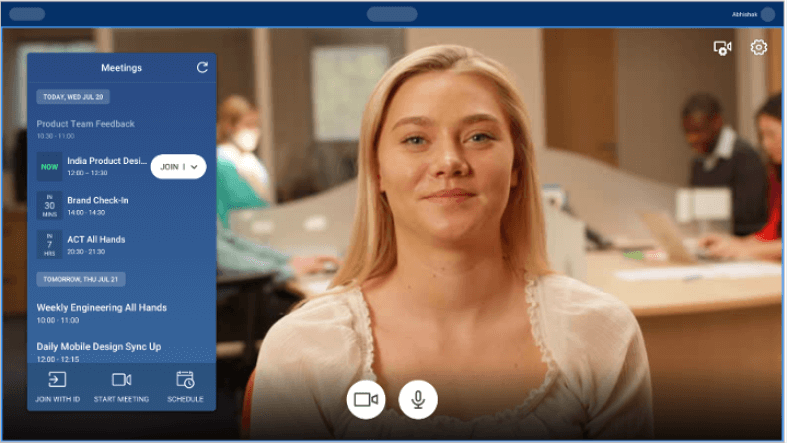
    Available by mid-April.

    Video Share on Accelerator

    BlueJeans Events Accelerator will now be able to fully support video sharing of on screen content allowing for the consolidation of multiple streams into a single stream to conserve bandwidth and preventing video degradation.

    Available by mid-April.

    Enhanced Content Share Experience

    Some users had observed a lag between the video and audio and the content being shared. We have significantly enhanced the content share experience by addressing the perceived lag.

    Available by mid-April.

    Platform

    GDPR Support

    The European Union General Data Protection Regulation (GDPR) is one of the most important changes in data privacy regulation in the EU in the last 2 decades. BlueJeans will introduce backend systems that will optimize how data is stored, processed and shared. GDPR support builds on BlueJeans commitment to security, manageability, and data privacy controls as documented in our BlueJeans SOC 3: Security, Availability, and Confidentiality Report 2017. BlueJeans will be early in delivering the capabilities required to comply with GDPR laws that will go into effect in the EU on May 25, 2018.

    Dolby Voice Support for Android

    The BlueJeans Android app will now include Dolby Voice. This extends the high quality wide-band audio to our Android users.

    Benefits include:

    • Dolby Noise Reduction from the mobile device
    • Spatial Audio for the mobile user

    Available by end of March on the Google Play store.

    Relay Rooms Listing

    Now you do not have to manage Relay rooms from relay.bluejeans.com. Command Center will have a new tab called ‘Relay’ that incorporates the relay website providing a unified experience.

    Available by end of April.

    BlueJeans January/February 2018 Release

    BlueJeans Rooms

    Command Center for Rooms

    Change the Room Name in Command Center

    From the Command Center Rooms tab, you can change the room name and room location.

    Available now.

    Dolby Conference Phone

    Dialing with Screen Share

    When using a 3rd party web conference, it is sometimes necessary to dial into the audio portion via PSTN. We have added a button for generating the out-of-meeting URL to share the 3rd party web conference with others in the room.
    To learn more, visit: https://www.bluejeansbyverizon.com/knowledge/DCP-phone-dialing.

    Available now.

    Spatial Audio

    If a room does not require video meetings (phone booths for instance), we have added an optional configuration that enables BlueJeans Rooms with Dolby Conference Phone featuring Spatial Audio.
    To learn more, visit: https://www.bluejeansbyverizon.com/knowledge/DCP-spatial-audio.

    Currently in Limited Availability. Contact your account team for more information.

    Relay

    Relay v2.14

    New, external calendar integration APIs allow users to insert, update or delete lists of externally managed meetings with new POST/PUT/DELETE APIs. Click here for documentation.

    Available now.

    BlueJeans Meetings

    Scheduling

    Invites

    We have simplified BlueJeans invitations to get users into meetings as quickly as possible. This will simplify invites from Google Calendar, Outlook, and your BlueJeans account. Some of the notable changes are:

    • Reduced unnecessary text and characters
    • Phone Dial-In instructions more notable for phone users

    Available now.

    BlueJeans Scheduler for Mac - End of Life Announcement

    Users that schedule with BlueJeans Scheduler for Mac will need to transition to the Outlook add-in for Office 365 before March 15, 2018. Simple to deploy and manage with no installation required for user devices, this add-in provides a native BlueJeans scheduling button for Outlook on Windows, Mac, and Web users.

    The Outlook add-in for Office 365 can be installed easily through the Office 365 Exchange Portal. Please find instructions here and let us know how we can help you transition users to the improved Outlook add-in for the Office 365 scheduling experience.

    Admin

    Phone Number Configuration

    By providing improved phone number control, your users can easily mark and order a set of default numbers or configure custom numbers.

    Available by the end of February.

    View Users Per Feature

    Under ‘Manage Features’, you can view which users have enabled a specific feature. To identify the users, just click on the counts provided under each feature.

    Available by the end of February.

    150 Capacity Meetings

    We now support meetings of up to 150 participants. Admins can control who can host larger meetings with the “Large Meeting” admin setting:

    This support is only offered with ‘My Company’ plans and is available in mid February. Contact your account team with any questions regarding your plan.

    Errata Note: Please contact support to enable 150 participants ability. 150 capacity is not available for partner audio integration customers: West (Intercall), Arkadin, Level 3 and AT&T.

    Command Center for Meetings

    Email Alerts for Participant Ratings

    Want to quickly learn about any participant issues or feedback? Now, you can set up email alerts to track participants who rate a meeting and resolve any issues quickly.

    Available by mid February.

    Search By Room Name

    When a user reports a problem with a room system, you no longer need to ask for a meeting ID. Simply search for the room name and view the live/past meetings. Then, click on the links for further details and troubleshooting.

    Available by the end of February.

    Total Number of Participants

    View the total number of participants who attended a BlueJeans meeting within a selected date range. This indicates adoption and reveals how many people inside and outside your organization are using BlueJeans.

    Available now.

    Troubleshooting Improvements

    We made it easier to visualize stats in Command Center by renaming labels and statistics from the participant’s perspective. Now, you will see ‘Video Sent’ or ‘Received’ on the meeting details and participant details page.

    Available now.

    New Features and Enhancements

    7 Digit Phone Pairing Code

    As a security enhancement, participants joining via computers and phones will now be prompted to enter a seven-digit pairing code as part of the join process. The previous pairing code length was six-digits.

    Available now.

    BlueJeans Events

    Command Center fo Events

    Statistics on Presenter and Moderator Endpoint Quality

    View presenter and moderator statistics by clicking on the participant row, which will show a pop-up. Troubleshoot any issues reported by participants by tracing variations in these metrics.

    Available now.

    New Features and Enhancements

    Recurring Events

    Now, a recurring option is available when scheduling Events. Event organizers can set Daily, Weekly & Monthly frequencies for Events.

    Only available with Event based plans. Contact your account team with any questions.

    Available by early February.

    Recording Feature Configuration

    While enabled by default, Events recording can now be selectively disabled for your enterprise. When disabled, users will not see any related functionalities such as initiating a recording and accessing past recordings.

    Please contact support@bluejeans.com if you’d like to disable recording options for your Events.

    Available now.

    Registration APIs

    We are now providing APIs for registration functionality that work with internal marketing/CRM tools. Using these APIs, users can build custom registration pages, send custom invitations to registered users, and help create unique URLs for individuals who register on their registration page.

    Get more details in the API documentation.

    Available now.

    BlueJeans November/December 2017 Release

    BlueJeans Meetings

    Scheduling

    BlueJeans for Google Calendar version 2.0.45

    Google has updated their web calendar with a fresh look and new features. (Learn more about the details of this new release here.) To support this new version of the Google Calendar, BlueJeans has released Calendar Extension 2.0.45 to maintain the ease of scheduling and joining BlueJeans Meetings.
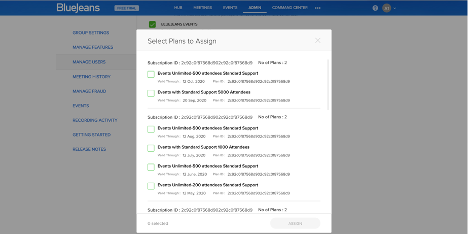
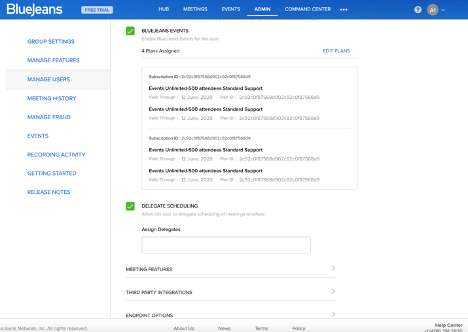
    Generally available early November.
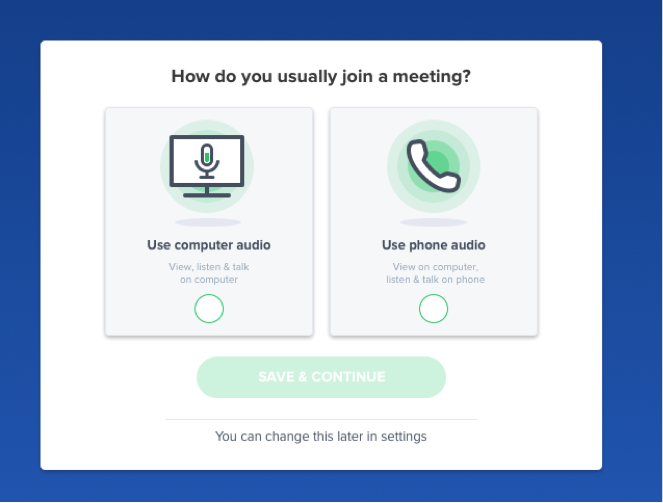
    Outlook Windows Add-in 4.2

    The newest version of the Outlook Add-in contains several bug fixes and performance enhancements.

    Users will also now see an option to retrieve their Moderator code at the bottom of their invites.

    Note: Due to a recent patch with Microsoft, upgrading the Outlook Add-in requires Outlook to be restarted. For remote deployments (machine MSI), it requires Outlook to be closed before pushing the upgrade.

    Phased rollout through the month of December.

    Admin

    Premium Number Configuration

    Admins can now enable or disable the use of the Premium Numbers feature for their entire enterprise or for specific users under the ‘Manage Features’ and ‘Manage Users’ panels.

    Generally available early November.

    Command Center for Meetings

    Search Improvements

    The search functionality will now display the last few completed meetings in the search results drop down, making it easier to distinguish which meeting ended most recently.

    Generally available late December.

    System CPU for App Endpoints

    The Call Characteristics graph now displays the overall System CPU for participants joining from BlueJeans app endpoints. The App CPU and System CPU utilization of the machine in use will help with troubleshooting any issues that arise.

    Generally available late November.

    BlueJeans Rooms

    New Features

    New iOS App v1.8

    We will be releasing a new iOS App v1.8 that will improve general bug fixes and enhance performance. To ensure that there is no disruption to your BlueJeans Rooms, please update the BlueJeans Rooms iOS app to v1.8 here on November 20th.

    Generally available November 20th.

    Command Center for Rooms

    Per room meetings chart

    Each room page now displays a bar chart indicating the number of meetings held over the past 7 days in that room.

    Generally available late December.

    BlueJeans Events

    New Features and Enhancements

    Secondary PSTN Support

    Secondary PSTN support has been added for all BlueJeans Events. Now, every event will have support of two PSTN services in an active-active mode, providing crystal clear audio.

    Generally available early December.

    HTML5 Recording

    HTML5 based recording playback will now be available to enhance the video viewing experience. Now users can view recorded events on a wide range of browsers without the need for additional downloads.

    Generally available mid December.

    Billing Plan Entitlement

    Admins can now selectively assign billing plans for specific users through their respective profile pages under the Manage Users tab.

    Generally available early December.

    Event Option Configuration

    Admins can now enable or disable the Raise Hand and Display of Attendee Count features at the enterprise level. If enabled at the enterprise level, event organizers also have the ability to disable these features when scheduling an event.

    Generally available early December.

    BlueJeans September/October 2017 Release Notes

    Platform

    Dolby Voice

    BlueJeans Platform with Dolby Voice
    The BlueJeans Platform will now include Dolby Voice. This will bring the highest quality in audio to all BlueJeans video meeting solutions, including BlueJeans Meetings and BlueJeans Rooms. (Coming soon to BlueJeans Events). Benefits:

    Clear audio that is easy to hear and understand

    • Meeting attendees experience exceptional audio clarity without distortion
    • Distracting background noise and ambient sounds are suppressed
    • Volume leveling technology maintains consistent volume across both quiet and loud talkers

    Natural conversation flows among multiple people

    • Multiple people can talk at once with overlapping conversation
    • Minimizes sound delays that create conversation lag and unintended pauses
    • Improves speaking interactions and attendee participation

    Better comprehension and meeting efficiency

    • Easy to know who is speaking and to follow conversations between multiple speakers
    • Effortless audio environment that frees the brain to concentrate on the conversation
    • Increased meeting and conversation efficiency and productivity

    Phased rollout through the months of October and November.

    BlueJeans Events

    Command Center fo Events

    Meeting Participant and Events Attendee Name Filter

    For any given meeting or event, participants can now be filtered by name for easier searchability.

    Available now.

    Events billed hours

    The Past Events page will now distinguish between free and billable events. For paid events, the number of hours or ‘Processing’ will be shown until more information is available.

    Available now.

    New Features and Enhancements

    15k Attendee Support

    We have expanded our support for BlueJeans Events from 5,000 to 15,000 concurrent attendees per event.

    Generally available October 31st. Contact Sales for pricing.

    Video Share for WebRTC Supported Browsers

    Video share will be available on WebRTC browsers. (Chrome is available with more browsers to be included soon). Previously the video share feature was only available on the app only.

    Generally available October 8th.

    Attendee Slider

    We have improved the attendee experience by allowing attendees to get a full-screen view of the shared content. Attendees now have the option to scroll the slider all the way to the right to view shared content in full-screen and completely minimize the video view from the screen.

    Available now.

    BlueJeans Meetings

    Integration

    Samsung DeX Support

    The BlueJeans Android App supports the new Samsung DeX Station used with a Samsung Galaxy S8/S8+ or Note 8. Connect a mouse, keyboard, and external monitor to your DeX to enable a desktop collaboration experience powered by your Samsung device.

    Capabilities supported include:

    • Multi-task with BlueJeans and other apps
    • Use external cameras connected to the DeX station
    • Keep meetings running seamlessly when docking and undocking from the DeX station

    Available now.

    Command Center for Meetings

    Participant Audio and Video Devices

    The mic, speaker, and camera devices being used will now be displayed under Summary Stats in the BlueJeans App.

    Available now.

    Round Trip Delay

    The round trip delay from all participant endpoints for video and audio traffic from BlueJeans cloud will now be graphically displayed under Call Characteristics.

    Available now.

    Improved Paired Audio Endpoint Icon

    A new paired audio endpoint icon is available for participants who join with paired endpoints. This icon will couple the two endpoints for easier association.

    Available now.

    BlueJeans Rooms

    Additional Support

    BlueJeans Rooms version 1.70 will provide additional support for the following:

    Additional Cameras and Speaker/Mics

    BlueJeans Rooms with Dolby Conference Phone
    Support is now available for Dolby Conference Phone and one-touch meeting initiation from the Dolby Conference Phone touch screen interface. The Dolby Conference Phone brings full-room, 360 degree spatial audio to BlueJeans Rooms. Experience premium sound, even in larger rooms with a pickup range of 20x30 feet. No ceiling wiring or multi-mic setup is required. The Dolby Conference Phone integrates with your iPBX systems to provide phone dialout.

    For peripheral support, we recommend a wide array of cameras, speaker/mic combos, and end-to-end systems. We have a list of hardware that is recommended to use with BlueJeans Rooms.

    Generally available October 16th.

    BlueJeans Relay

    Additional Endpoint Support
    Relay now supports Polycom® RealPresence Trio™Conference Phone hardware.

    We have a list of hardware that supports Relay without BlueJeans Rooms integration.

    Generally available October 16th.

    Command Center for Rooms

    Rooms UI improvements

    The Rooms tab and individual room pages have been refreshed to provide a simple and organized look and feel.

    Available now.

    For peripheral support, we support a wide array of cameras, speaker/mic combos, and end-to-end systems. We have a list of hardware that is recommended to use with Huddle.

    Available Now

    Rooms Search

    Room name search is no longer case-sensitive, providing a significantly improved search experience.

    Available now.

    BlueJeans July/August 2017 Release Notes

    BlueJeans Rooms

    Support for Huddle Relay Touch for iOS

    Relay Touch, the first solution powered by BlueJeans Relay, brings touch-to-join simplicity to most H.323- and SIP-based conference room systems. Relay Touch is free of charge for current BlueJeans customers.

    With BlueJeans Relay Touch, you can:

    • Integrate your calendar service (Exchange 2010/2013/2016, Office 365, or Google Calendar) with your BlueJeans service
    • Deploy everyday iPad tablets in your conference rooms to display scheduled meetings
    • Let participants touch-to-join a BlueJeans meeting, with no need to dial, pair, or enter a meeting ID
    • Provide the same, simple join process for room systems utilizing multiple vendors

    Generally available in August

    BlueJeans Relay Additional Endpoint Support

    The BlueJeans Relay v2.9 release now supports Polycom Debut endpoints v1.3+.

    Available Now

    Additional PC's

    In the BlueJeans Huddle 1.6 releases we are opening up the hardware support list for the PC platform of Huddle. We will run a minimum system requirement check on install and if the system passes, BlueJeans Huddle will be functional. The minimum system requirements are: Core i5 processor 2.4GHz or higher, 8GB of RAM, and 128GB SSD.

    Preferred and validated PCs include: the Intel NUC, the Dell OptiPlex 7040, HP Elite Slice and the Lenovo M700 Tiny.

    Additional Cameras and Speaker/Mic’s

    Virtually any USB based camera and speaker/mic combination will work with BlueJeans Huddle. However, BlueJeans has validated and recommends the following solutions:

    • AVer CAM340 camera
    • AVer CAM520 camera
    • Jabra 410, 510 and 810 speaker/mic
    • Huddly GO camera
    • Logitech c930e camera
    • Logitech BRIO camera
    • Logitech PTZ Pro camera
    • Logitech Group series camera/speaker/mic
    • Revolabs FLX UC500

    For peripheral support, we support a wide array of cameras, speaker/mic combos, and end-to-end systems. We have a list of hardware that is recommended to use with Huddle.

    Available Now

    BlueJeans Meetings

    Command Center for BlueJeans Meetings

    Command Center Now Enabled in All Admin Accounts

    Admins now automatically have Command Center enabled in their accounts, allowing access to real-time and historical information about in-meeting activities and quality metrics. Visit Command Center to learn about how to start using this analytics dashboard.

    New features for BlueJeans Command Center

    Previously these features were included with BlueJeans Command Center Pro. They are now being included in all versions of BlueJeans Command Center.

    • Export of CSV (past meetings & endpoints, past BlueJeans Primetime events, users)
    • Ports widget under Meetings
    • Feedback summary in meetings tab

    Generally available on August 5th

    Participant Geo Location

    For any live or past meeting, when several participants join from the same location, the map marker icon now reflects the number of participants.

    Available Now

    Filtering Improvement

    Any filters tfilhat are applied on the Past Meetings page will now be saved across page navigations unless the filter is explicitly deleted. This helps when searching for specific meetings and going back and forth between the past meetings list page and meetings detail page.

    Available Now

    Performance Enhancements

    The Meetings dashboard widgets now load nearly 10x faster than before. Data is computed in the UTC timezone. If you view the dashboard from another timezone, certain drill downs may not match up to your timezone.

    Available Now

    Improved CSV Downloads

    The CSV export feature on Past Meetings page for meetings.csv and endpoints.csv now allows downloads up to 3 months. Schedule a download and you will be notified on the Downloads tab when your requested file is ready for download.

    Available Now

    Moderator Indication

    For any Live/Past Meeting, the moderator participant, if present will now be indicated with a star icon as follows:

    Available Now

    Highlight Statistics

    When the jitter is seen to be above 40 msec and the packet loss above 2% for any participant, these fields will be highlighted in red. This applies to both Live and Past Meetings.

    Available Now

    Sort on Lowest Feedback

    Available Now

    Scheduling

    Invites

    We have simplified BlueJeans invitations in this release to get users into meetings as quickly as possible. This will simplify invites from Google Calendar, Outlook, and your BlueJeans account. Some of the notable changes are:

    • Meeting IDs now have spaces so they are easy to remember
    • Removed "Meeting Organizer" and "Participant Information" sections in the Moderators’ invites (Outlook Only). If moderator controls are needed, the moderator has to be logged in

    Generally available on August 19th

    Office 365 Add-in v1.0

    BlueJeans has partnered with Microsoft to provide an Office 365 add-in. This add-in will support all Office 365 Windows, Mac, and Web App endpoints. The new architecture is simple to deploy and manage with no installation required for user devices.

    BlueJeans will support a hybrid Outlook environment including on-premise and Office 365 deployments. Refer to this chart to determine your best client choice.

    Generally available on August 18th

    BlueJeans Microsoft Windows Outlook Add-in v4.1

    BlueJeans Microsoft Windows Outlook Add-in v4.1 addresses issues discovered in Outlook Add-in v4.0.

    • Removed the “Meeting Organizer” and “Participant Information” sections in Moderators’ invites
    • Support for adding a meeting to a single instance of a recurring series
    • For Delegate scheduling, we will now honor the default meeting setting of the Delegator (personal meeting or one-time meeting)
    • Several bug fixes for language translations
    • Several stability bug fixes

    Generally available on August 25th

    Integrations

    BlueJeans onSocial for Workplace by Facebook

    BlueJeans for Workplace provides businesses of all sizes with a self-service, professional-grade video platform to bring people together, create collaborative experiences, and broadcast them over Workplace by Facebook. Broadcast meetings and company-wide events on the company News Feed or directly to project, team, or multi-company groups. Videos are archived on their respective pages and made readily available for on-demand playback. BlueJeans Admins can enable users for this integration through the “Manage Features” tab from the Admin Console.

    Generally available on September 1st

    SIP Trunking

    SIP Trunking allows you to integrate one or more phone systems directly to our data centers. Phone participants can then connect to BlueJeans over IP instead of PSTN from any phone registered to a phone system that has a SIP Trunk to BlueJeans.

    The main benefits are:

    • Better audio
    • Lower costs
    • Added security (phone calls can be encrypted via a SIP Trunk)

    Generally available on August 5th

    Admin

    Enterprise Feature Management

    BlueJeans Admins can now enable/disable features at the enterprise level. Features that will be available for such control are: Remote Desktop Control, Recording, and Large Meetings.

    Admins can enable or disable the feature for all their BlueJeans users or individually for a few. They can choose to override any previous state by setting the default and applying it, after confirming their action. These features are not available to individual users to override.

    Generally available on September 1st

    Improvements to User Management

    Under ‘Manage Users’, the user details section under ‘View/Edit User’ panel has been simplified. It is now split into two tabs - ‘Profile Details’ that has basic profile information and ‘Settings & Features’, that is further categorized into logical sections.

    Generally available on August 25th

    BlueJeans Events

    BlueJeans Events Accelerator

    BlueJeans Events Accelerator is a solution that can be deployed within your network to help optimize the bandwidth consumption when a BlueJeans Event is streamed to a large number of attendees at a single location. It's a virtualized software that can be installed on any standard x86-64 based server running VMWare Hypervisor. It caches multiple video streams to a single stream thus providing tremendous bandwidth savings.

    To learn more about the solution, prerequisites or the deployment process, please contact your BlueJeans Customer Success Manager or the BlueJeans Support team.

    Available Now

    BlueJeans Events Polling

    Moderators now have the capability to poll attendees in real time.


    Moderator View


    Attendee View

    Short URL Notification
    For those viewing an event from a room, a short URL notification will show up in the room systems, allowing for the attendees to participate in a poll. When the attendee navigates to this URL, they will see a list of the polling questions and have the ability to respond either on their computers or mobile devices.

    Mobile App Notification
    A notification will be shown on the Mobile App (both iOS and Android) when a new poll is active. It will redirect the user to the a web page and users can participate and bounce back to the App after they complete the polling question or survey.

    Pre-Scheduling for Polling Questions
    Moderators can pre-schedule polling questions/surveys for their upcoming event, once it has been scheduled so that the questions will appear during the event.

    Generally available on August 5th

    New Intuitive Event Timeline Listing

    Previously, each recurring event instance was displayed separately on the timeline. The new design provides a more intuitive timeline listing.

    Available Now

    BlueJeans Events for Facebook Live

    BlueJeans for Workplace provides businesses of all sizes with a self-service, professional-grade video platform to bring people together, create collaborative experiences, and broadcast them over Workplace by Facebook. Broadcast meetings and company-wide events on the company News Feed or directly to project, team, or multi-company groups. Videos are archived on their respective pages and made readily available for on-demand playback.

    Generally available on August 5th. Contact Sales for pricing.

    Platform

    BlueJeans Expanding by Adding New Service POP

    BlueJeans is expanding our POP footprint to handle the growth of our service. This will require an additional new IP range (13.210.3.128/26) to be added to your firewall ports configuration.

    Please add the new IP address range, 13.210.3.128/26, to your firewall configuration by August 30th, 2017 to avoid potential issues with video, audio and content sharing quality. Further instructions can be found in TCP/UDP ports used by BlueJeans Network. We want to make sure you have opened firewall ports to BlueJeans Network's entire IP range to avoid unintended call failures.

    Panopto Video Management Solution

    BlueJeans has developed an exciting integration with Panopto, which is a video platform that allows organizations to store, manage, edit, and share videos within their organization. The BlueJeans integration with Panopto allows meetings that have been recorded in BlueJeans to be automatically uploaded into Panopto's platform. This not only provides a single location for users in an organization to experience the recorded meetings, but also allows for the meetings to be transcribed, highlighted and categorized for better search results. Click here for more information.

    Available Now

    BlueJeans March/April 2017 Release Notes

    BlueJeans Rooms

    Dual Screen Support

    Huddle will support dual screens which allows content to be seen on one screen and video on the other.

    Additional Platform & Peripheral Support

    Support for Dell OptiPlex 7040 Core i5 and i7.

    BlueJeans Events Support

    Primetime events are now listed in the Huddle list of scheduled events so that Presenters and Attendees can easily join the event from a Huddle room.

    *Available March 17th.

    BlueJeans Events

    Improvements to the BlueJeans Events Experience

    HTML5 Viewing Experience

    BlueJeans Primetime introduces a new HTML5 based video player that enhances the video viewing experience for Primetime event viewers. This new solution does not require Flash to be installed for viewers to watch the event.

    Note:

    • Chrome, Firefox, Microsoft Edge and Microsoft Internet Explorer are the only browsers that support HTML5 based video players. Other browsers and the BlueJeans app will continue to rely on Flash for an uninterrupted experience.
    • If you have Accelerator deployed, HTML5 will not be supported. We will fall back on Flash for the attendee viewing experience.

    Presenters supported on Android

    Presenters can now join a Primetime event from an Android device.

    Registration

    BlueJeans Primetime introduces event registration. Using this feature, organizers can:

    • Control events and require attendees to register using a generic or customizable form, effectively giving event organizers greater visibility into who is attending the event.
    • Manually approve the list of registrants, create filters to approve users from specific domains, or automate the approval process, entirely.
    • Send reminder emails 30 minutes or 1 day before the event.
    • Generate Attendee data reports, gather information, and learn more about your audience.

    Note:

    • Enabling event registration prohibits attendees from joining through PSTN or a room system.
    • This feature is applicable for public events only.

    Moderator Dashboard Improvements

    Redesigned to make moderating events easier and more intuitive, we’ve made the following improvements to empower moderators and allow them to control the event experience like never before.

    • Edit presenter names in the roster
    • Reorder presenters in the roster with a simple drag and drop. Customize the Presenter list to match the presentation sequence, regardless of when they joined the event.
    • With the click of a button, expand the live-event video feed. This expanded view can be handy when content and video is being shared at the same time.

    Attendee View Improvement

    Attendees can use the new slider to navigate between the content and video view.

    Note: This will only be available as part of the HTML5 attendee viewing experience and thus supported on the browsers that support HTML5 mentioned above.

    Moderated Q&A

    Our newly designed Q&A moderation functionality grants moderators control when deciding what questions to make public for all attendees. The event organizer must enable this feature during scheduling.

    New Waiting Room Experience

    The waiting room is the screen moderators and presenters see when they are the first to join a Primetime event or when all videos are switched off and no content is being shared. For an attendee, it means the time before and after broadcast is ON.

    Attendee View:

    BlueJeans Events Admin

    Now enabling and disabling Primetime for users is simple. Under the Manager Users tab in the Admin console, Admins can now enable Primetime access to individual users.

    Command Center for BlueJeans Events

    Primetime NPS widget

    A new widget for NPS summary is now available per role (Moderator, Presenter, Attendee) with a distribution of respondents (Promoter, Neutral, Detractor). There is also a provision for exporting this information in CSV format.

    Primetime Presenters CSV export

    CSV export for Presenters of an event now includes entries for all presenters who joined the event.

    BlueJeans Meetings

    BlueJeans App

    Remote Desktop Control

    We’re introducing Remote Desktop Control (RDC), which allows one user to control another user’s desktop in a BlueJeans onVideo meeting. RDC enables easy troubleshooting for support teams that are in different locations than their end users. It also allows remote presenters to drive content on a different machine.

    As long as meeting participants are on the BlueJeans app, version 1.26 or higher, they will be able to request and grant remote desktop control in any meeting. For more details on how it works click here.

    If you want RDC disabled for your enterprise, please contact support@bluejeans.com. On April 28th admins will be able to enable/disable RDC for your entire enterprise or for individual users in the admin console.

    Streamlining Meeting Join Time*

    First time users will not require the Chrome Extension before installing the BlueJeans app. This means that users will no longer see the following screen the first time they join a BlueJeans meeting:

    *BlueJeans Easy Buttons and Direct Launch are available on April 8th.
    **Scheduling One-Time Meetings available on May 12th.

    Copy Personal Meeting ID

    The BlueJeans app now offers an easy option for users to copy their Personal Meeting ID to share with others.

    Scheduling

    BlueJeans Outlook Add-in 4.0*

    Our latest add-in is focused completely on improving performance. Outlook users will see the following quality enhancements:

    • BlueJeans will no longer impact Outlook launch time

    • The time to schedule a BlueJeans meeting has been reduced by 70%

    • Crashing issues have been resolved to eliminate the add-in getting disabled or "disappearing".

    • Additional resilience has been added

    Note: Users who are upgrading from Outlook add-in version 3.4.761 will see the false error below. Once they press OK, the upgrade will proceed as normal. If the Outlook add-in is centrally pushed through IT, then end users should not see this error.

    *The 4.0 Outlook Add-in will be available for users and admins to download on 4/30. Individual users who have auto upgrade enabled will be prompted to update in May.

    Google Calendar Extension 2.0

    • BlueJeans will no longer impact Outlook launch time


    • Direct Launch of the BlueJeans app - When users click on "Join BlueJeans Meeting", instead of launching the browser and then the app, we will now launch the app directly. This will reduce the join time by approximately 5 seconds!

    • Schedule One-Time Meetings - In addition to personal meeting IDs, we are adding the ability to schedule using unique meeting IDs

    *BlueJeans Easy Buttons and Direct Launch are available on April 8th with Google Calendar Extension v1.66
    **Scheduling One-Time Meetings available on June 12th with Google Calendar Extension v2.0
    Command Center for Meetings

    Command Center 2.0*

    A revamped UI and major performance improvements are the highlights of this release. For a quick preview of the changes, please see this link.

    *Available between April 5th and April 26th.

    Live Meeting Control - Talk Detector

    When live meeting control is being used, and any participant talks, an icon will show this activity by a color change and movement of the sound icon. This helps troubleshooting.

    Feedback Summary View

    The Feedback Summary widget has been fixed to now display comments corresponding to a rating.

    Communication Preferences

    Email Preference Center

    BlueJeans now offers users a comprehensive set of choices for opting in or out of different email communications from BlueJeans.

    Note: Admins may subscribe or unsubscribe users from specific email categories upon contacting their BlueJeans account team.

    *Available on May 5th.